Accounts & setup · 23
Army Studio: create a composition
Open Army Studio from WebApp remote tools with the desktop client connected.
Annotated screenshot walkthrough. Every step is also written below. Download captions
Reference: client 3.2.3 with local changes · Sep 16, 2026. Some options may not be in the public download yet. Captured interface is in English.
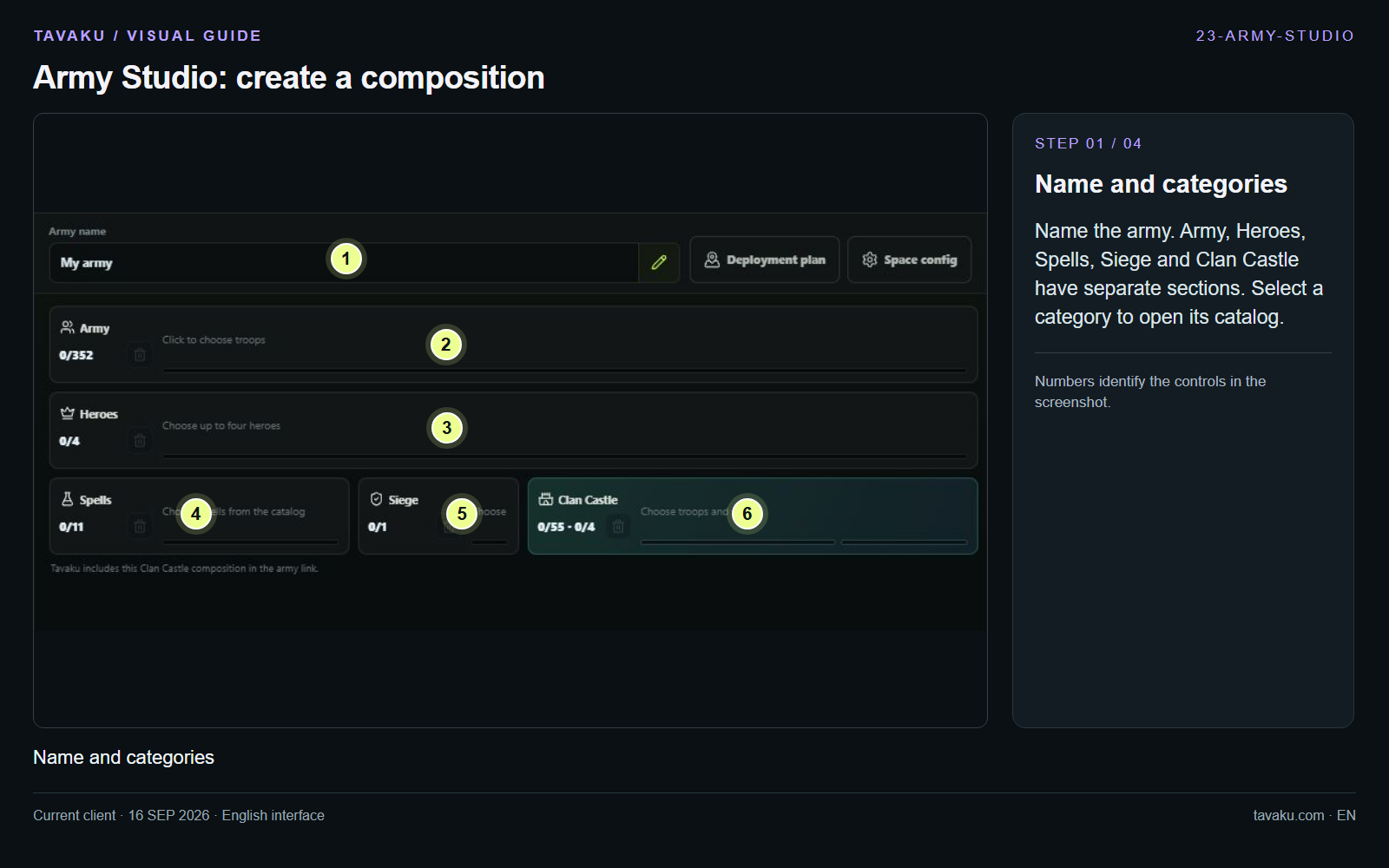
Name the army. Army, Heroes, Spells, Siege and Clan Castle have separate sections. Select a category to open its catalog.
 Enlarge image ↗
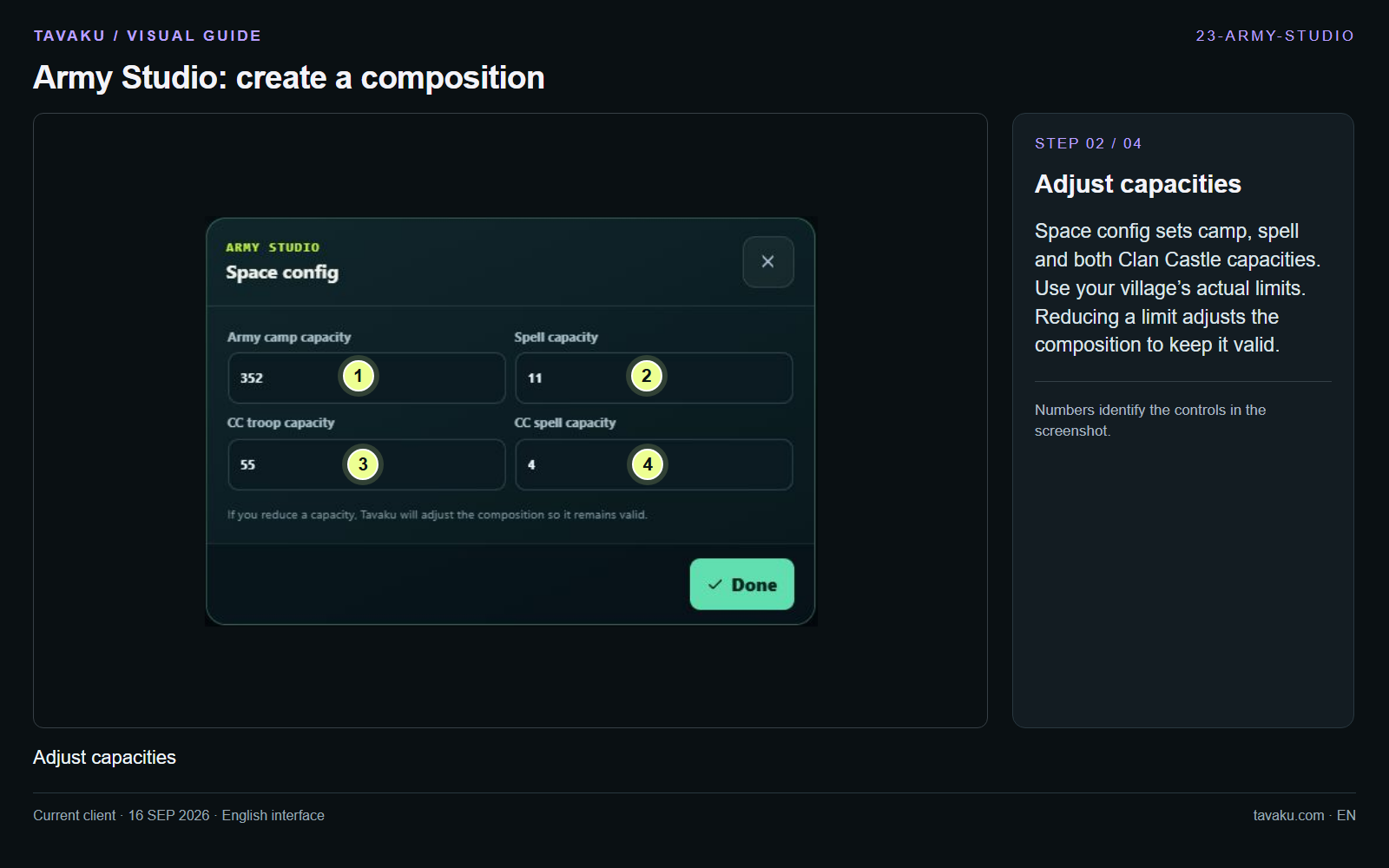
Space config sets camp, spell and both Clan Castle capacities. Use your village’s actual limits. Reducing a limit adjusts the composition to keep it valid.
 Enlarge image ↗
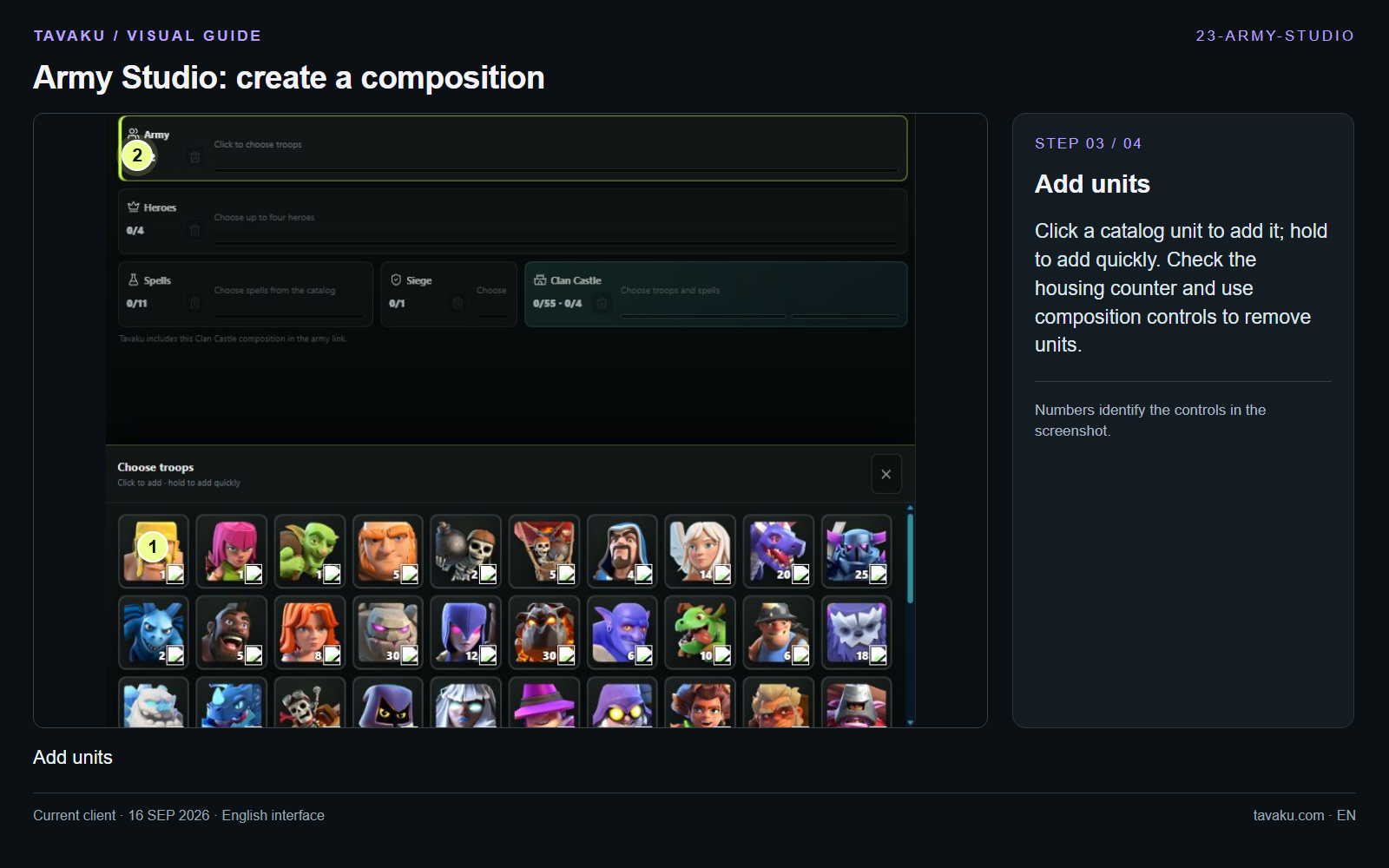
Click a catalog unit to add it; hold to add quickly. Check the housing counter and use composition controls to remove units.
 Enlarge image ↗
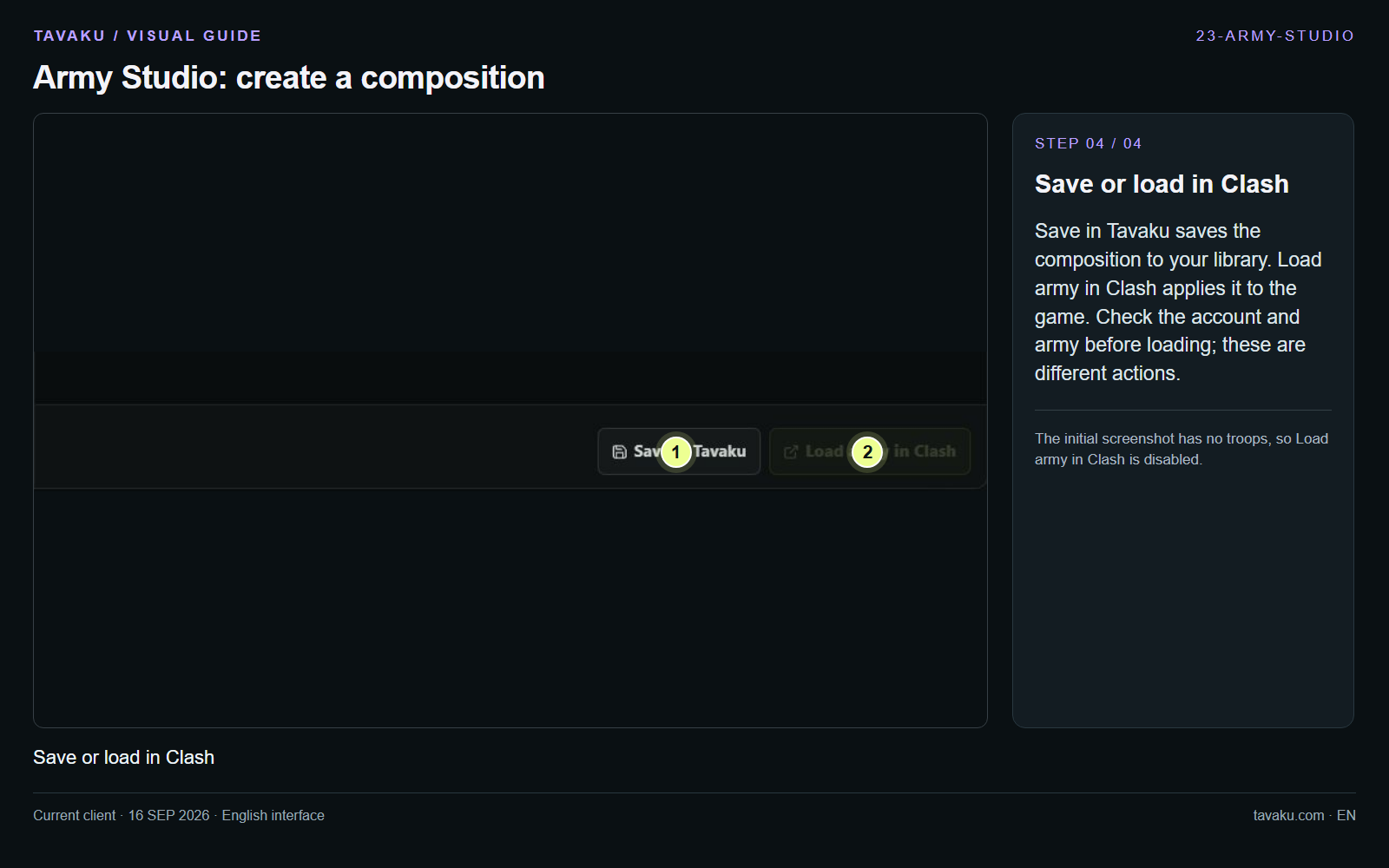
Save in Tavaku saves the composition to your library. Load army in Clash applies it to the game. Check the account and army before loading; these are different actions.
The initial screenshot has no troops, so Load army in Clash is disabled.
 Enlarge image ↗
About this guide
Configuration walkthrough of the current client, including local changes. No service was started during capture.