Troubleshooting · 31
Troubleshooting and support
Use these checks to distinguish emulator, configuration and remote connection issues.
Annotated screenshot walkthrough. Every step is also written below. Download captions
Reference: client 3.2.3 with local changes · Sep 16, 2026. Some options may not be in the public download yet. Captured interface is in English.
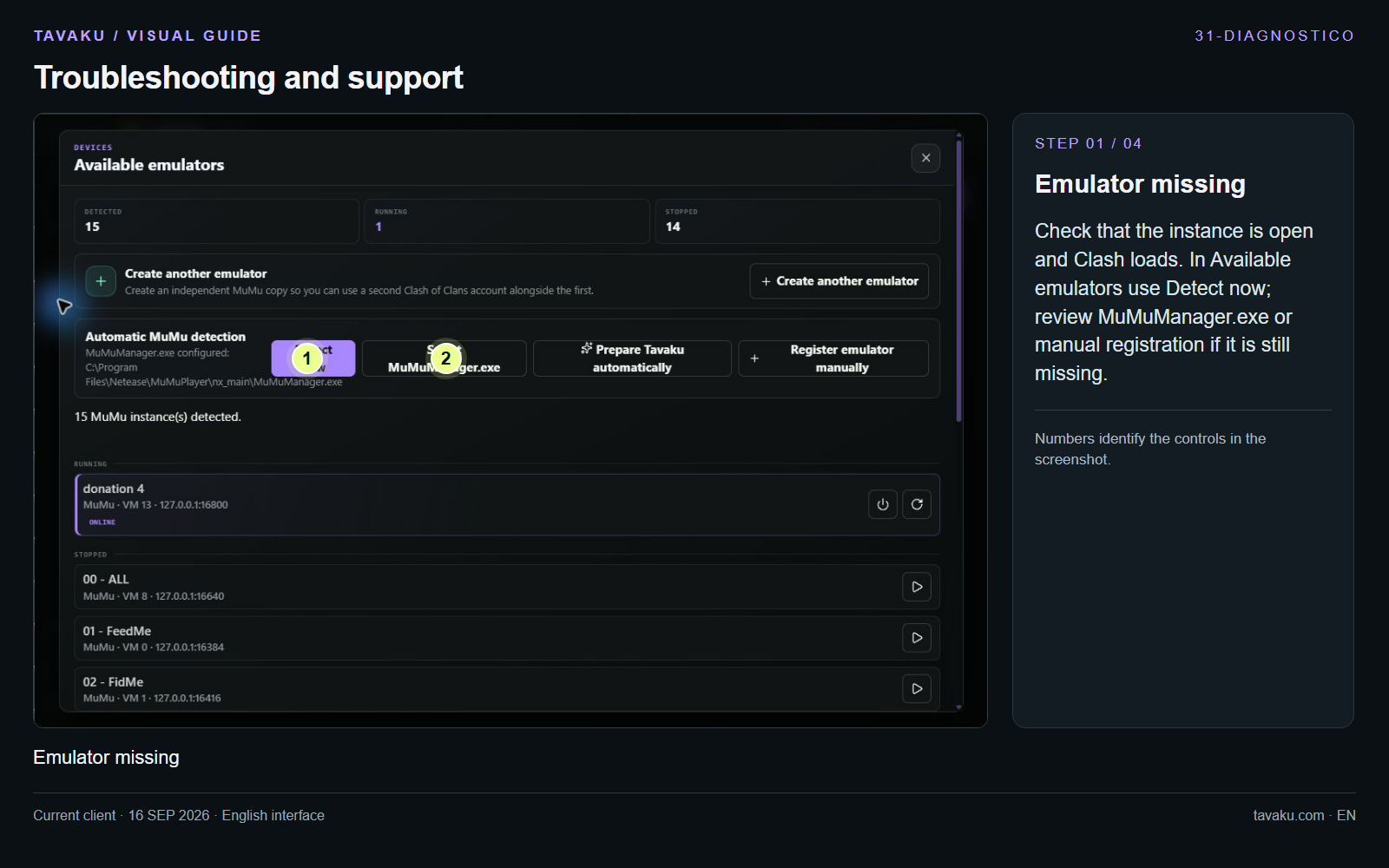
Check that the instance is open and Clash loads. In Available emulators use Detect now; review MuMuManager.exe or manual registration if it is still missing.
 Enlarge image ↗
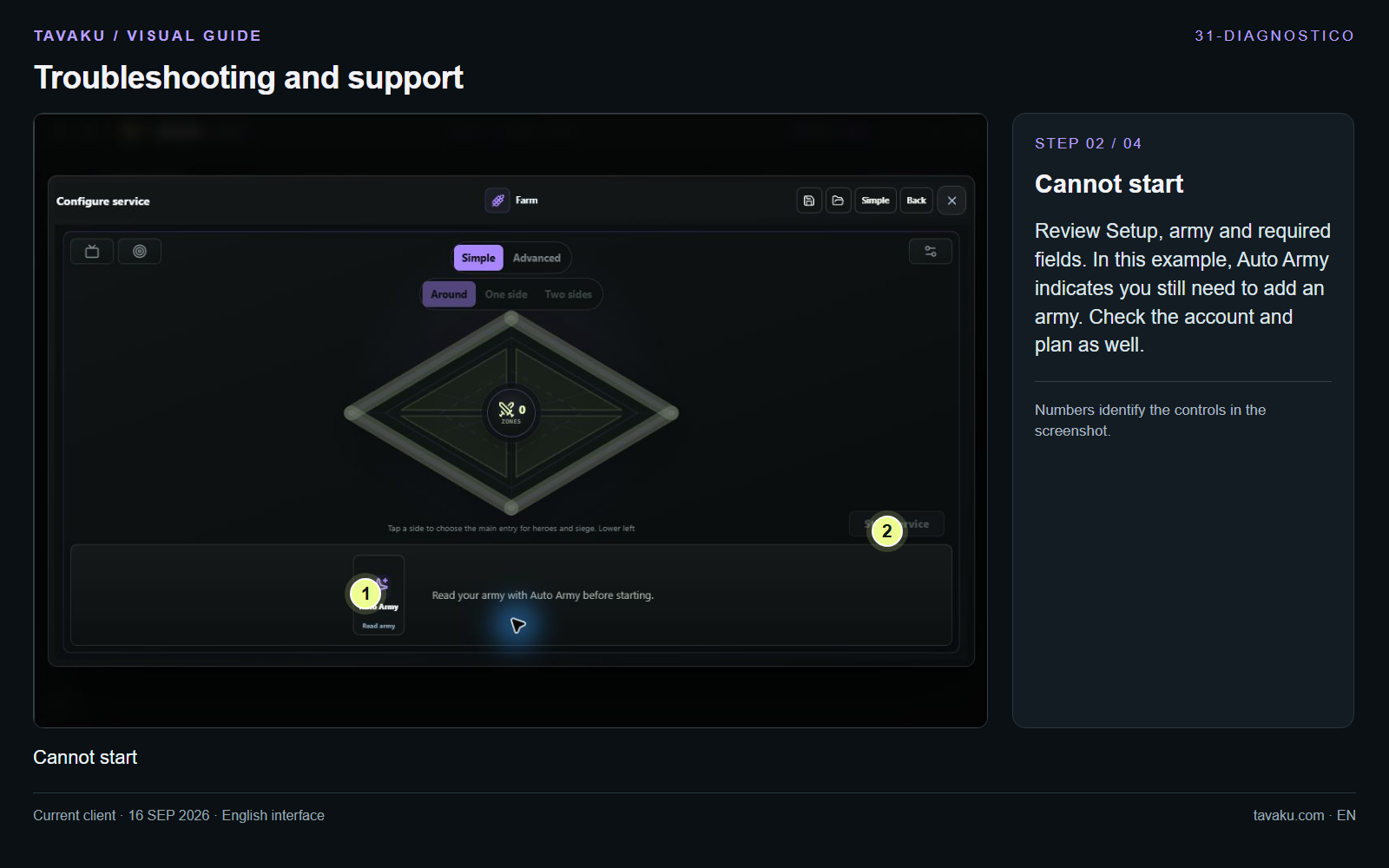
Review Setup, army and required fields. In this example, Auto Army indicates you still need to add an army. Check the account and plan as well.
 Enlarge image ↗
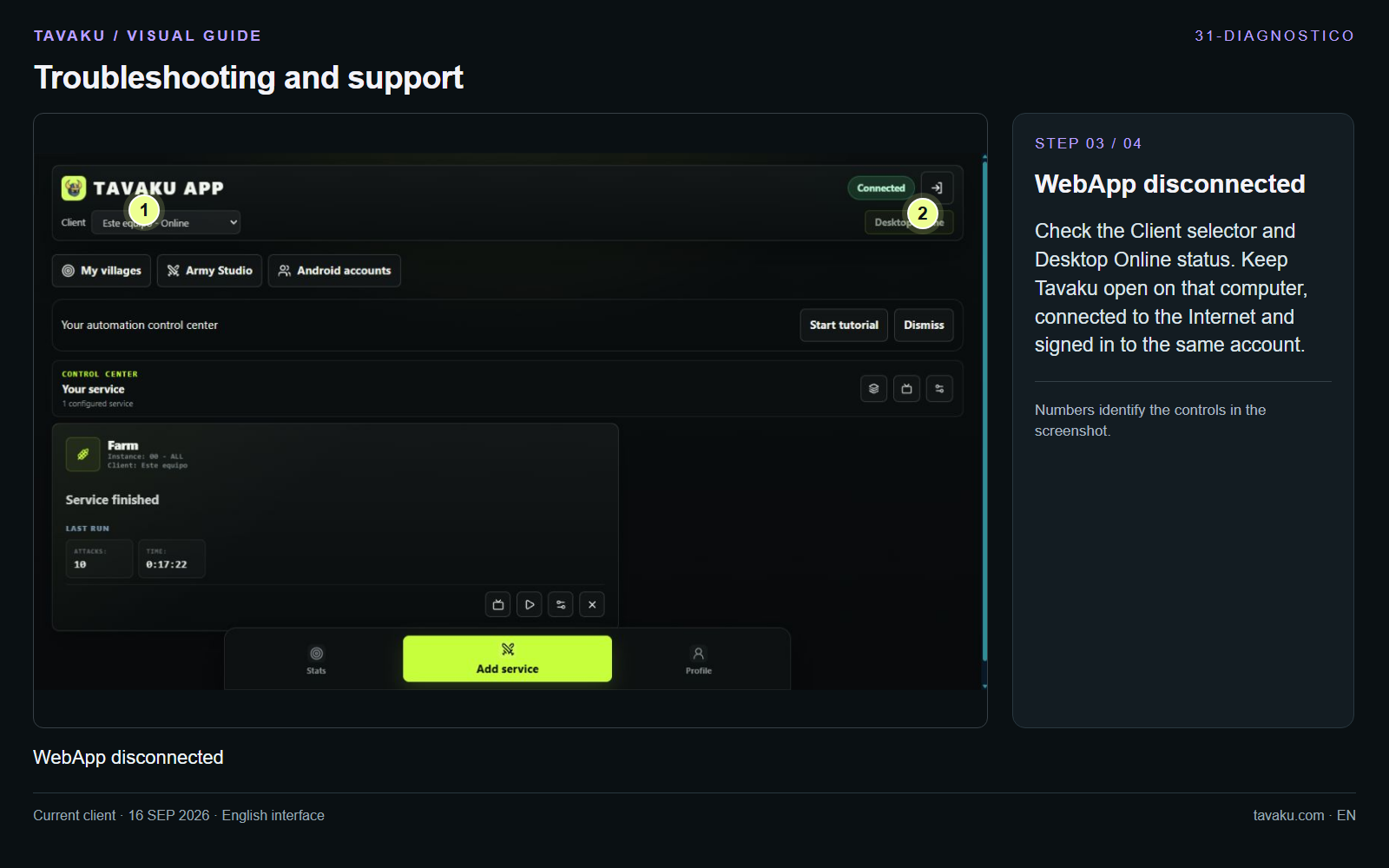
Check the Client selector and Desktop Online status. Keep Tavaku open on that computer, connected to the Internet and signed in to the same account.
 Enlarge image ↗
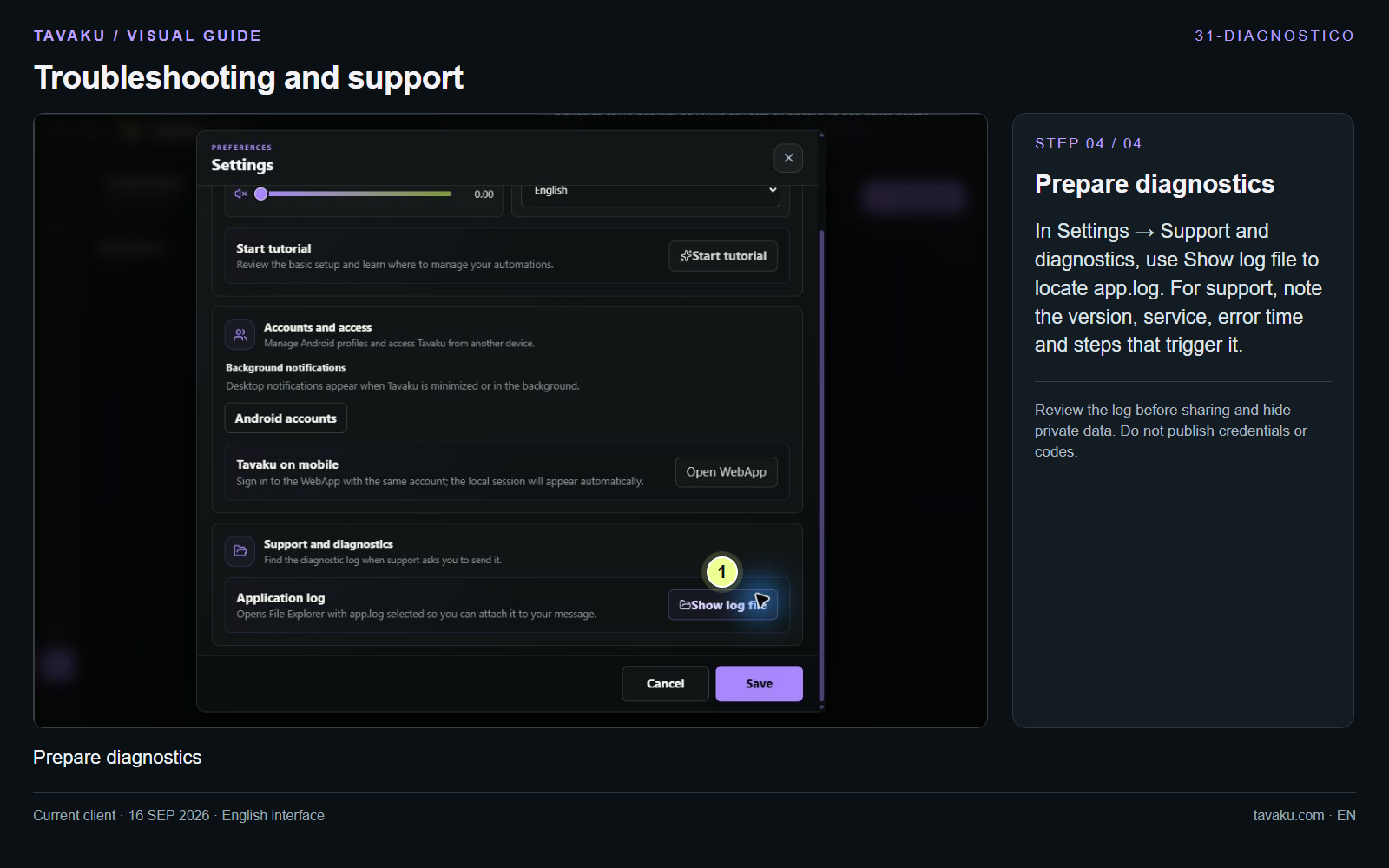
In Settings → Support and diagnostics, use Show log file to locate app.log. For support, note the version, service, error time and steps that trigger it.
Review the log before sharing and hide private data. Do not publish credentials or codes.
 Enlarge image ↗
About this guide
Configuration walkthrough of the current client, including local changes. No service was started during capture.