Getting started · 32
macOS: download and requirements
Reference for the official macOS download page. Client screenshots in the other guides were captured on Windows.
Annotated screenshot walkthrough. Every step is also written below. Download captions
Reference: client 3.2.3 with local changes · Sep 16, 2026. Some options may not be in the public download yet. Captured interface is in English.
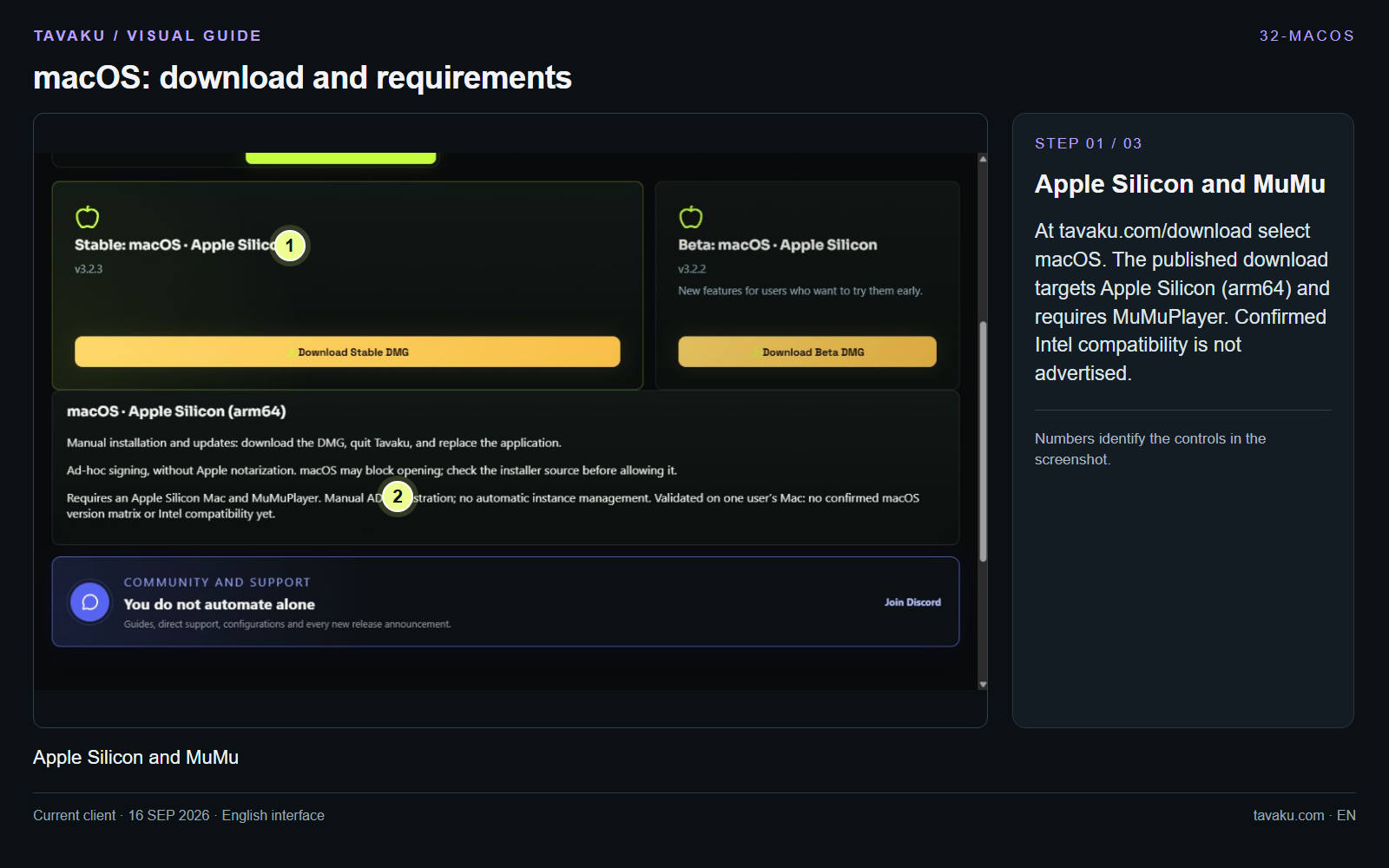
At tavaku.com/download select macOS. The published download targets Apple Silicon (arm64) and requires MuMuPlayer. Confirmed Intel compatibility is not advertised.
 Enlarge image ↗
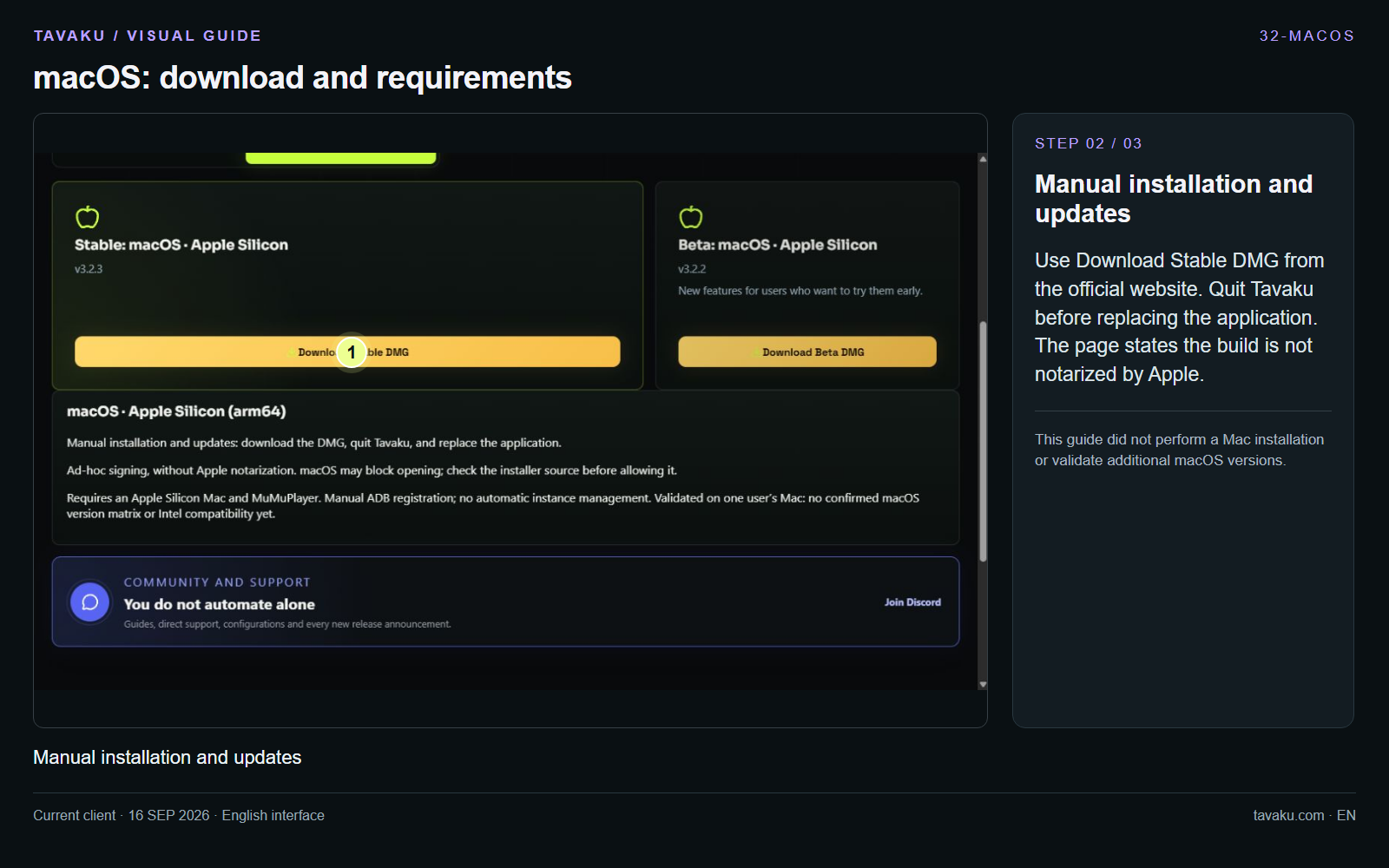
Use Download Stable DMG from the official website. Quit Tavaku before replacing the application. The page states the build is not notarized by Apple.
This guide did not perform a Mac installation or validate additional macOS versions.
 Enlarge image ↗
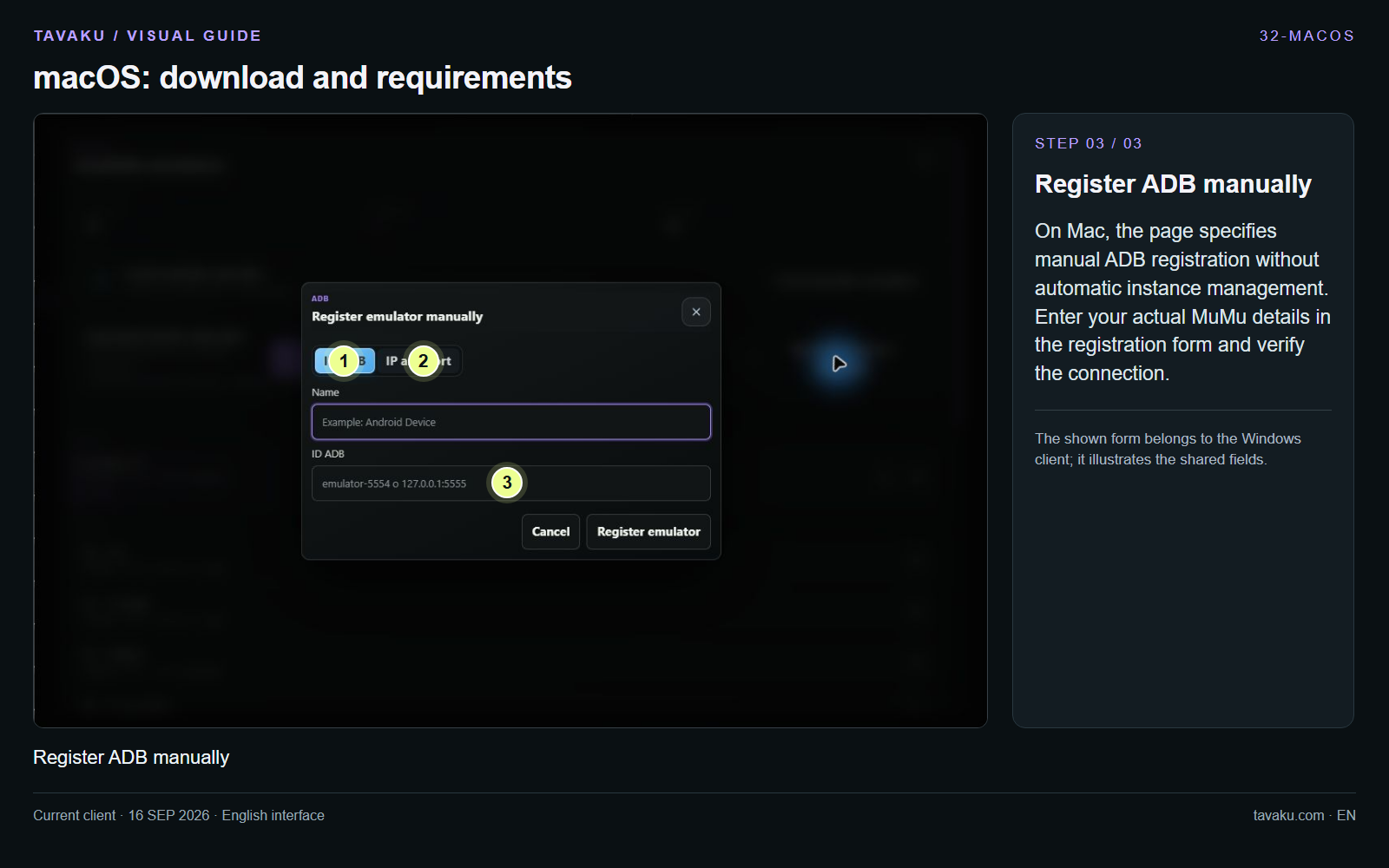
On Mac, the page specifies manual ADB registration without automatic instance management. Enter your actual MuMu details in the registration form and verify the connection.
The shown form belongs to the Windows client; it illustrates the shared fields.
 Enlarge image ↗
About this guide
Source: https://tavaku.com/download · macOS tab · checked 2026-09-16. Installation was not performed on this computer.