Accounts & setup · 33
Home Village army and deployment
Distinguish the service’s Simple mode from the deployment editor’s Simple and Advanced controls.
Annotated screenshot walkthrough. Every step is also written below. Download captions
Reference: client 3.2.3 with local changes · Sep 16, 2026. Some options may not be in the public download yet. Captured interface is in English.
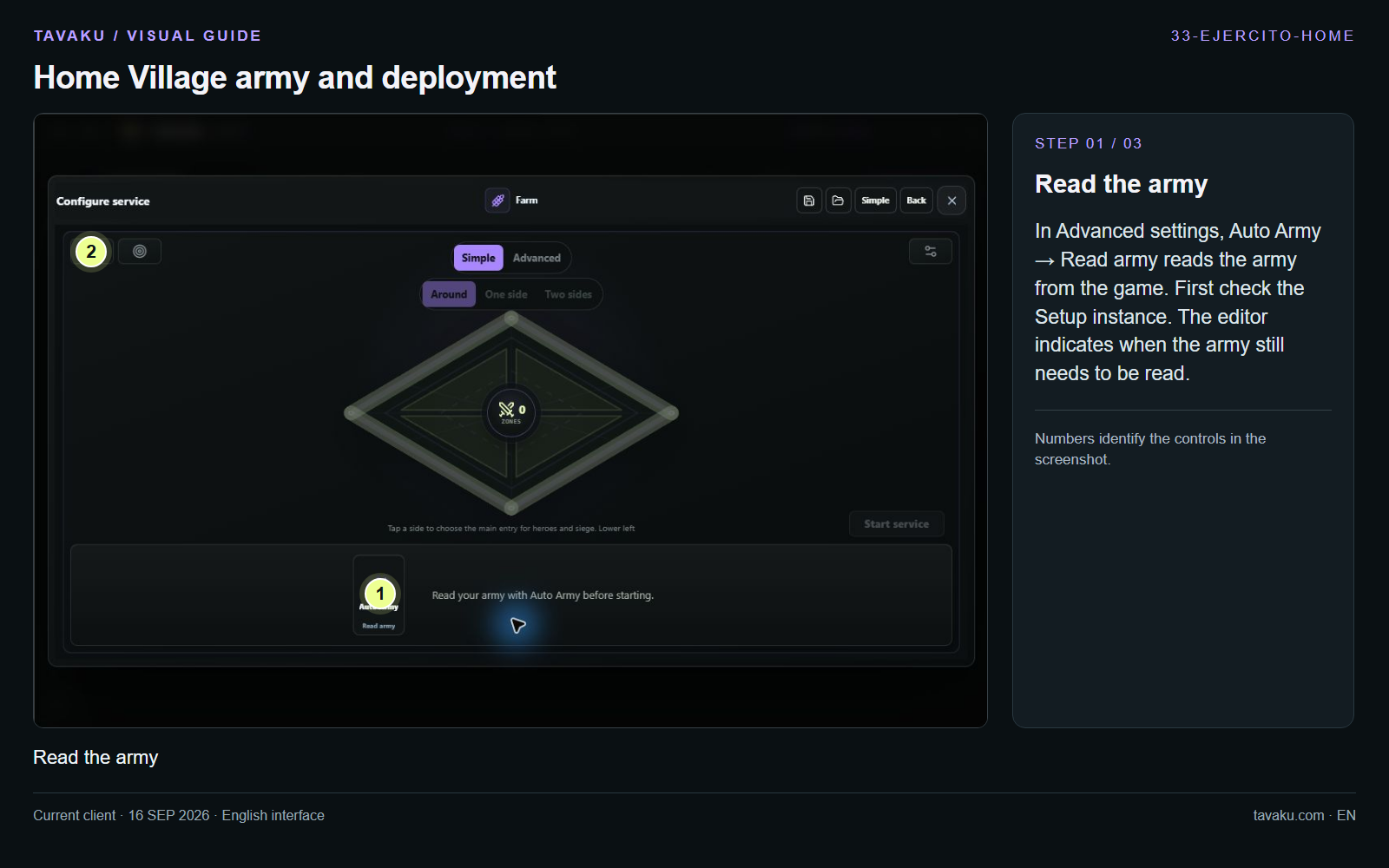
In Advanced settings, Auto Army → Read army reads the army from the game. First check the Setup instance. The editor indicates when the army still needs to be read.
 Enlarge image ↗
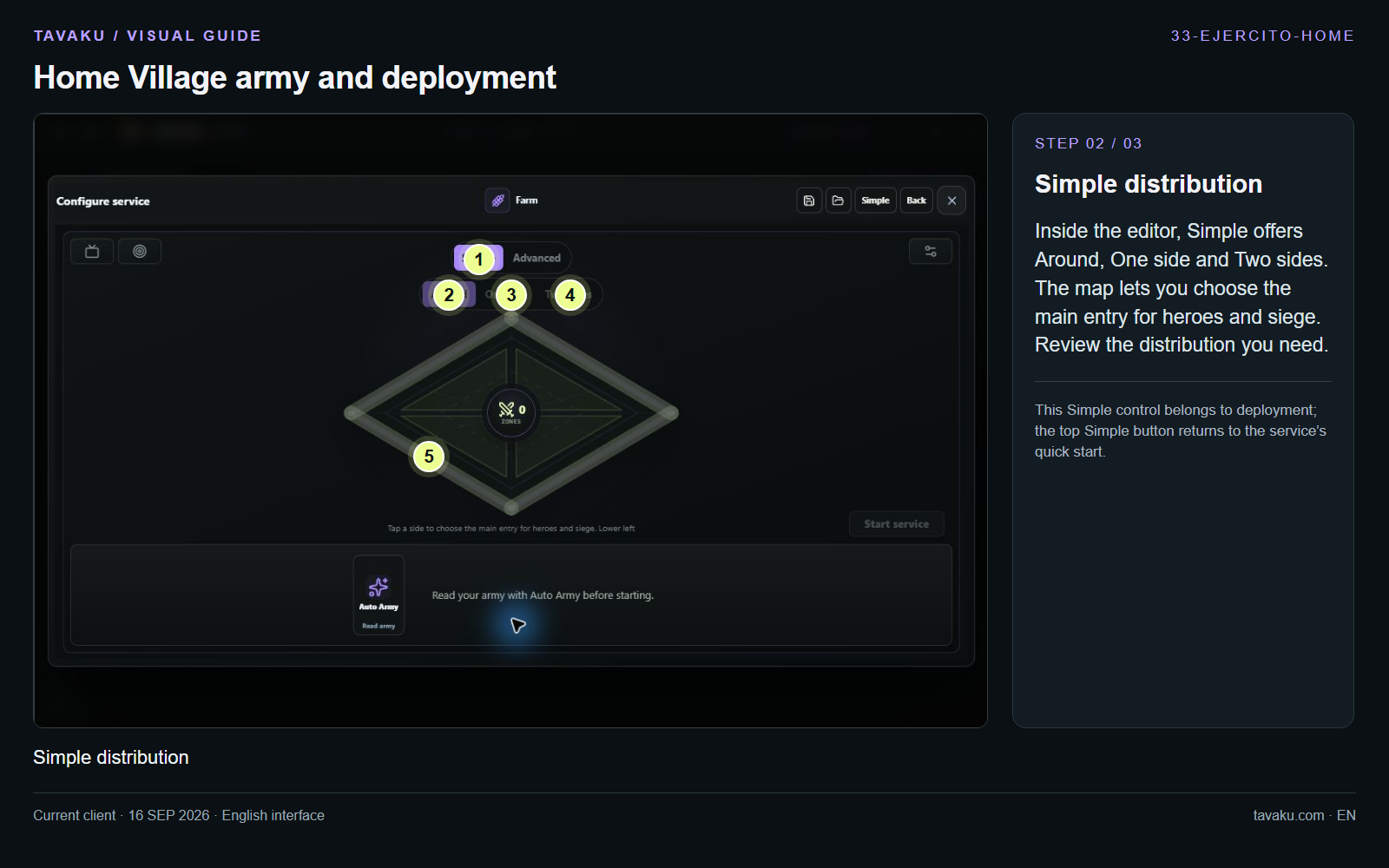
Inside the editor, Simple offers Around, One side and Two sides. The map lets you choose the main entry for heroes and siege. Review the distribution you need.
This Simple control belongs to deployment; the top Simple button returns to the service’s quick start.
 Enlarge image ↗
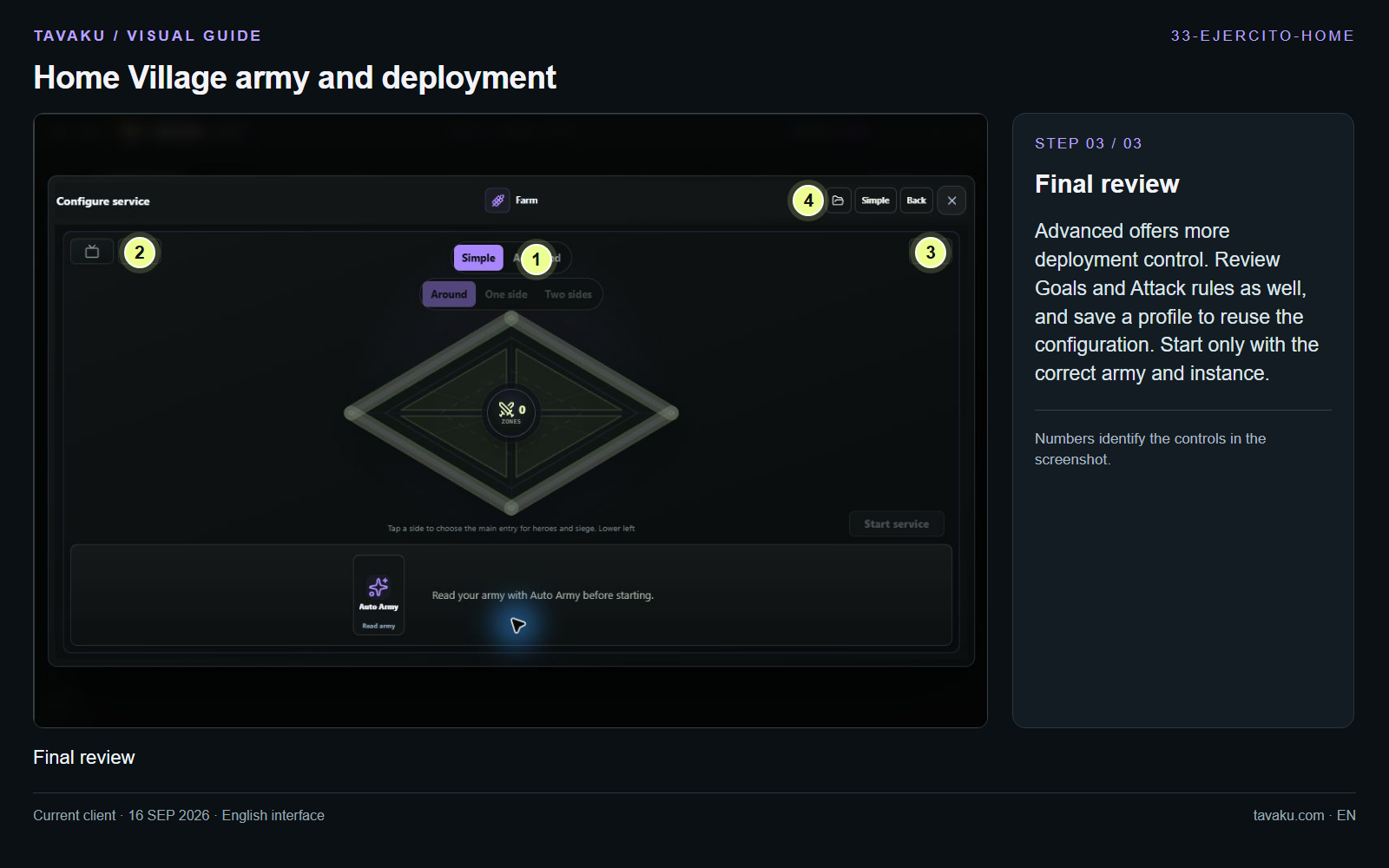
Advanced offers more deployment control. Review Goals and Attack rules as well, and save a profile to reuse the configuration. Start only with the correct army and instance.
 Enlarge image ↗
About this guide
Configuration walkthrough of the current client, including local changes. No service was started during capture.