Accounts & setup · 34
Multiaccount vs multi-instance
An account is a game village or profile. An instance is a separate Android emulator. You can combine both ways of working.
Annotated screenshot walkthrough. Every step is also written below. Download captions
Reference: client 3.2.3 with local changes · Sep 16, 2026. Some options may not be in the public download yet. Captured interface is in English.
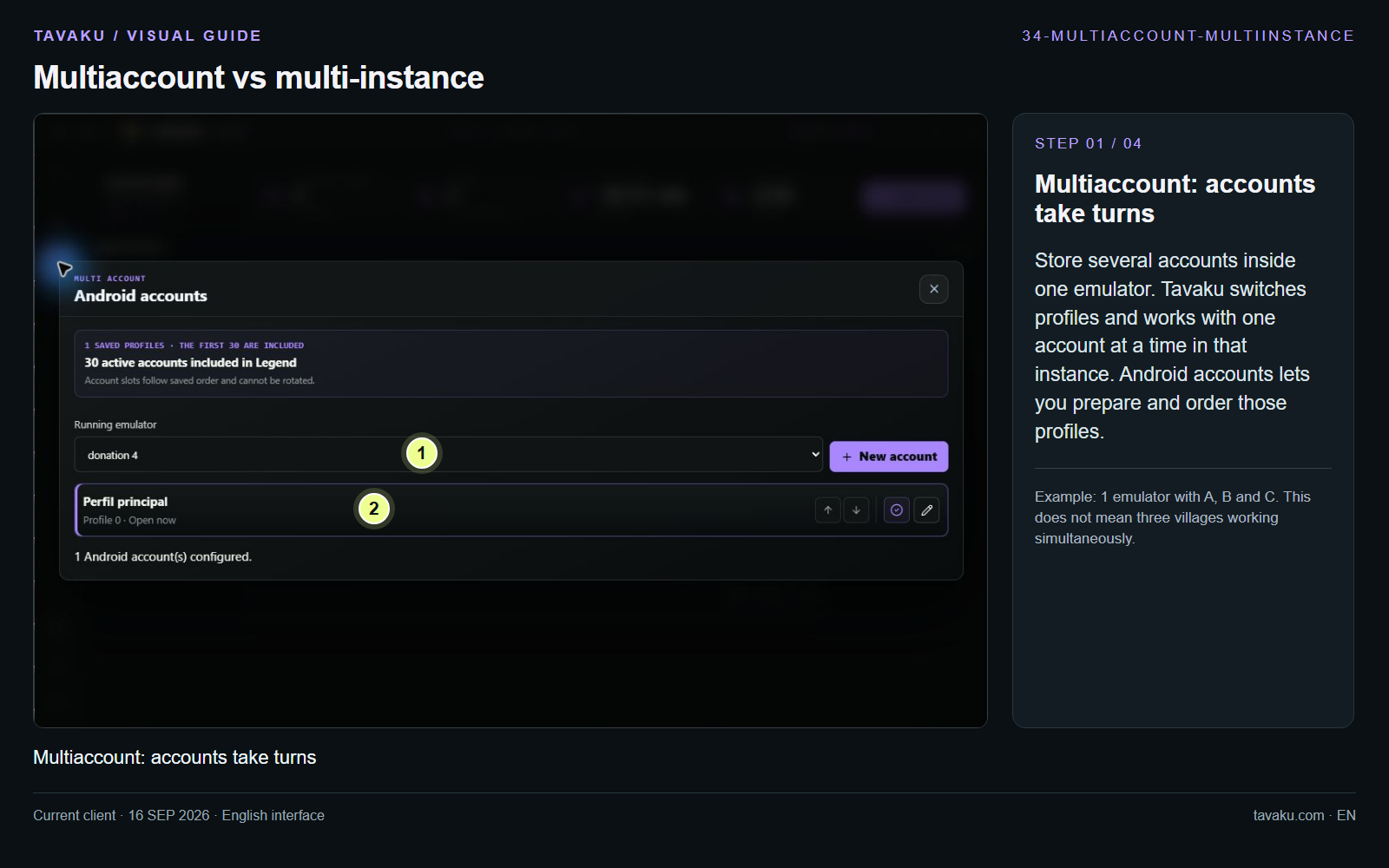
Store several accounts inside one emulator. Tavaku switches profiles and works with one account at a time in that instance. Android accounts lets you prepare and order those profiles.
Example: 1 emulator with A, B and C. This does not mean three villages working simultaneously.
 Enlarge image ↗
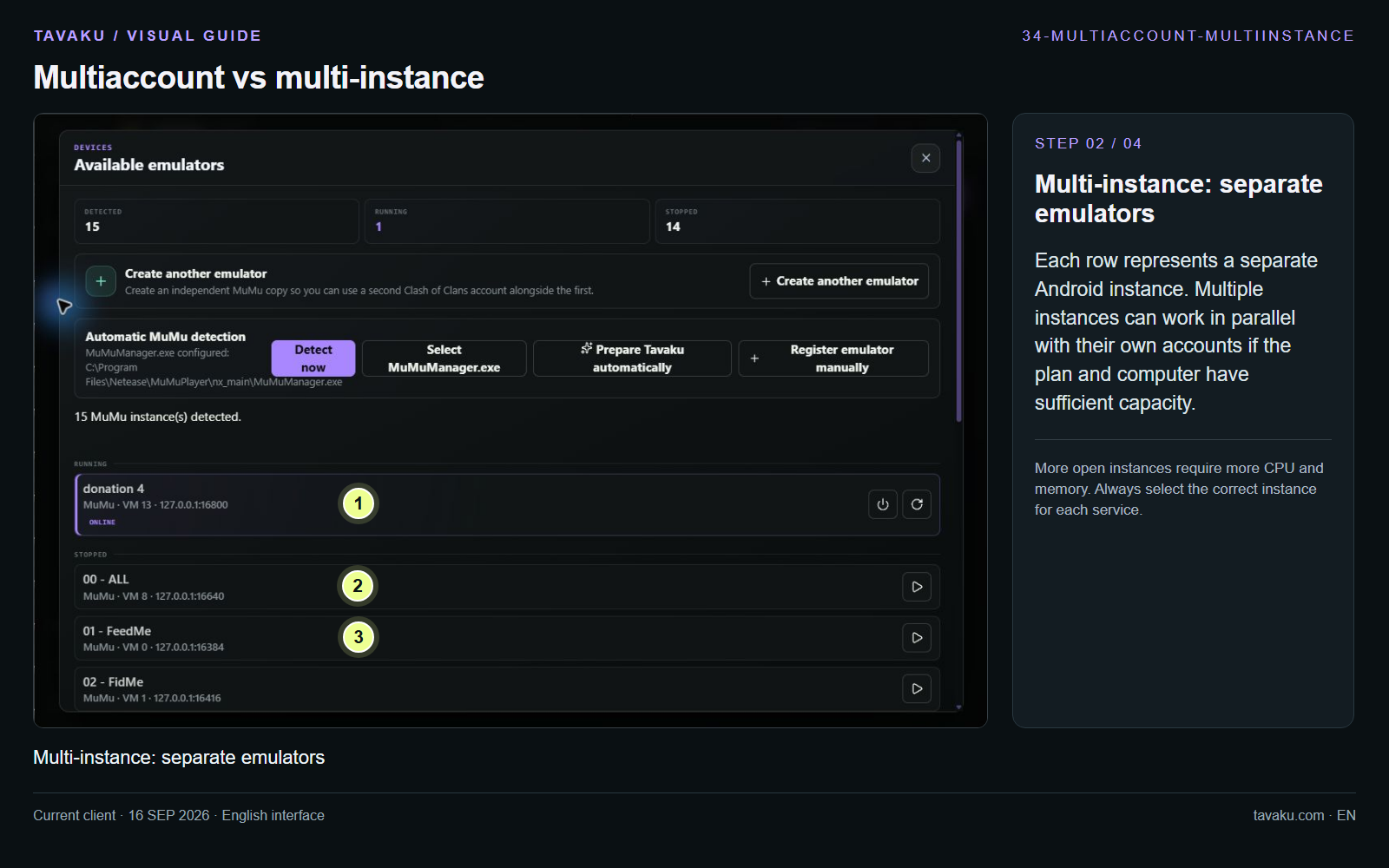
Each row represents a separate Android instance. Multiple instances can work in parallel with their own accounts if the plan and computer have sufficient capacity.
More open instances require more CPU and memory. Always select the correct instance for each service.
 Enlarge image ↗
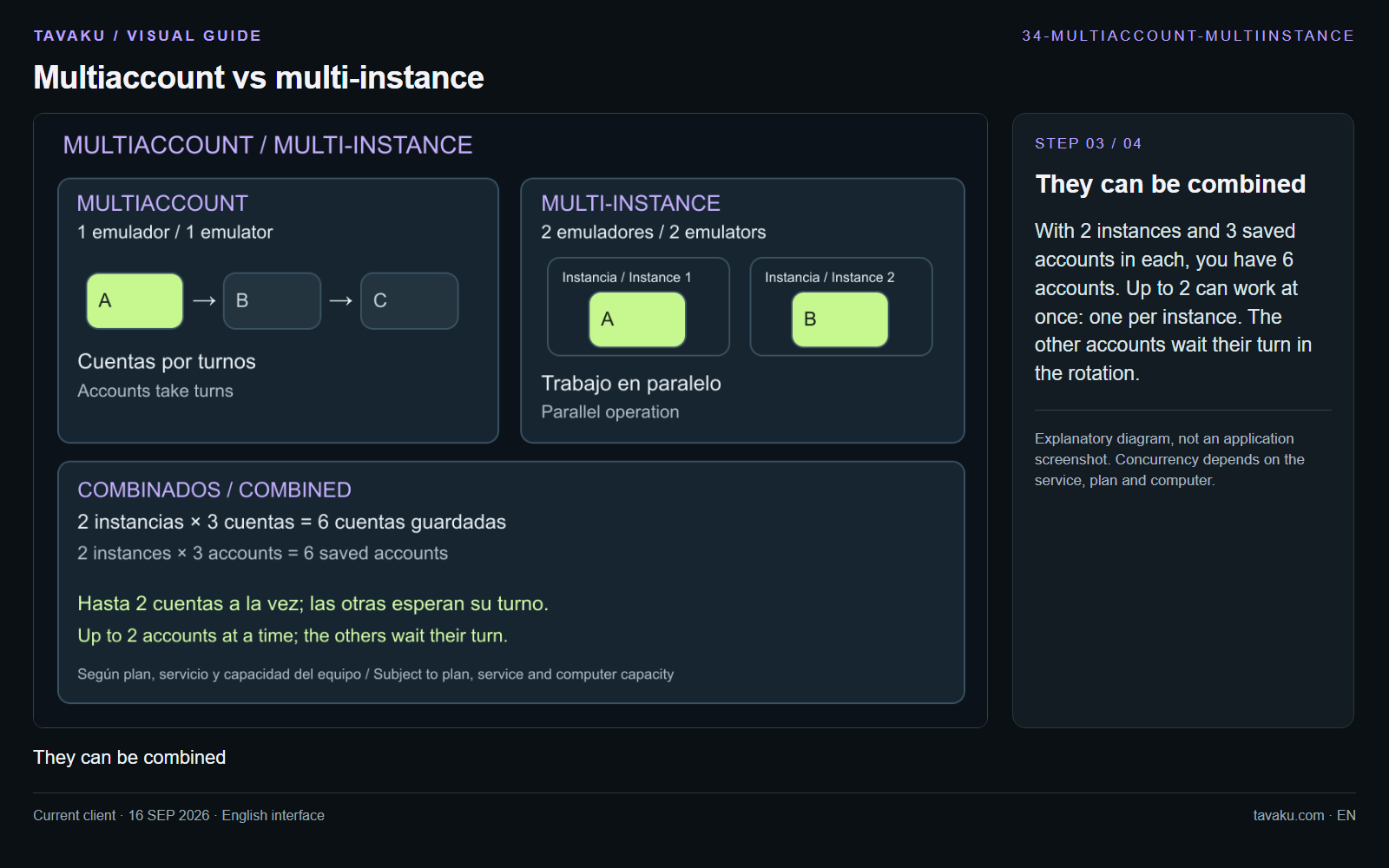
With 2 instances and 3 saved accounts in each, you have 6 accounts. Up to 2 can work at once: one per instance. The other accounts wait their turn in the rotation.
Explanatory diagram, not an application screenshot. Concurrency depends on the service, plan and computer.
 Enlarge image ↗
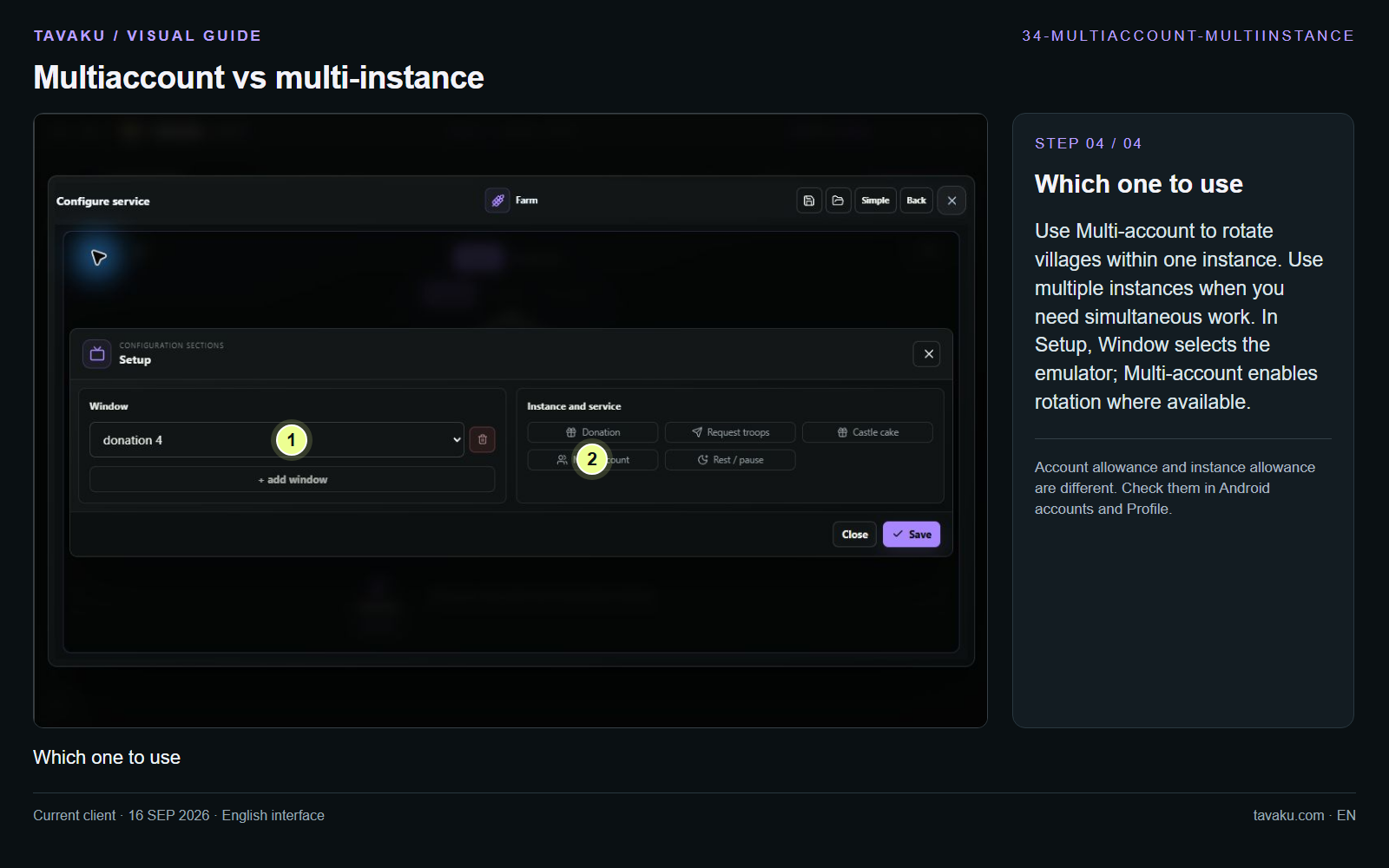
Use Multi-account to rotate villages within one instance. Use multiple instances when you need simultaneous work. In Setup, Window selects the emulator; Multi-account enables rotation where available.
Account allowance and instance allowance are different. Check them in Android accounts and Profile.
 Enlarge image ↗
About this guide
For profile and rotation setup, continue with guide 19. To detect or register emulators, see guide 02.