Accounts & setup · 24
Army Studio: deployment plan
A plan adds order, pauses and positions to an Army Studio composition.
Annotated screenshot walkthrough. Every step is also written below. Download captions
Reference: client 3.2.3 with local changes · Sep 16, 2026. Some options may not be in the public download yet. Captured interface is in English.
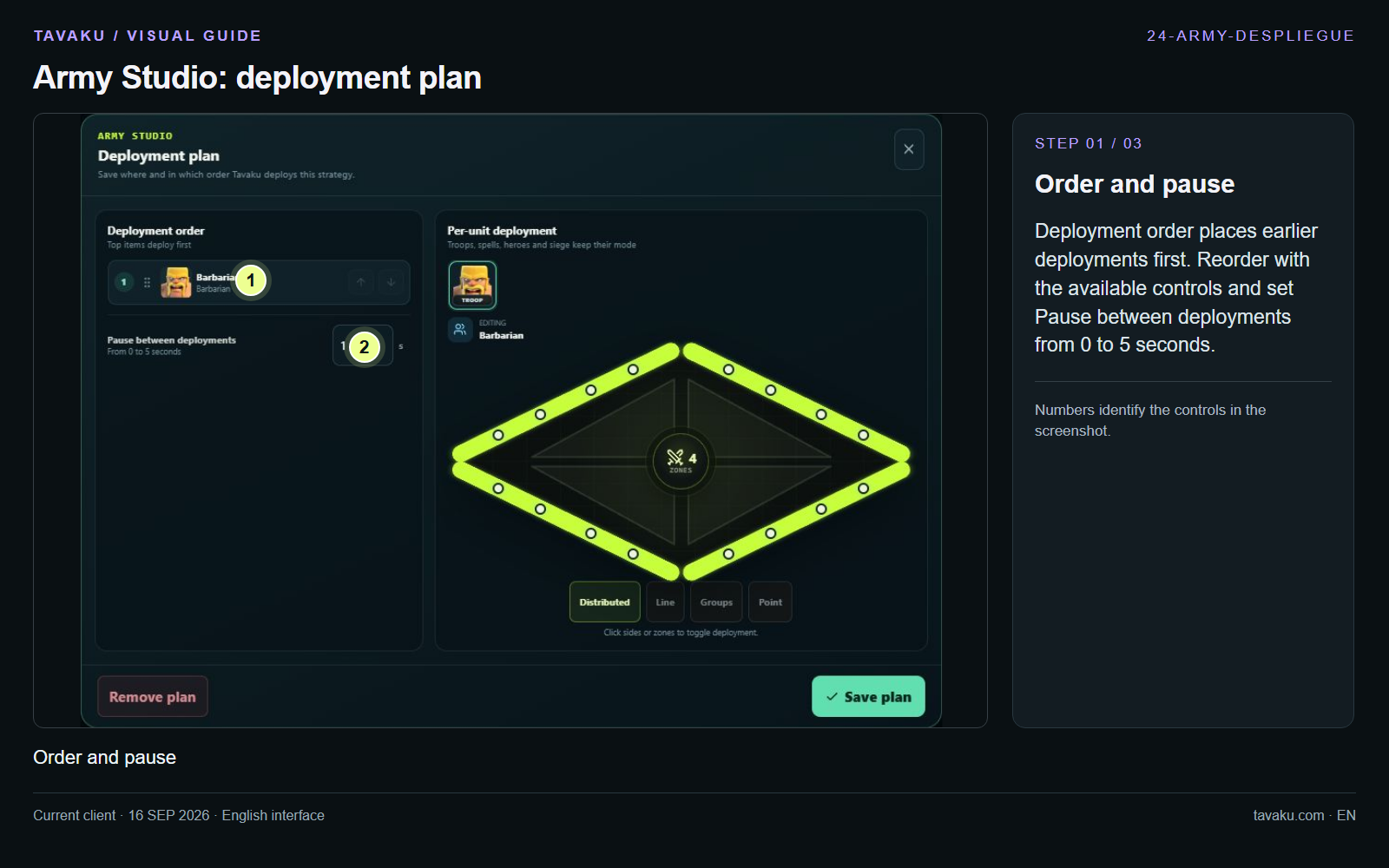
Deployment order places earlier deployments first. Reorder with the available controls and set Pause between deployments from 0 to 5 seconds.
 Enlarge image ↗
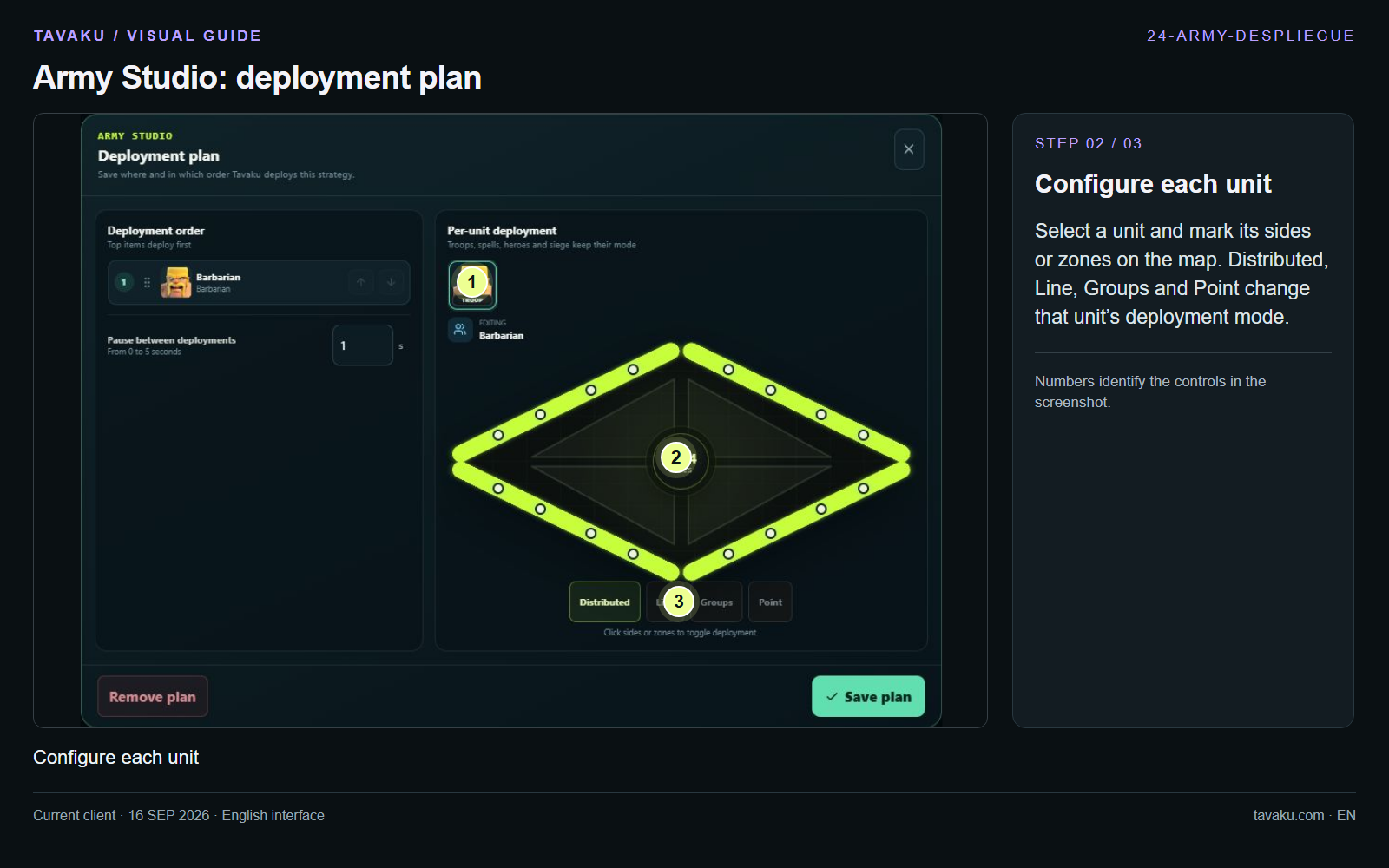
Select a unit and mark its sides or zones on the map. Distributed, Line, Groups and Point change that unit’s deployment mode.
 Enlarge image ↗
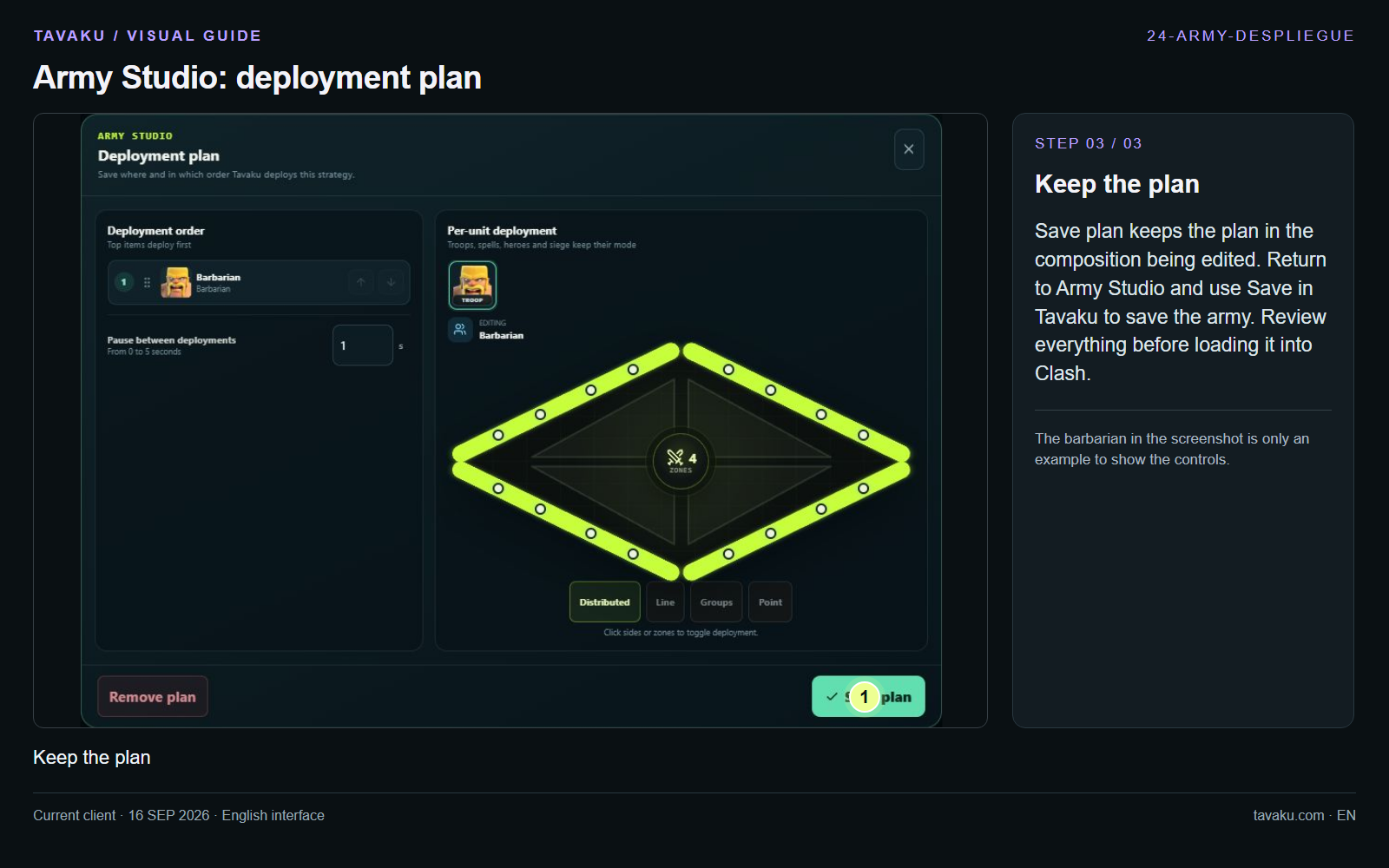
Save plan keeps the plan in the composition being edited. Return to Army Studio and use Save in Tavaku to save the army. Review everything before loading it into Clash.
The barbarian in the screenshot is only an example to show the controls.
 Enlarge image ↗
About this guide
Configuration walkthrough of the current client, including local changes. No service was started during capture.