Your account · 25
My villages: impact and progress
Review what Tavaku has observed and distinguish automation results from upgrade progress.
Annotated screenshot walkthrough. Every step is also written below. Download captions
Reference: client 3.2.3 with local changes · Sep 16, 2026. Some options may not be in the public download yet. Captured interface is in English.
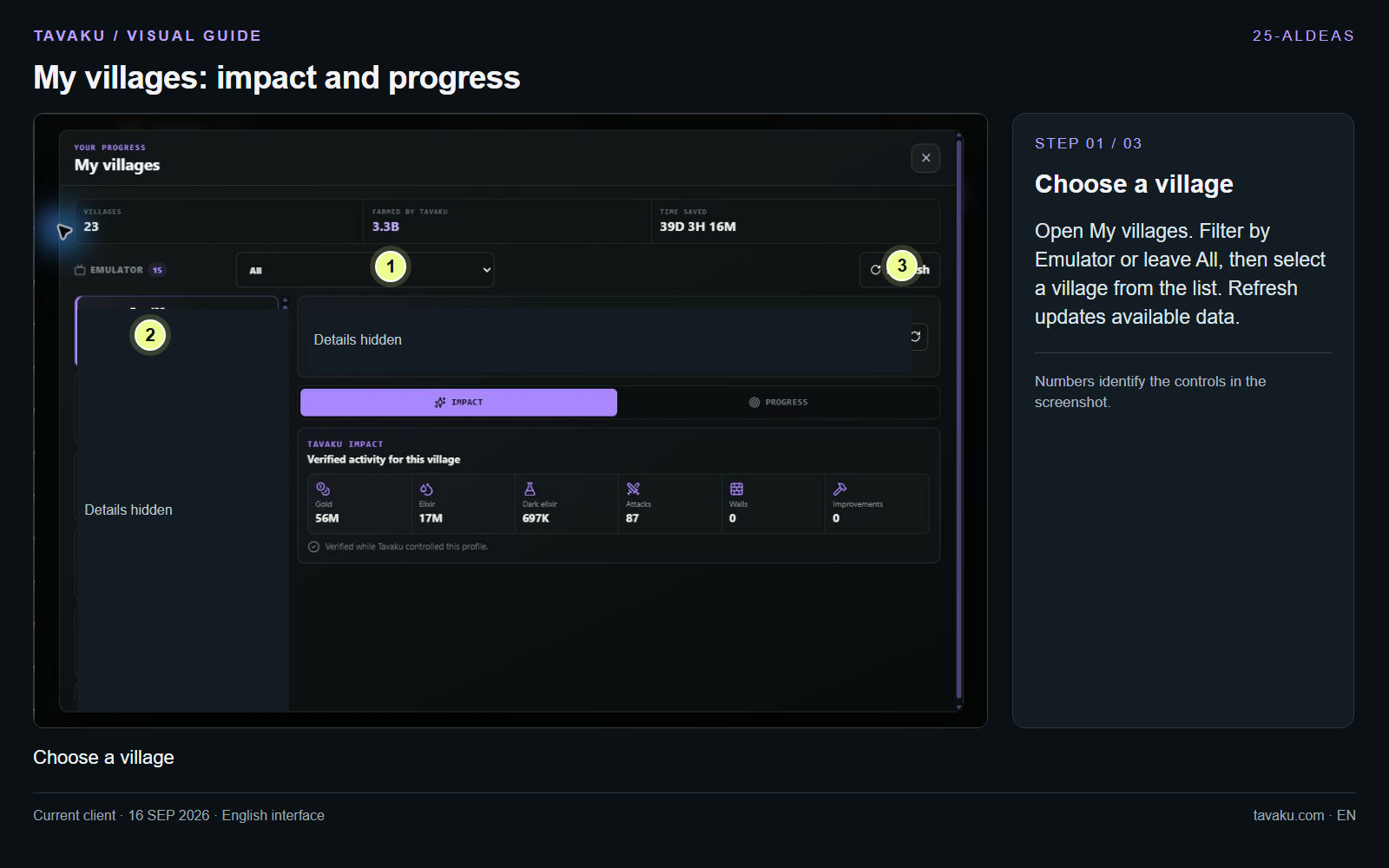
Open My villages. Filter by Emulator or leave All, then select a village from the list. Refresh updates available data.
 Enlarge image ↗
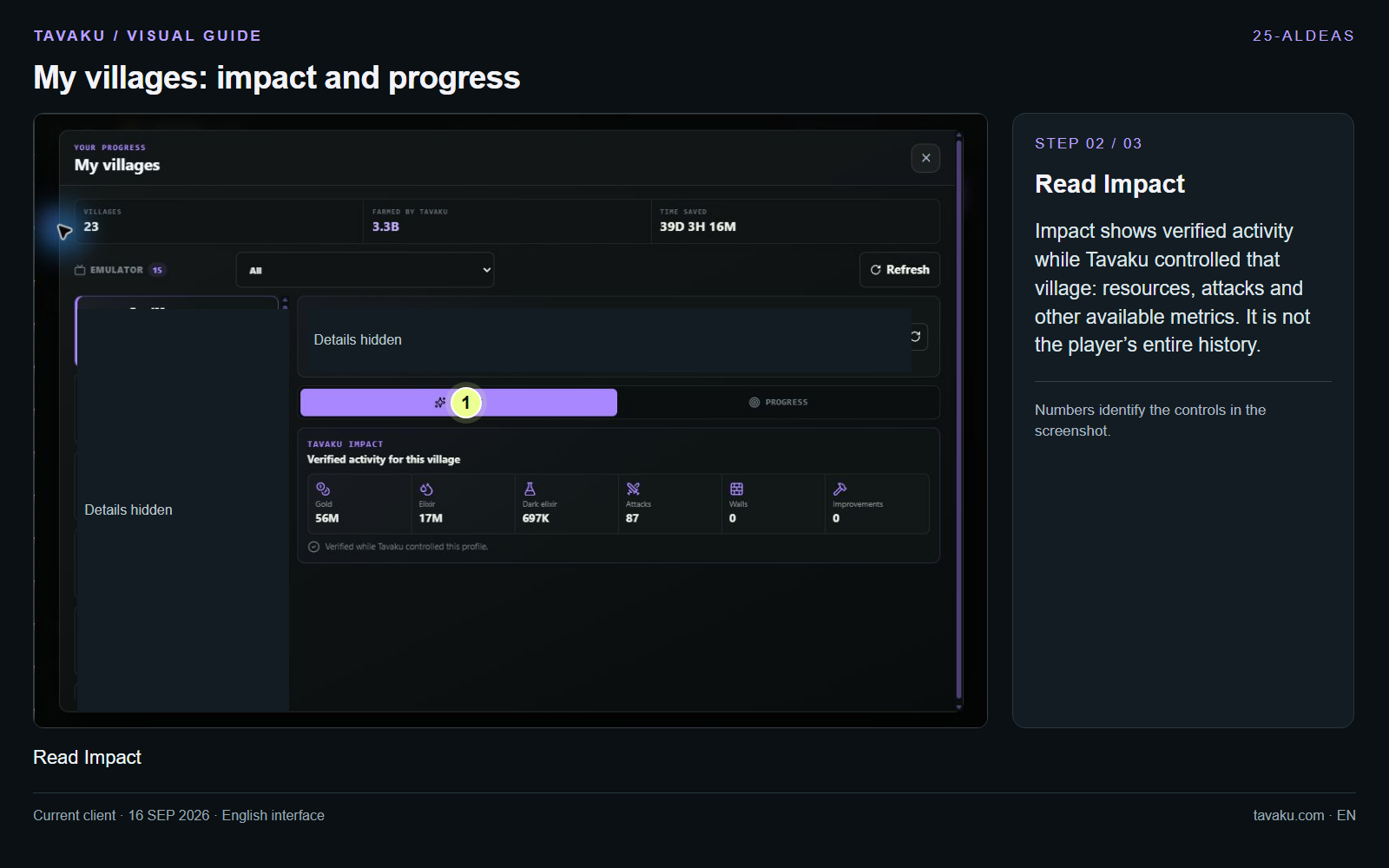
Impact shows verified activity while Tavaku controlled that village: resources, attacks and other available metrics. It is not the player’s entire history.
 Enlarge image ↗
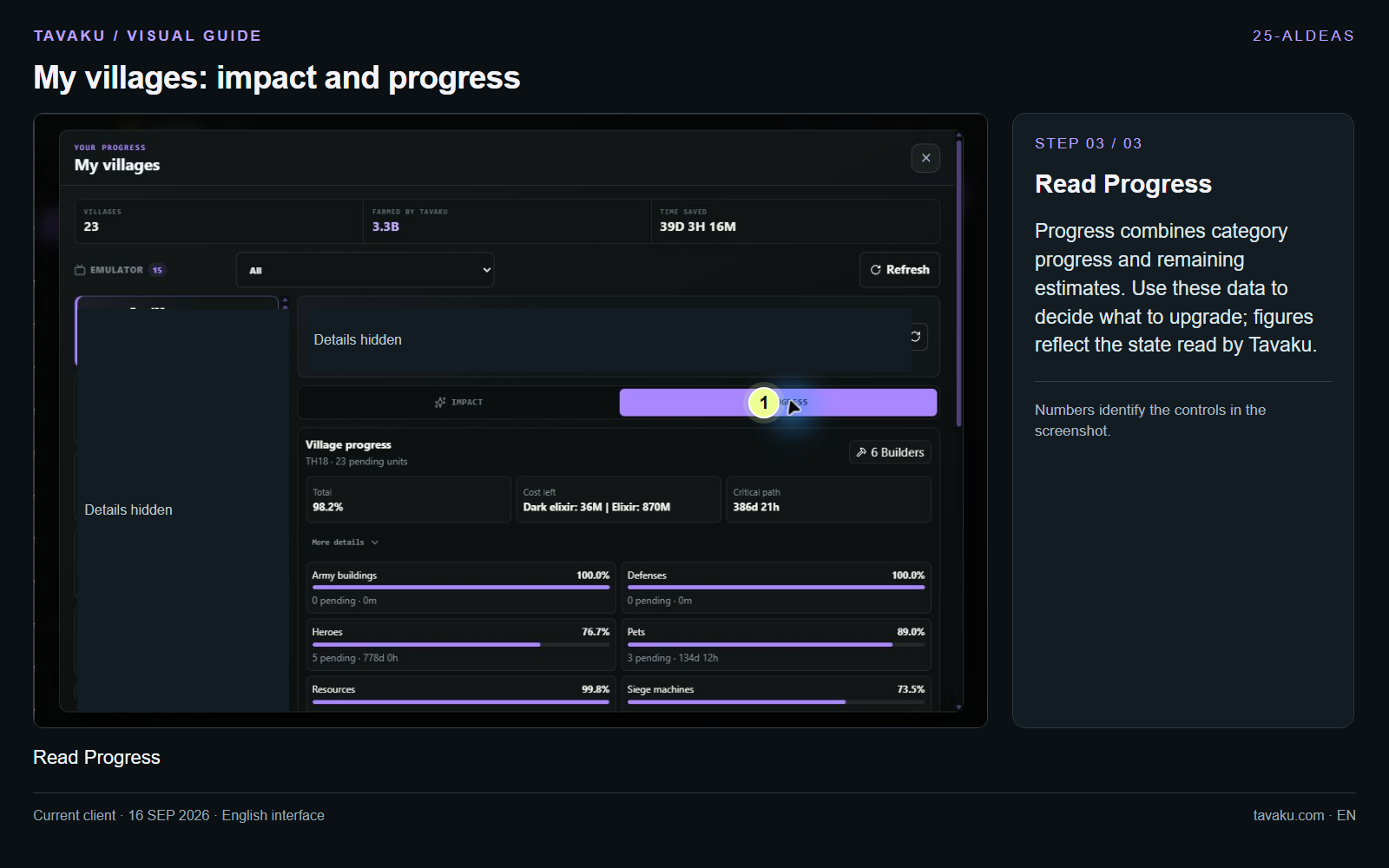
Progress combines category progress and remaining estimates. Use these data to decide what to upgrade; figures reflect the state read by Tavaku.
 Enlarge image ↗
About this guide
Configuration walkthrough of the current client, including local changes. No service was started during capture.