Accounts & setup · 26
Settings, language and tutorial
Configure client preferences and find account and help shortcuts.
Annotated screenshot walkthrough. Every step is also written below. Download captions
Reference: client 3.2.3 with local changes · Sep 16, 2026. Some options may not be in the public download yet. Captured interface is in English.
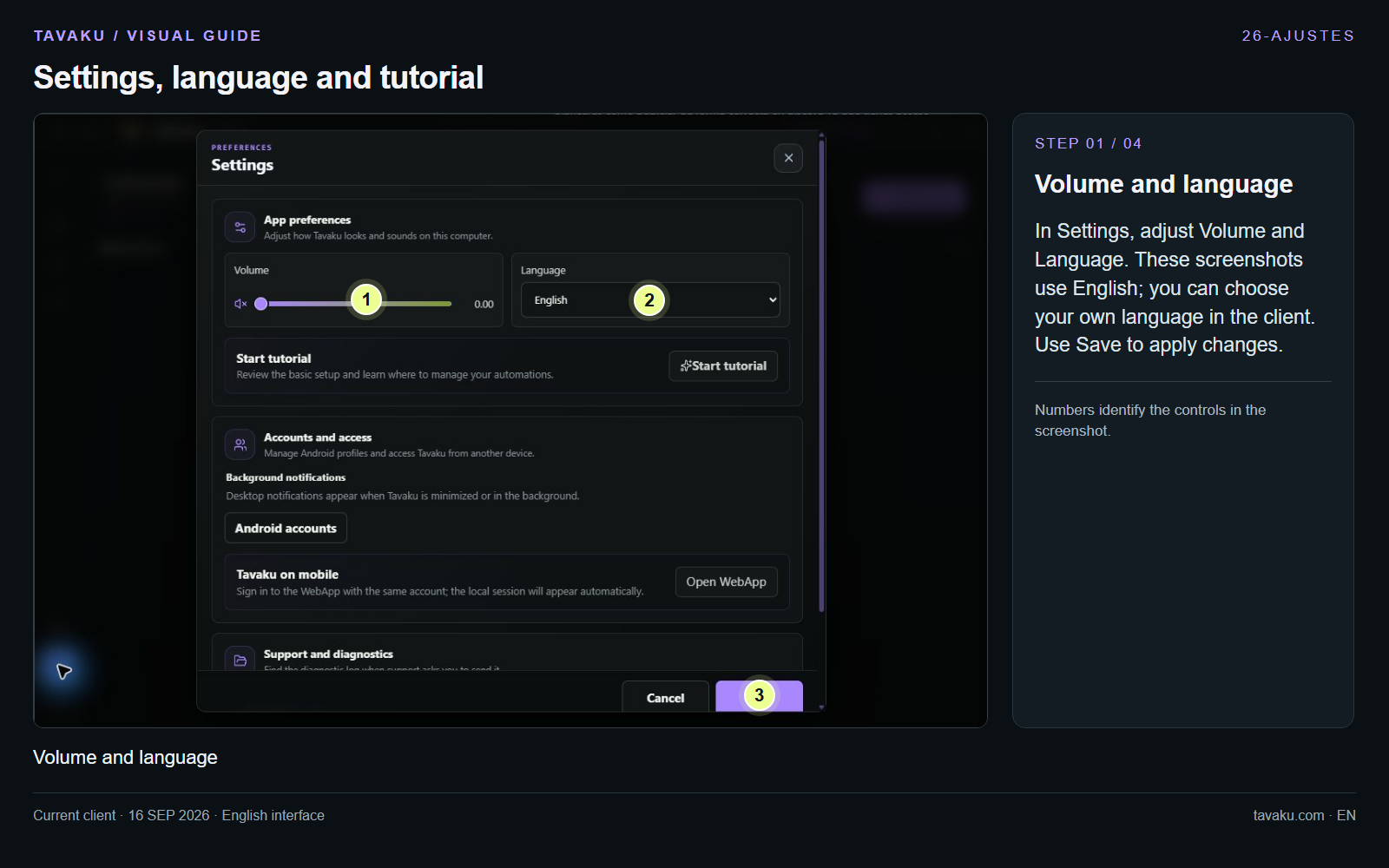
In Settings, adjust Volume and Language. These screenshots use English; you can choose your own language in the client. Use Save to apply changes.
 Enlarge image ↗
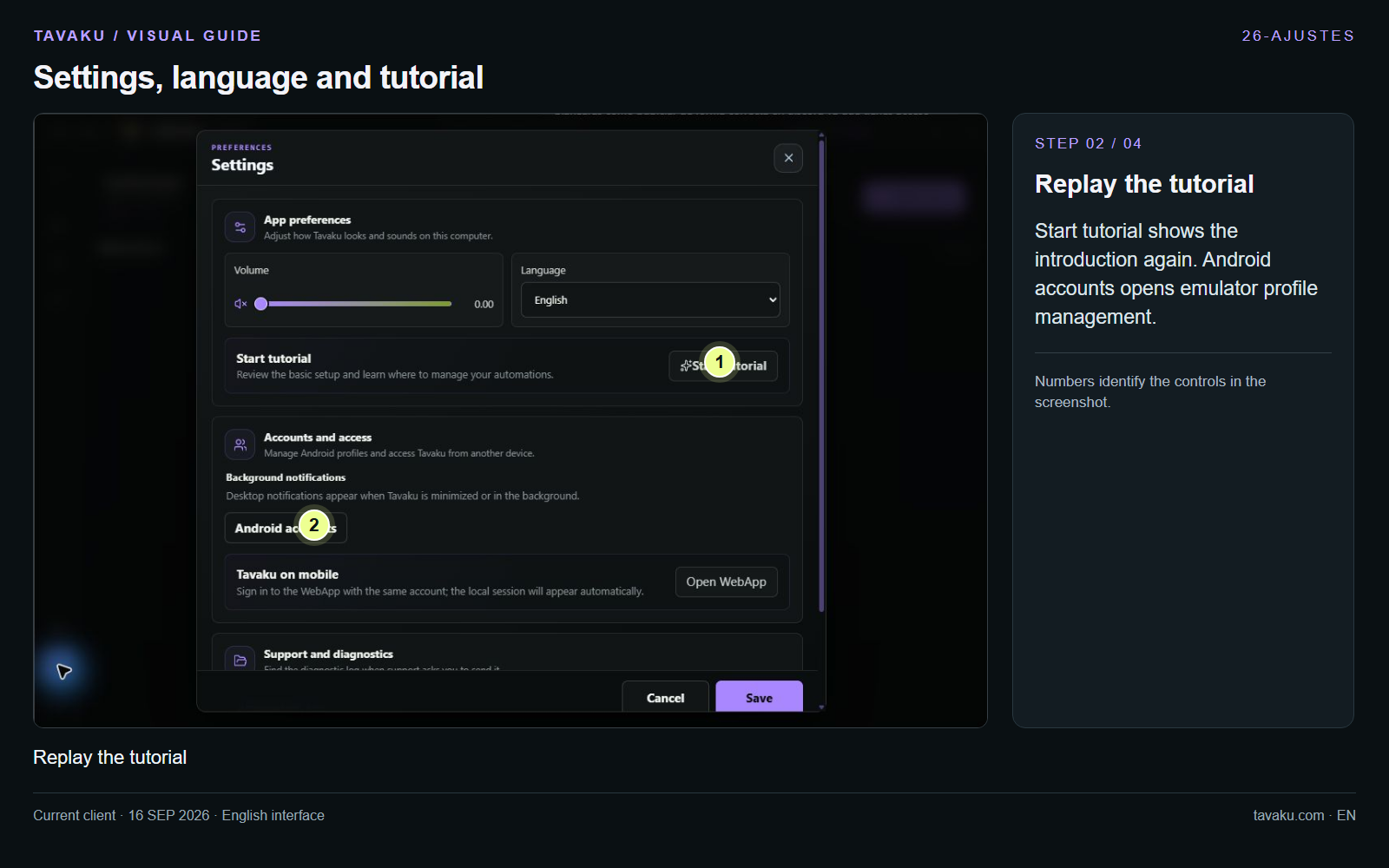
Start tutorial shows the introduction again. Android accounts opens emulator profile management.
 Enlarge image ↗
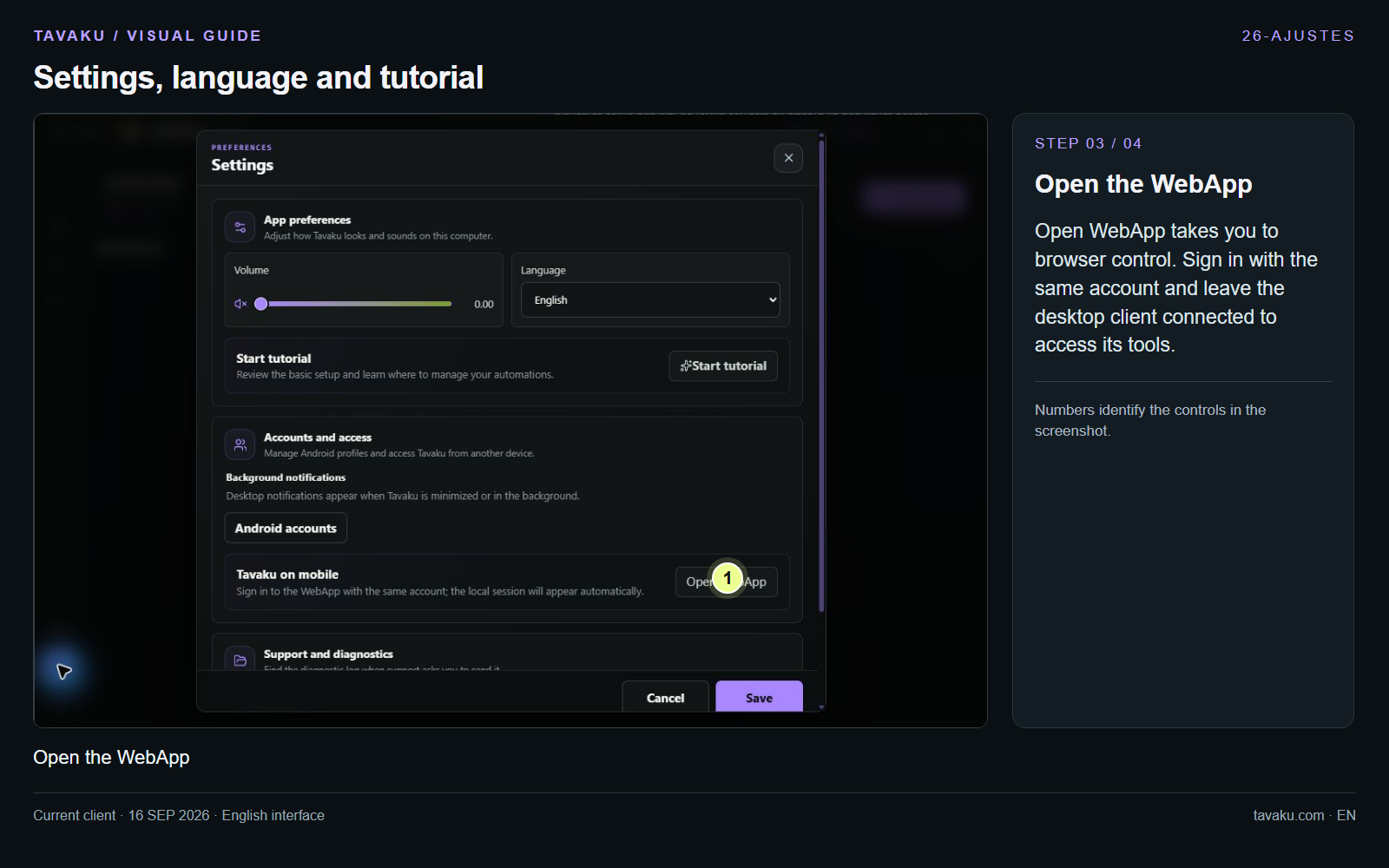
Open WebApp takes you to browser control. Sign in with the same account and leave the desktop client connected to access its tools.
 Enlarge image ↗
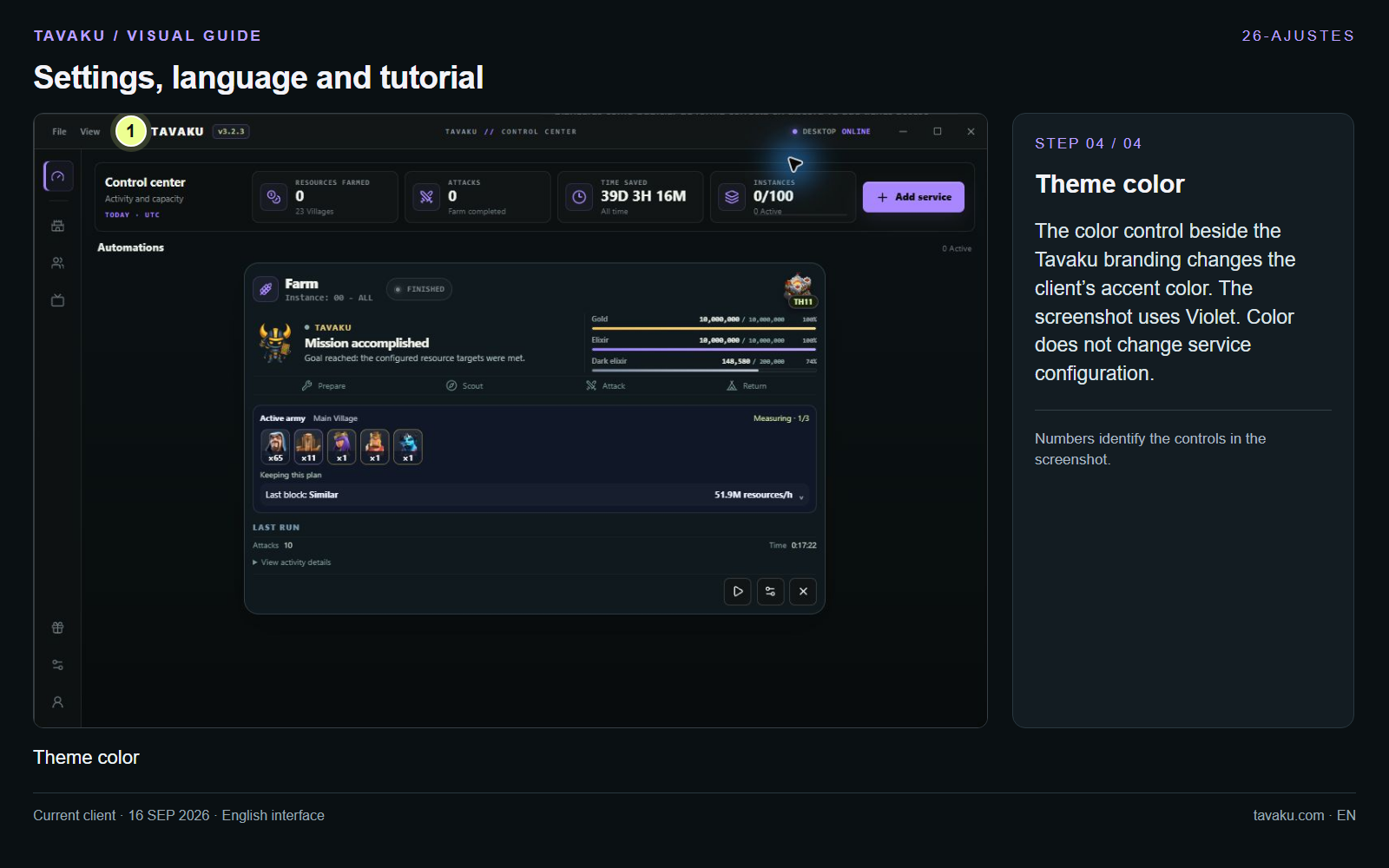
The color control beside the Tavaku branding changes the client’s accent color. The screenshot uses Violet. Color does not change service configuration.
 Enlarge image ↗
About this guide
Configuration walkthrough of the current client, including local changes. No service was started during capture.