Your account · 28
Profile, plans and account access
View your plan capacity and account controls from Profile.
Annotated screenshot walkthrough. Every step is also written below. Download captions
Reference: client 3.2.3 with local changes · Sep 16, 2026. Some options may not be in the public download yet. Captured interface is in English.
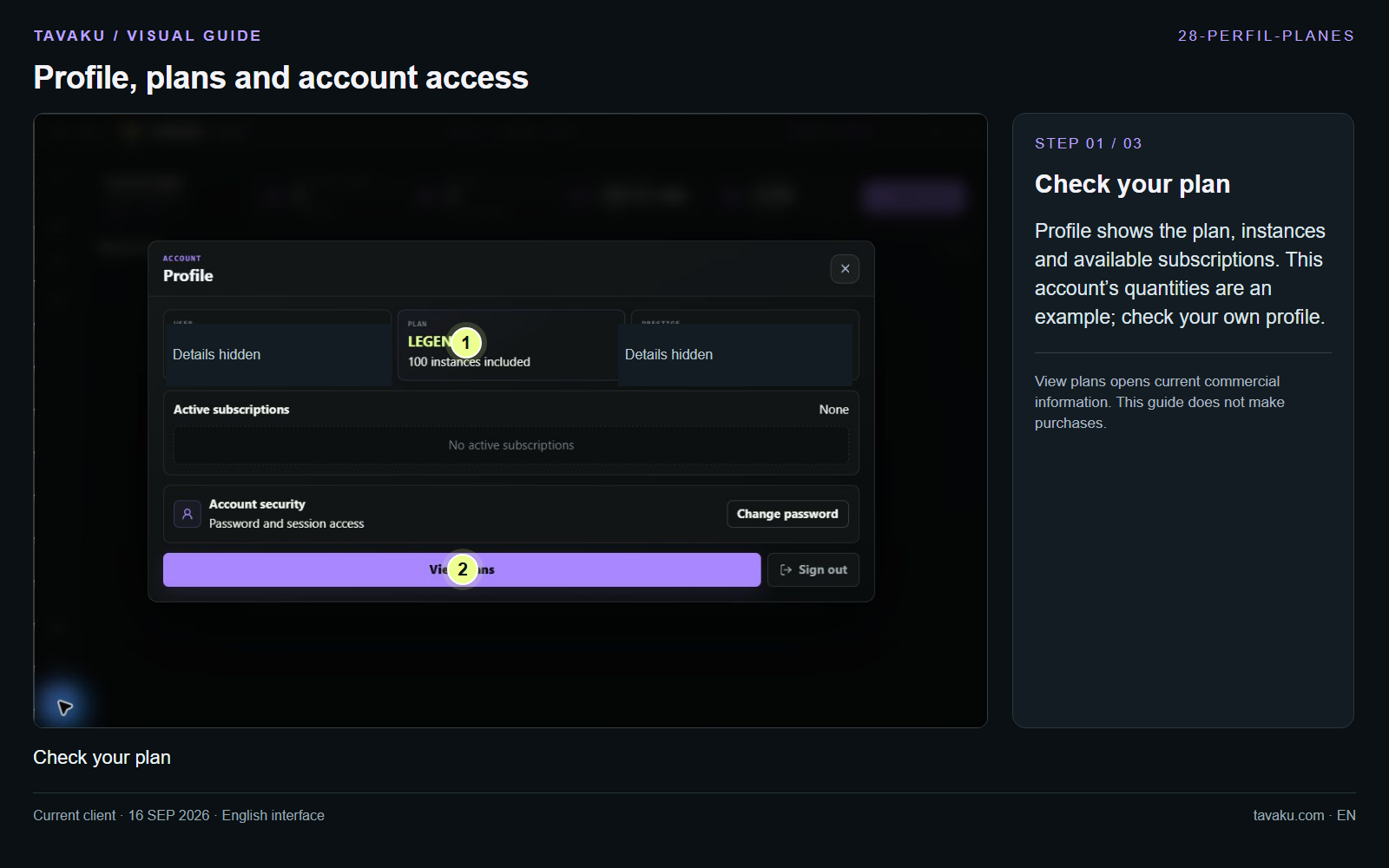
Profile shows the plan, instances and available subscriptions. This account’s quantities are an example; check your own profile.
View plans opens current commercial information. This guide does not make purchases.
 Enlarge image ↗
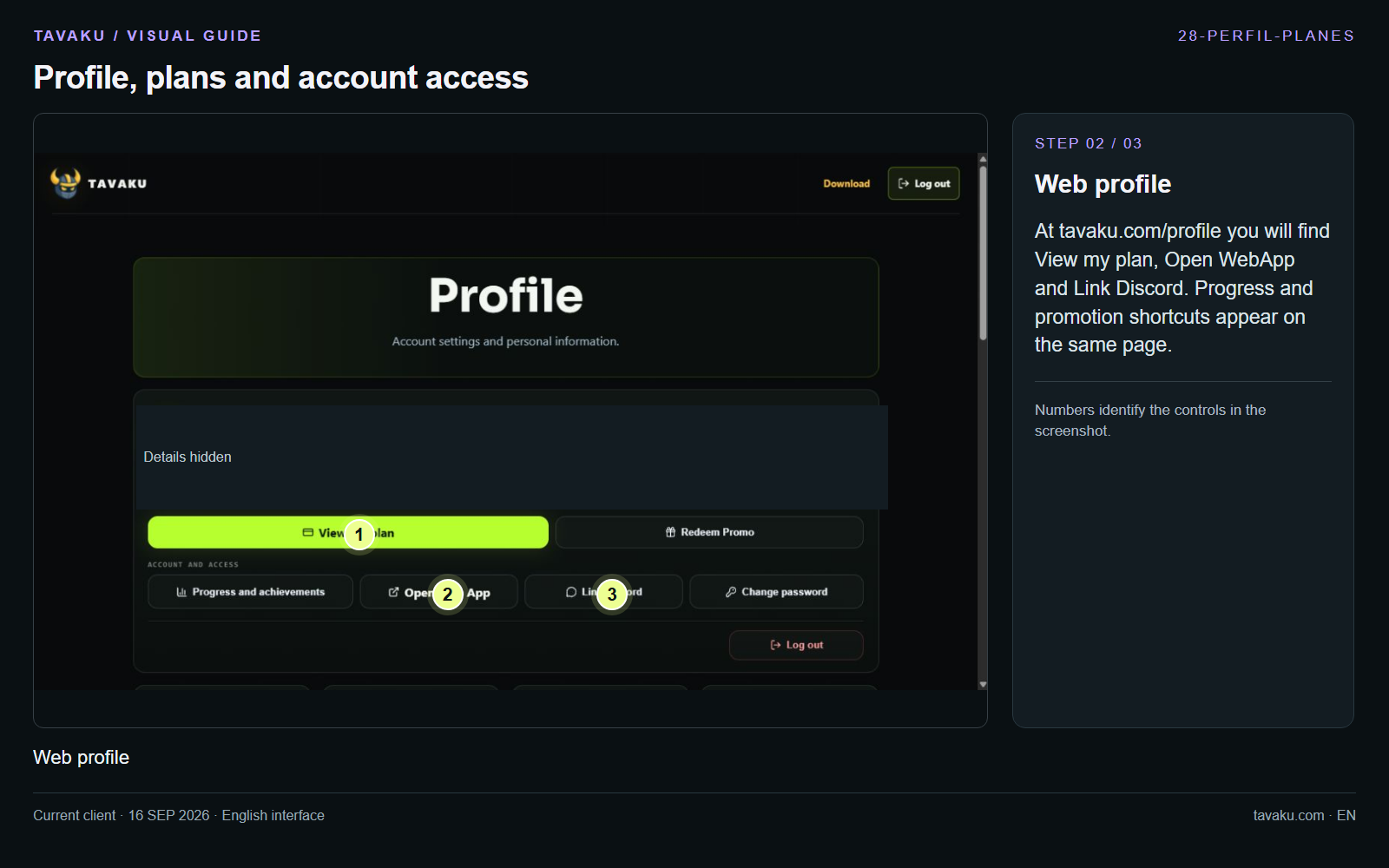
At tavaku.com/profile you will find View my plan, Open WebApp and Link Discord. Progress and promotion shortcuts appear on the same page.
 Enlarge image ↗
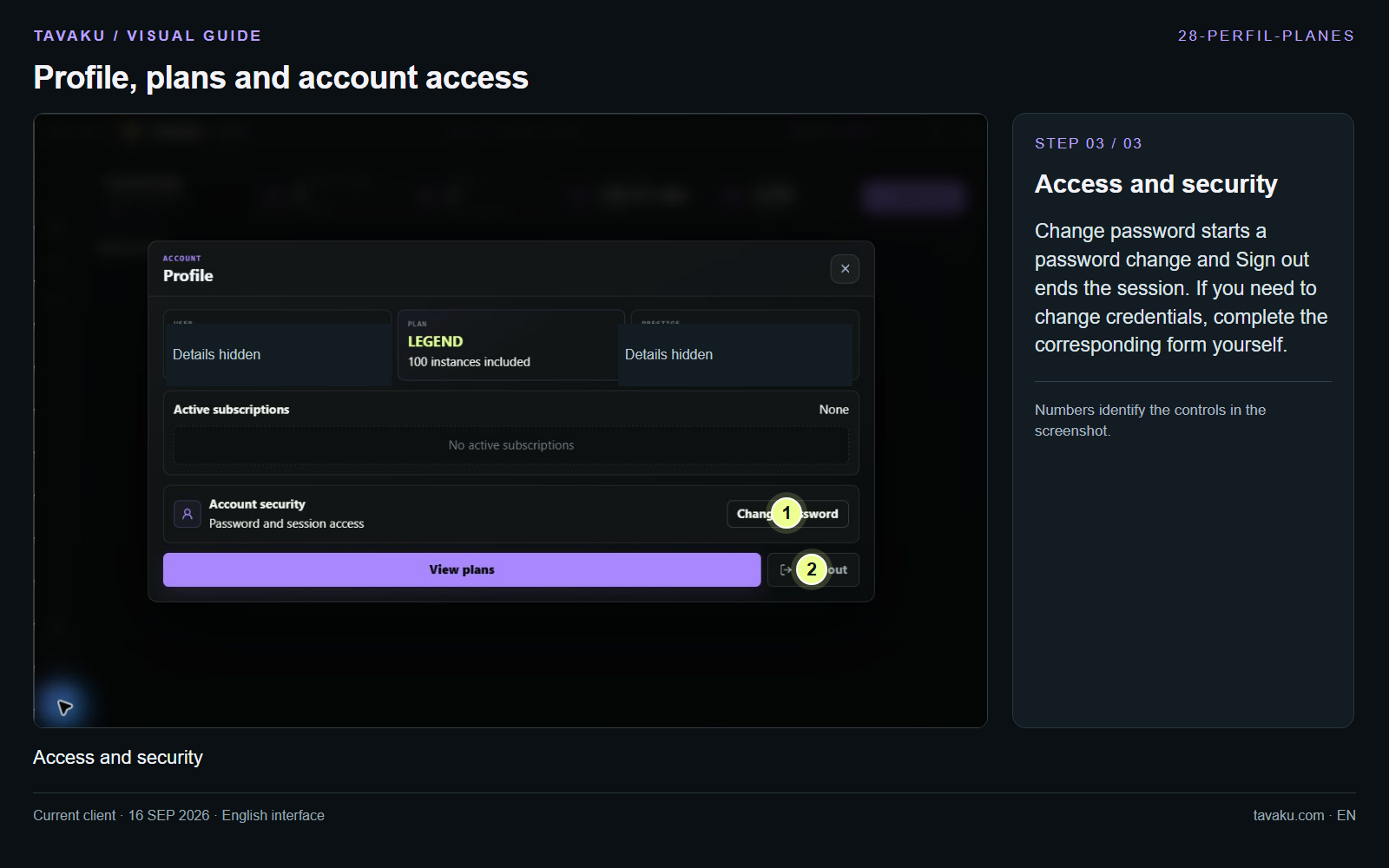
Change password starts a password change and Sign out ends the session. If you need to change credentials, complete the corresponding form yourself.
 Enlarge image ↗
About this guide
Configuration walkthrough of the current client, including local changes. No service was started during capture.