Your account · 29
Link Tavaku with Discord
Linking uses a private code generated by the Tavaku bot.
Annotated screenshot walkthrough. Every step is also written below. Download captions
Reference: client 3.2.3 with local changes · Sep 16, 2026. Some options may not be in the public download yet. Captured interface is in English.
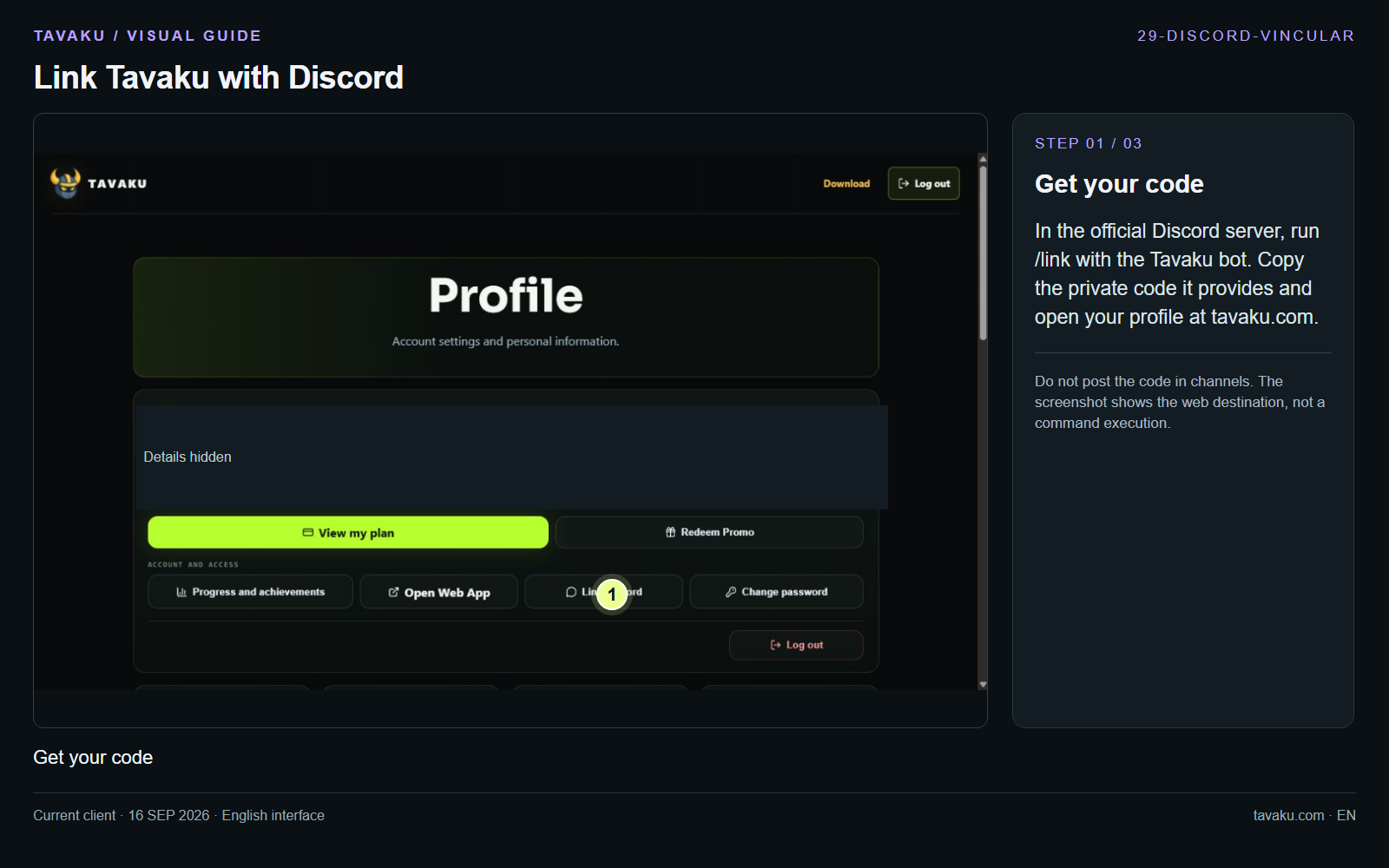
In the official Discord server, run /link with the Tavaku bot. Copy the private code it provides and open your profile at tavaku.com.
Do not post the code in channels. The screenshot shows the web destination, not a command execution.
 Enlarge image ↗
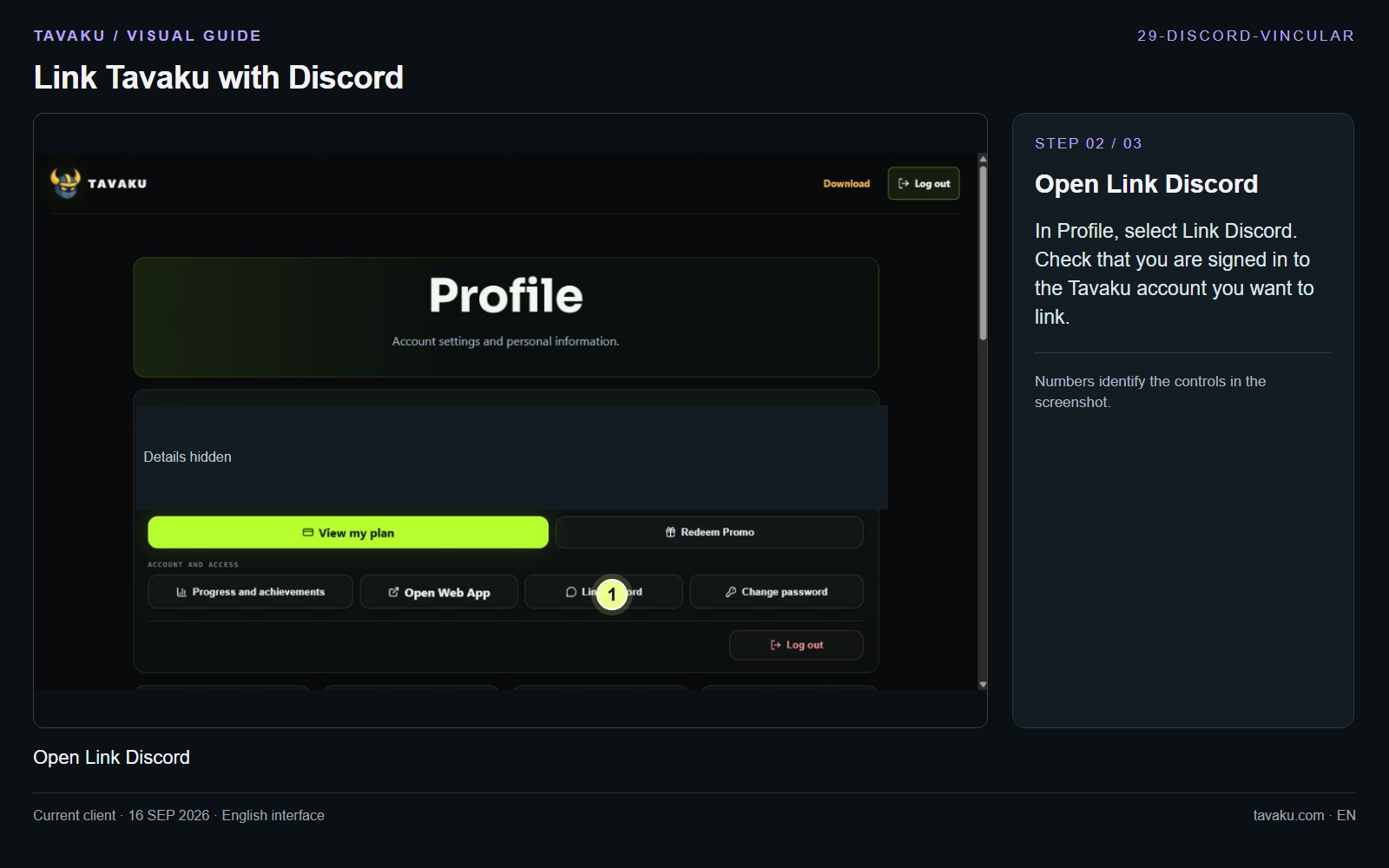
In Profile, select Link Discord. Check that you are signed in to the Tavaku account you want to link.
 Enlarge image ↗
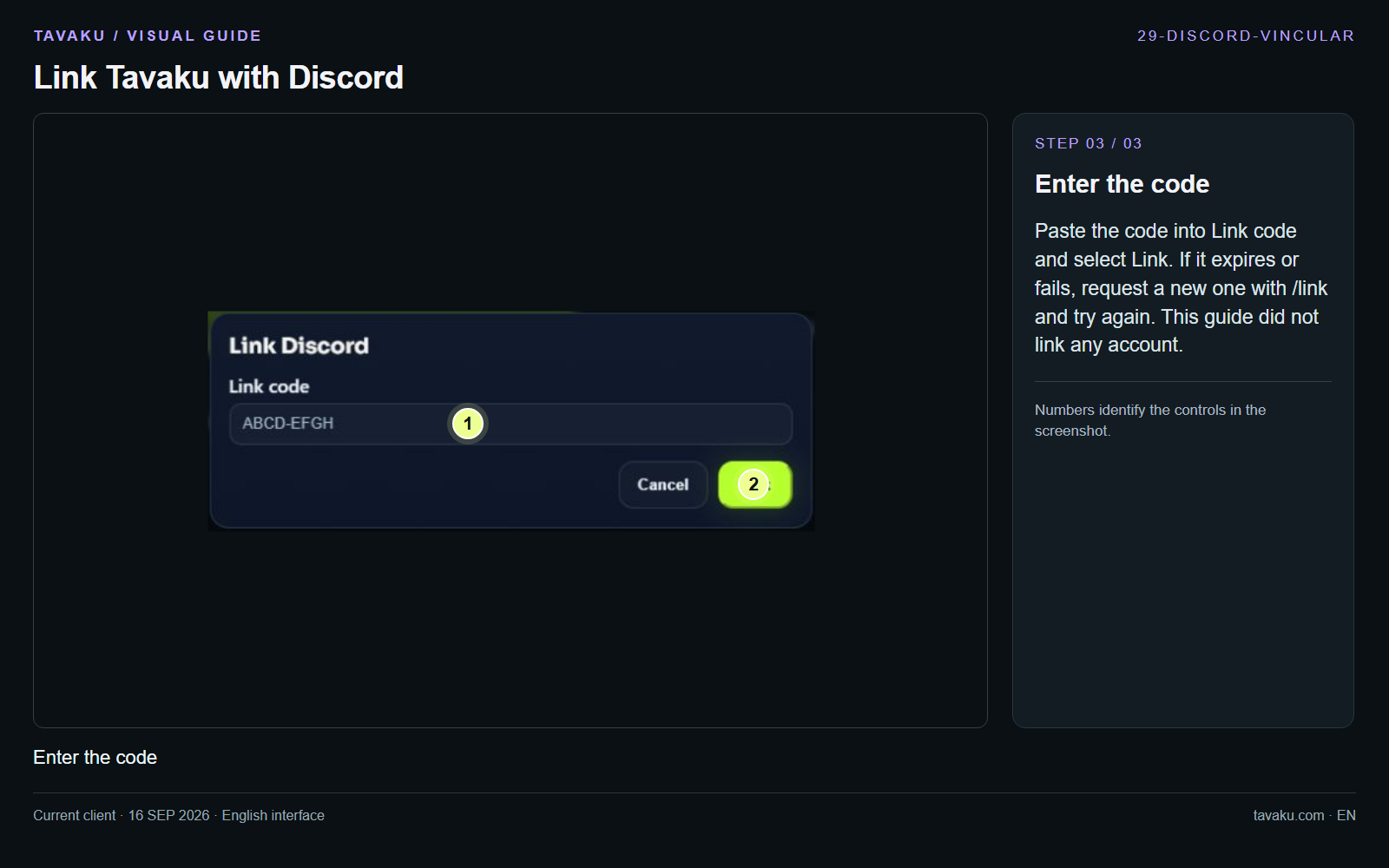
Paste the code into Link code and select Link. If it expires or fails, request a new one with /link and try again. This guide did not link any account.
 Enlarge image ↗
About this guide
Configuration walkthrough of the current client, including local changes. No service was started during capture.