Accounts & setup · 22
Save and reuse configurations
Service profiles store reusable options. They are different from Android accounts.
Annotated screenshot walkthrough. Every step is also written below. Download captions
Reference: client 3.2.3 with local changes · Sep 16, 2026. Some options may not be in the public download yet. Captured interface is in English.
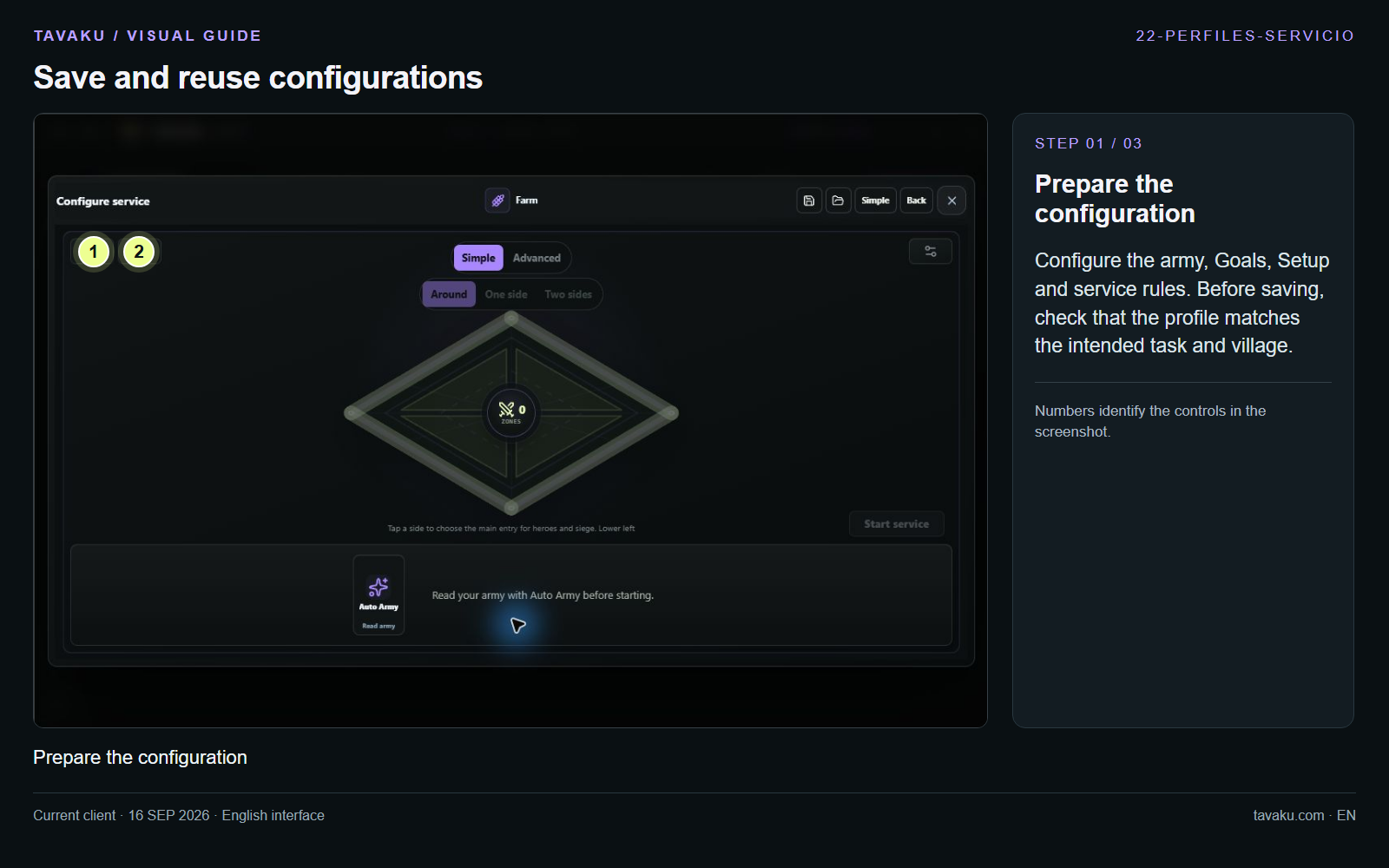
Configure the army, Goals, Setup and service rules. Before saving, check that the profile matches the intended task and village.
 Enlarge image ↗
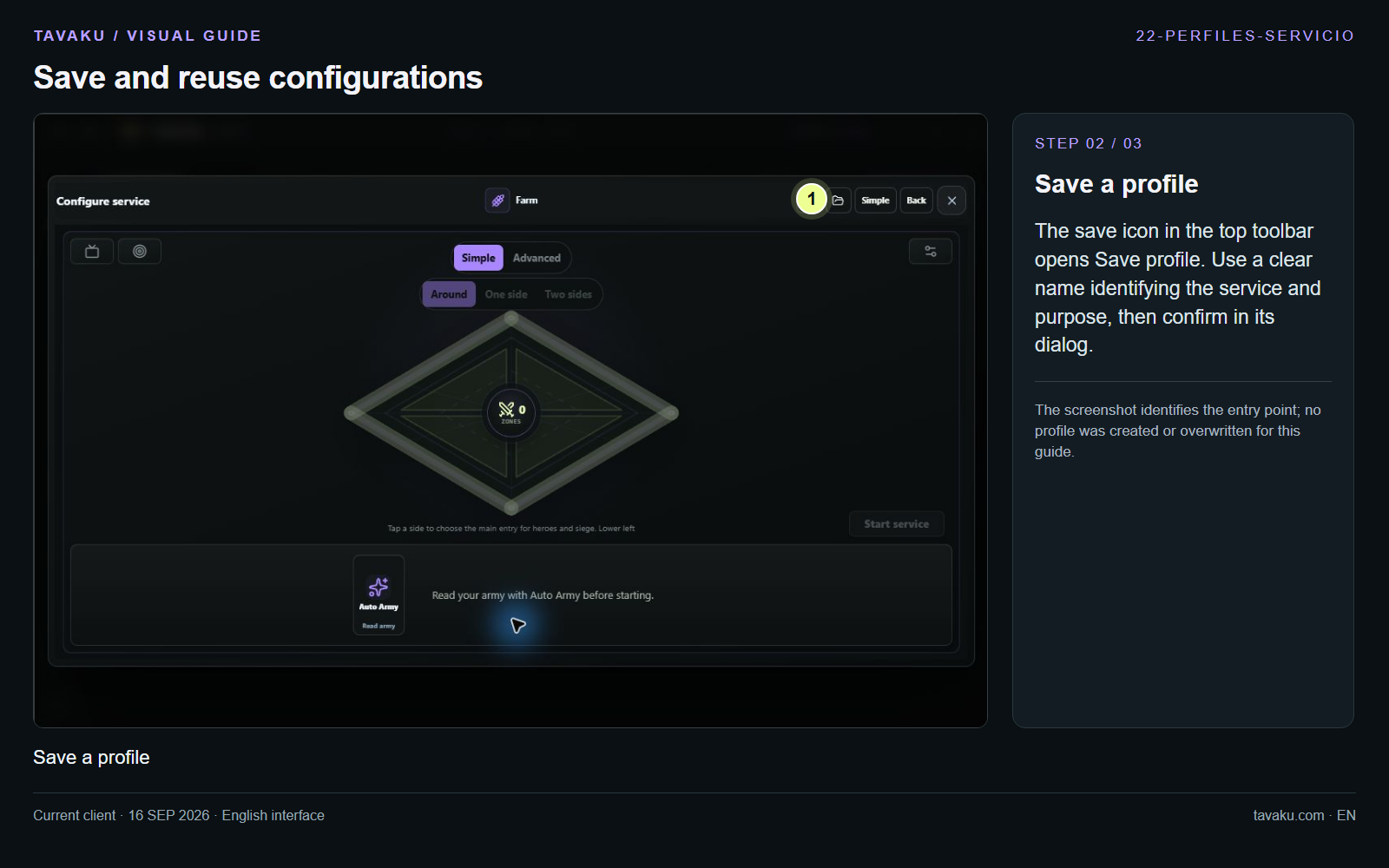
The save icon in the top toolbar opens Save profile. Use a clear name identifying the service and purpose, then confirm in its dialog.
The screenshot identifies the entry point; no profile was created or overwritten for this guide.
 Enlarge image ↗
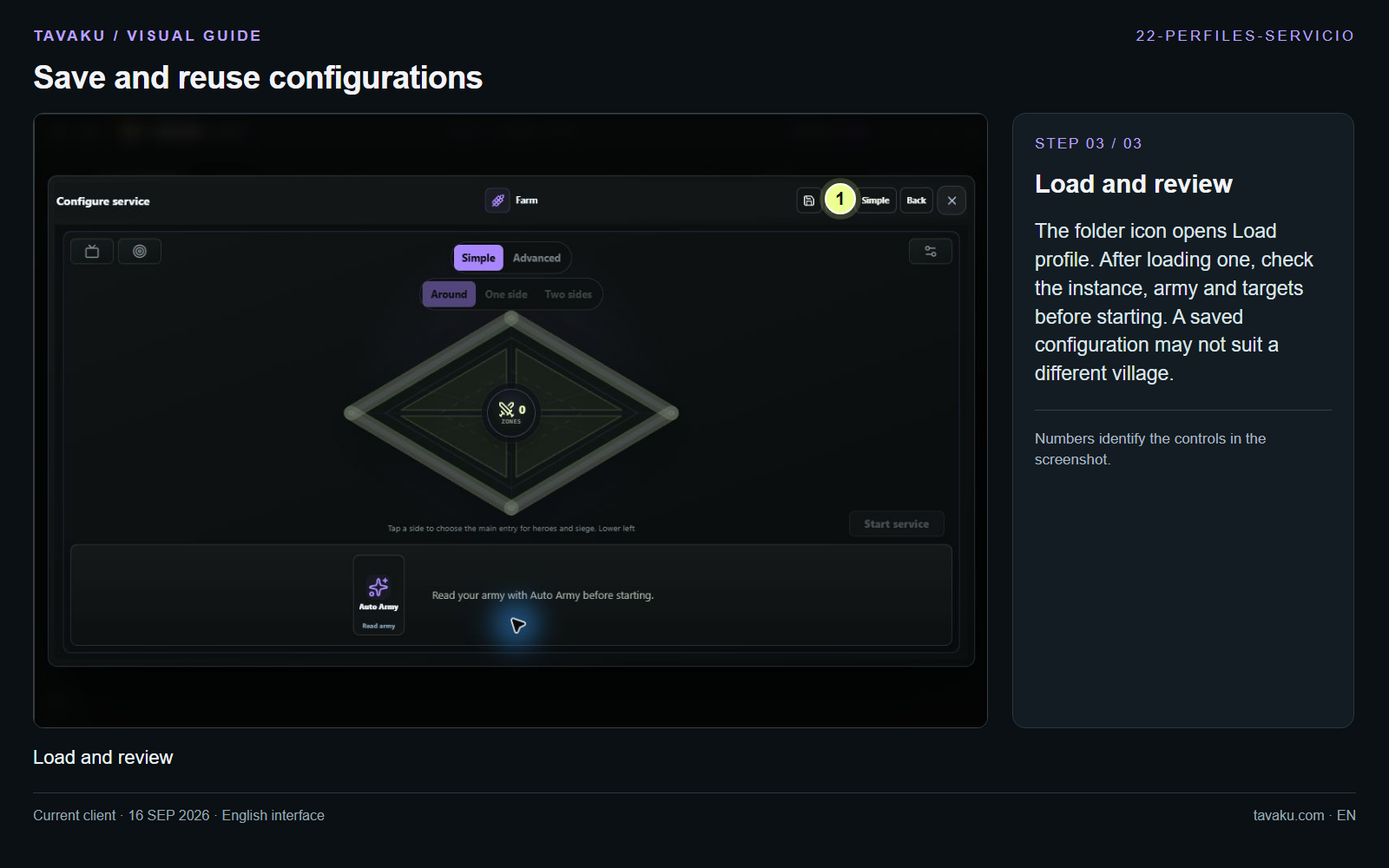
The folder icon opens Load profile. After loading one, check the instance, army and targets before starting. A saved configuration may not suit a different village.
 Enlarge image ↗
About this guide
Configuration walkthrough of the current client, including local changes. No service was started during capture.