Accounts & setup · 19
Instances and multi-account rotation
Distinguish an emulator instance from the Android profiles stored inside it.
Annotated screenshot walkthrough. Every step is also written below. Download captions
Reference: client 3.2.3 with local changes · Sep 16, 2026. Some options may not be in the public download yet. Captured interface is in English.
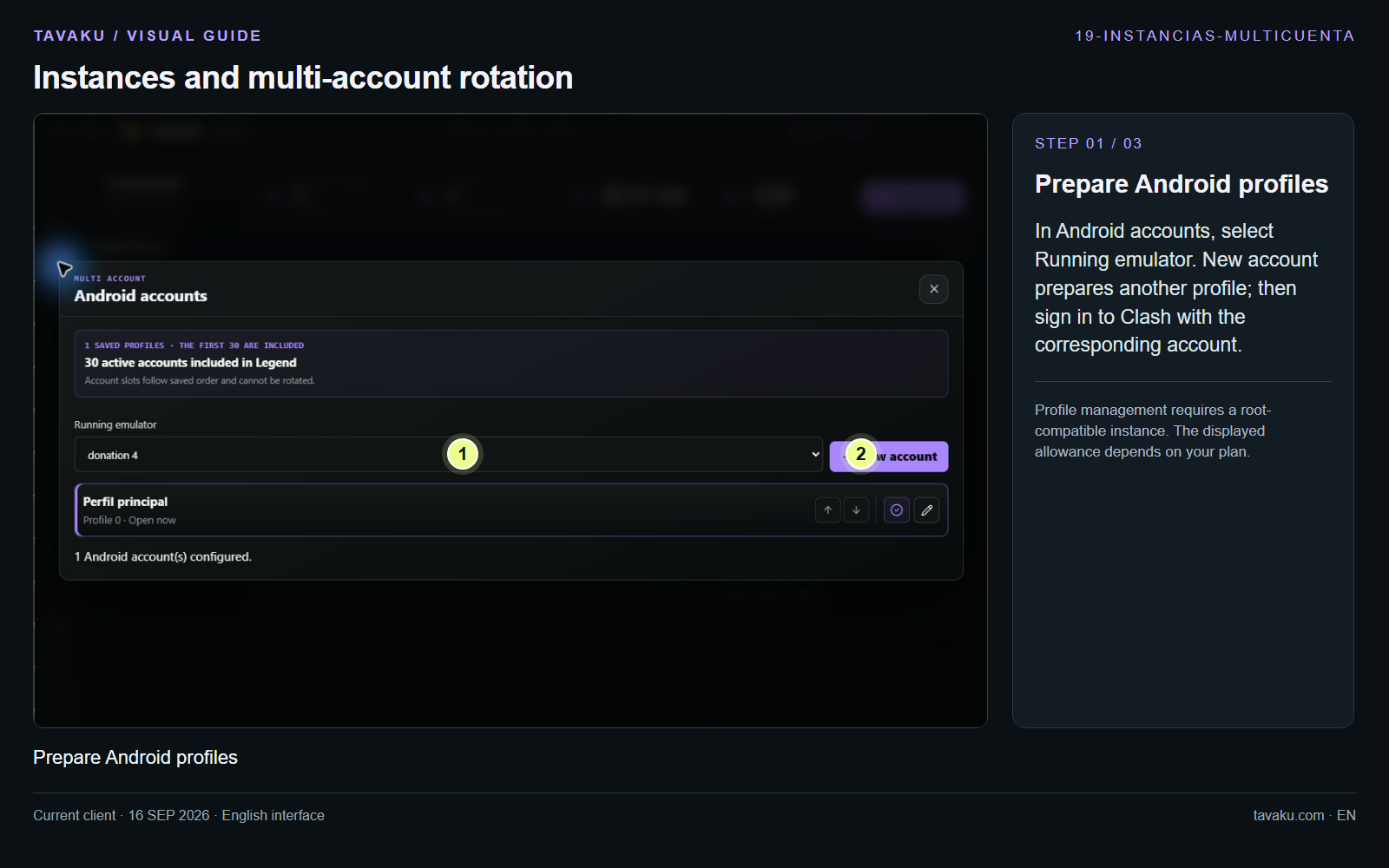
In Android accounts, select Running emulator. New account prepares another profile; then sign in to Clash with the corresponding account.
Profile management requires a root-compatible instance. The displayed allowance depends on your plan.
 Enlarge image ↗
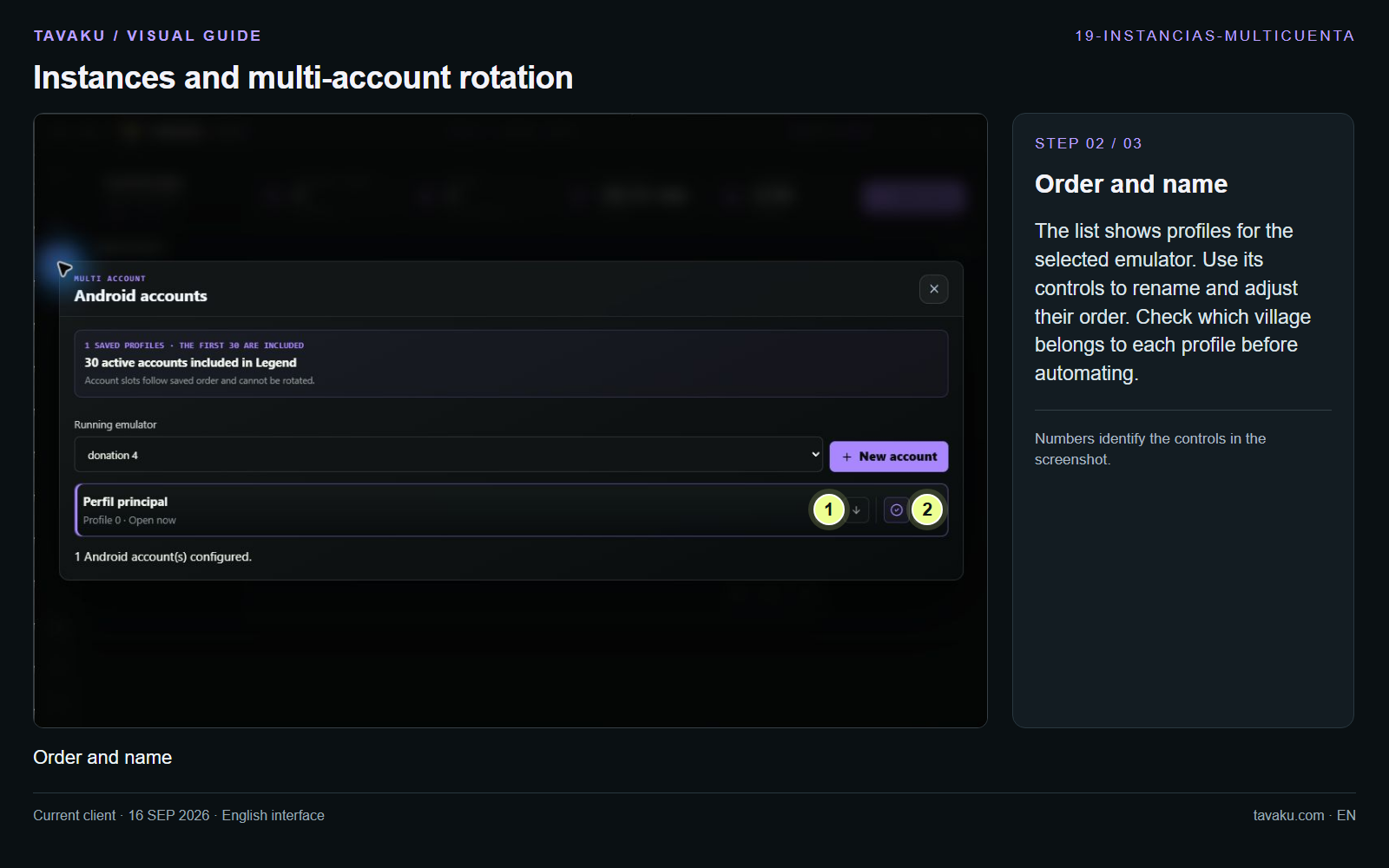
The list shows profiles for the selected emulator. Use its controls to rename and adjust their order. Check which village belongs to each profile before automating.
 Enlarge image ↗
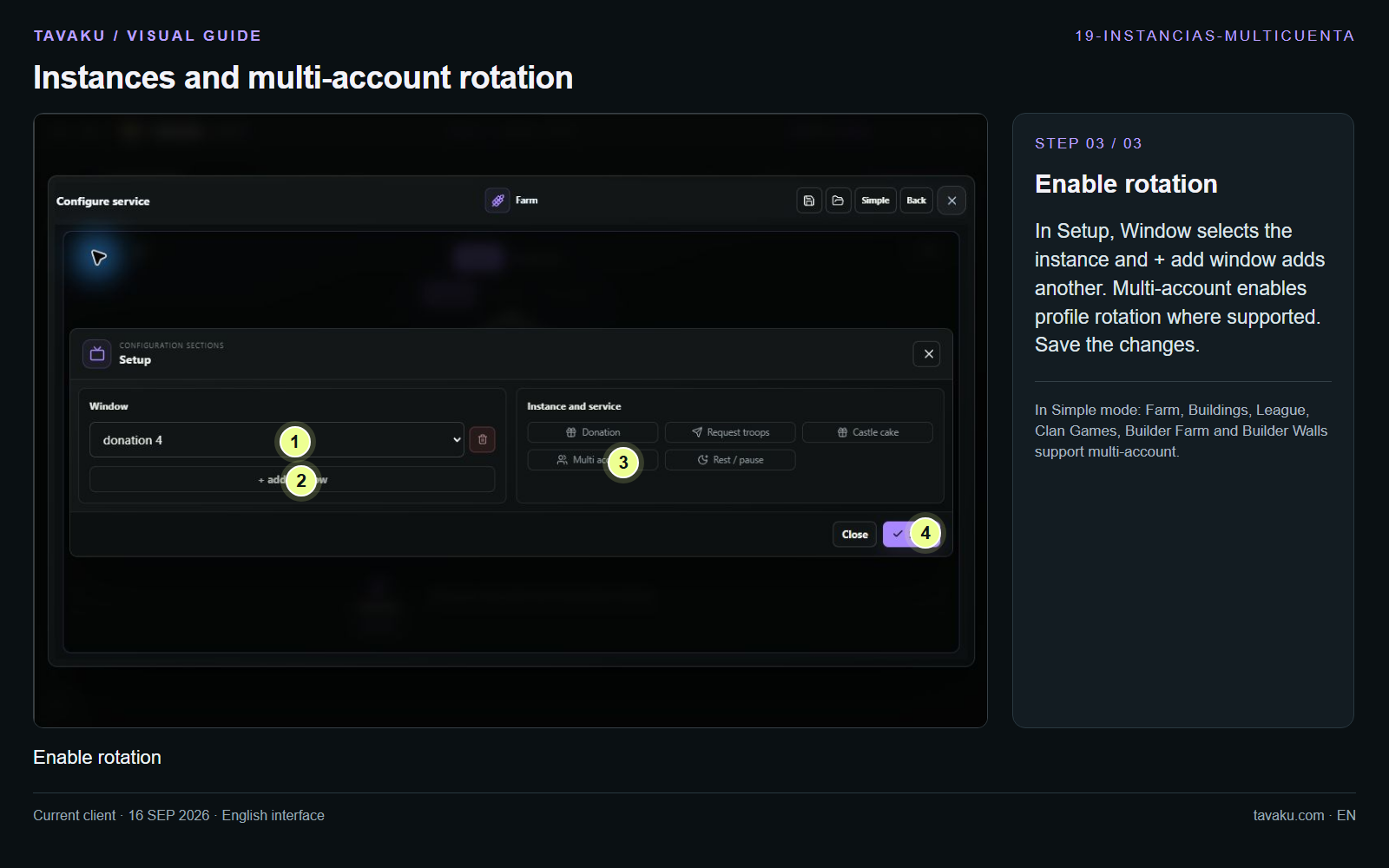
In Setup, Window selects the instance and + add window adds another. Multi-account enables profile rotation where supported. Save the changes.
In Simple mode: Farm, Buildings, League, Clan Games, Builder Farm and Builder Walls support multi-account.
 Enlarge image ↗
About this guide
Configuration walkthrough of the current client, including local changes. No service was started during capture.