Accounts & setup · 20
Rest cycles and instance options
Setup groups the game window, auxiliary options and rest cycles.
Annotated screenshot walkthrough. Every step is also written below. Download captions
Reference: client 3.2.3 with local changes · Sep 16, 2026. Some options may not be in the public download yet. Captured interface is in English.
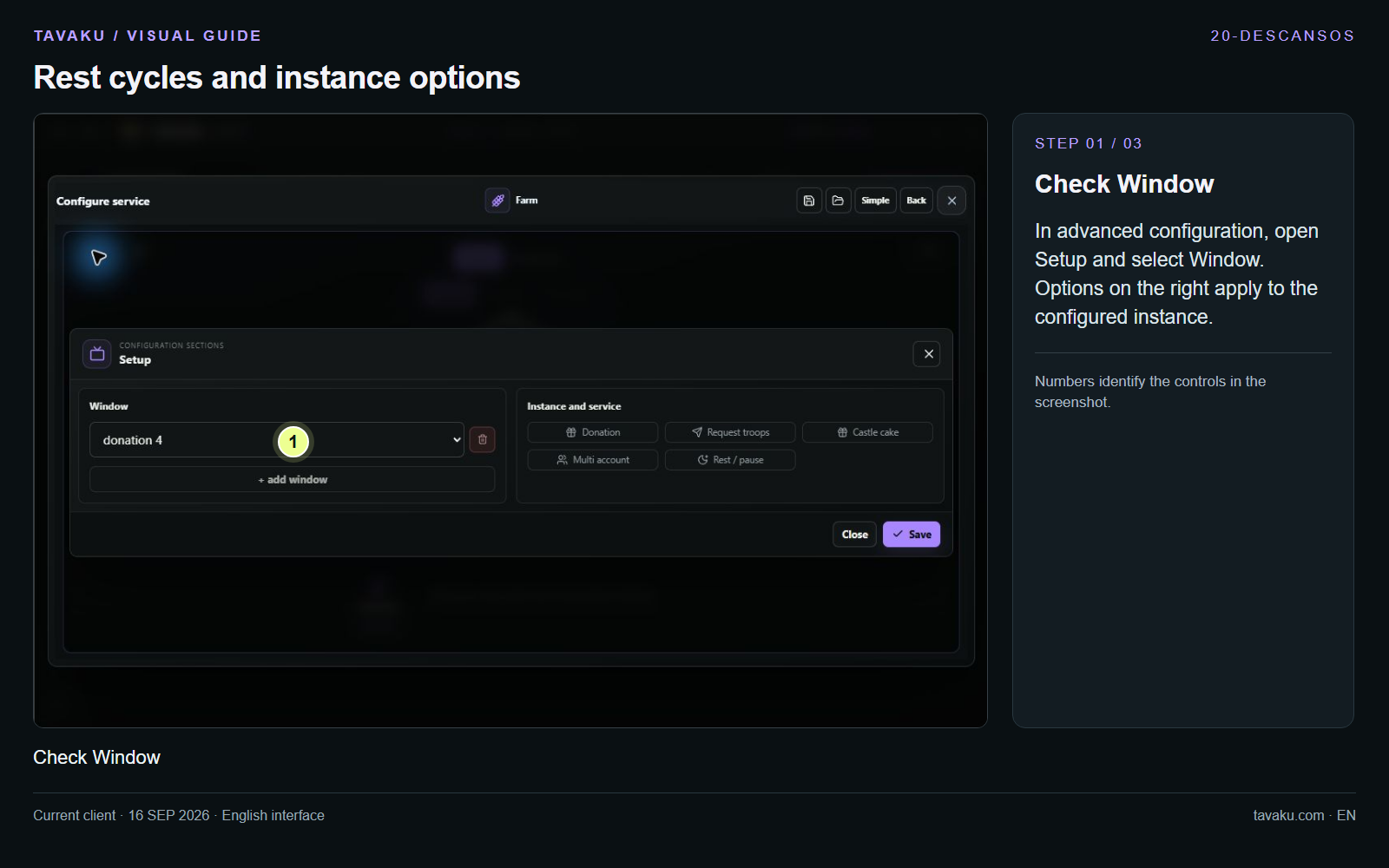
In advanced configuration, open Setup and select Window. Options on the right apply to the configured instance.
 Enlarge image ↗
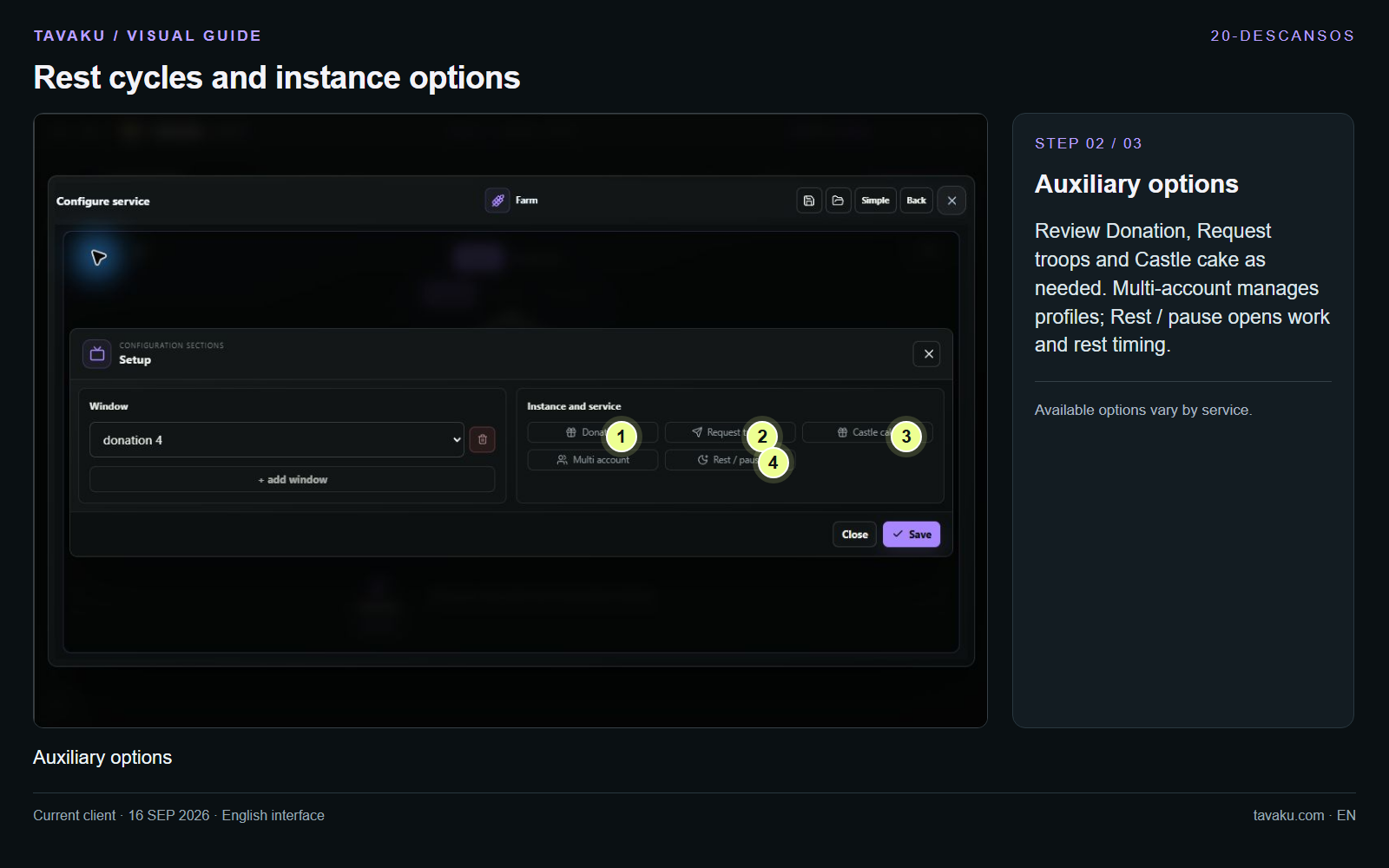
Review Donation, Request troops and Castle cake as needed. Multi-account manages profiles; Rest / pause opens work and rest timing.
Available options vary by service.
 Enlarge image ↗
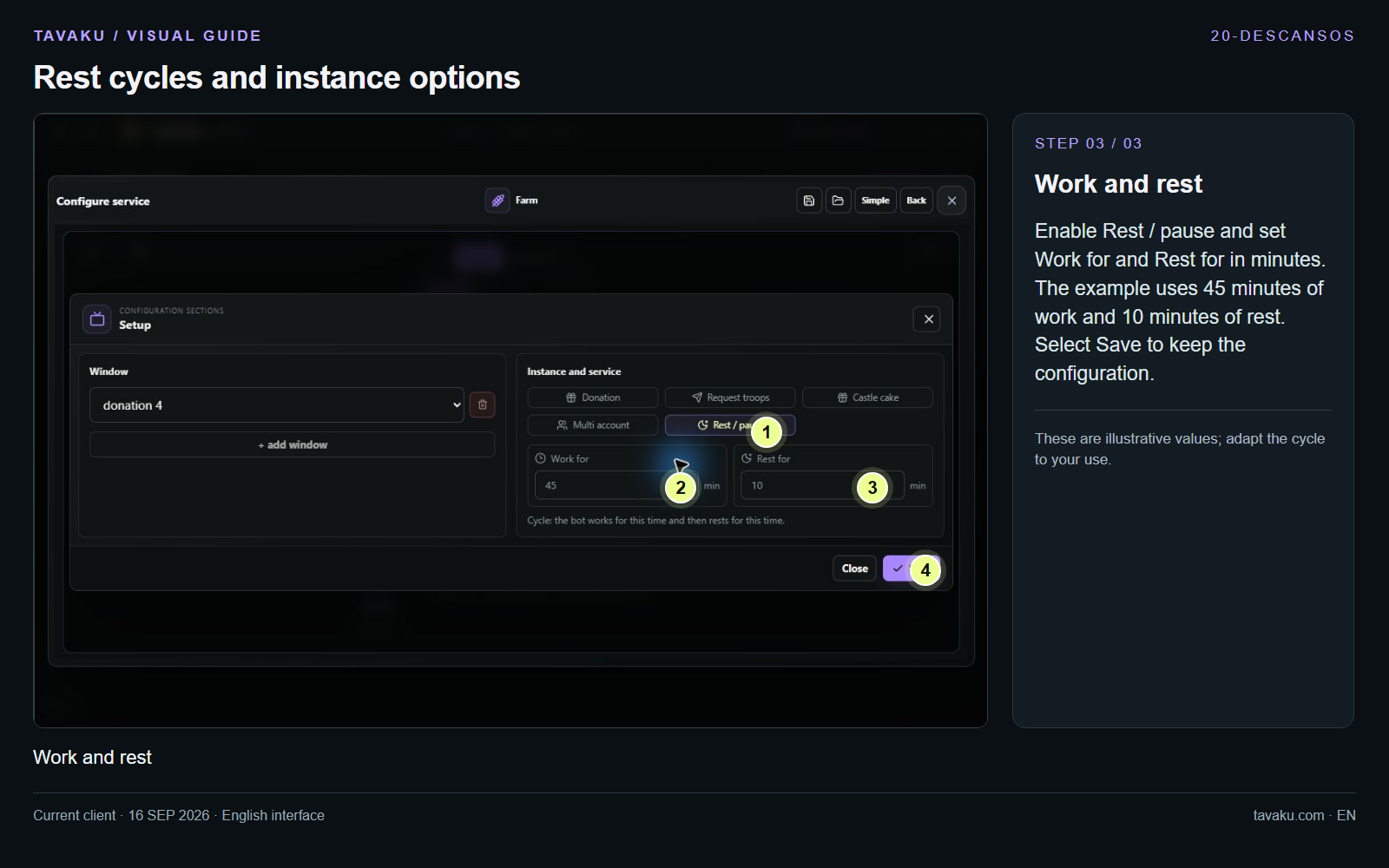
Enable Rest / pause and set Work for and Rest for in minutes. The example uses 45 minutes of work and 10 minutes of rest. Select Save to keep the configuration.
These are illustrative values; adapt the cycle to your use.
 Enlarge image ↗
About this guide
Configuration walkthrough of the current client, including local changes. No service was started during capture.