Capital · 18
Clan Capital raids
Prepare Capital raids with the correct account, army and rotation options.
Annotated screenshot walkthrough. Every step is also written below. Download captions
Reference: client 3.2.3 with local changes · Sep 16, 2026. Some options may not be in the public download yet. Captured interface is in English.
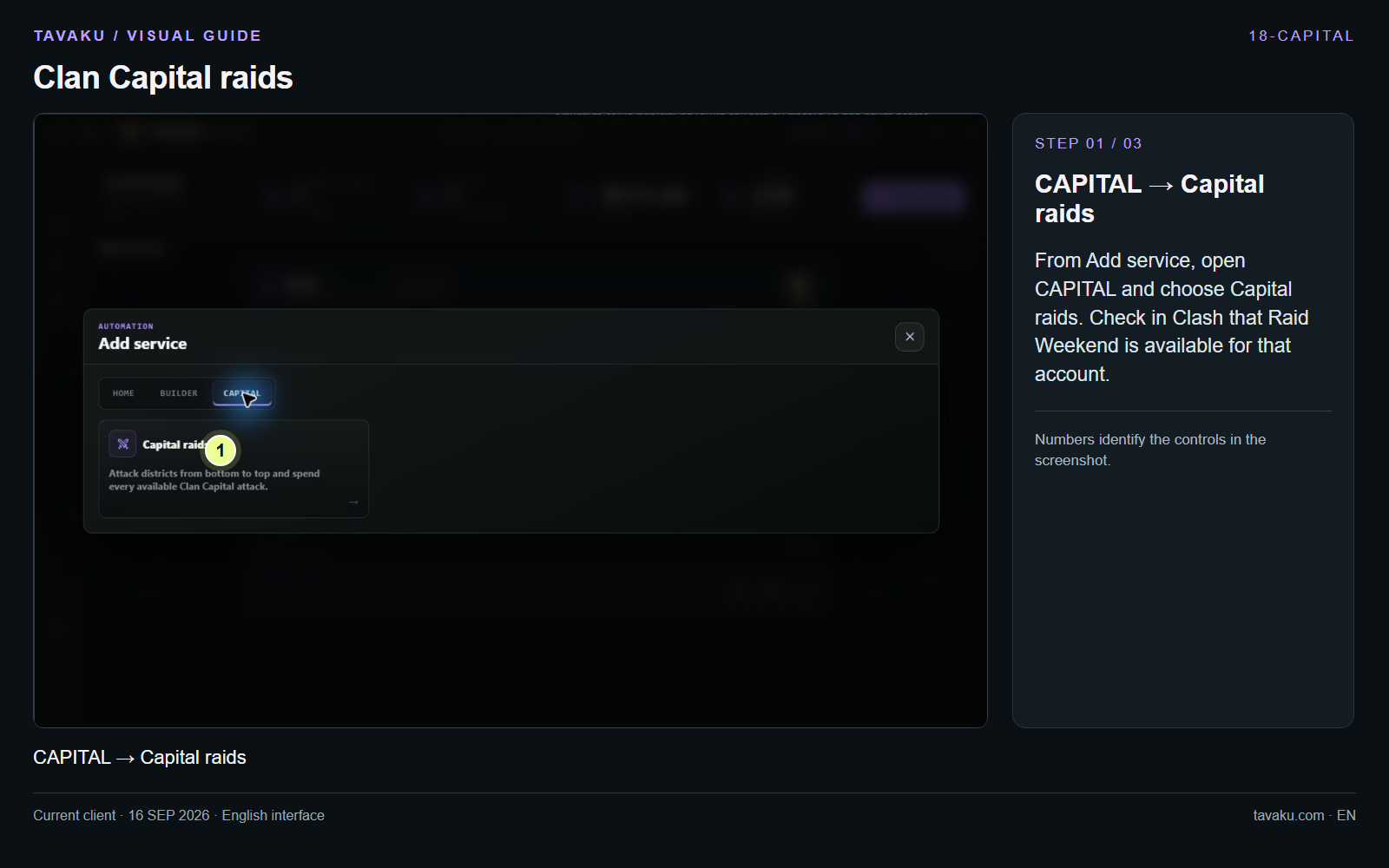
From Add service, open CAPITAL and choose Capital raids. Check in Clash that Raid Weekend is available for that account.
 Enlarge image ↗
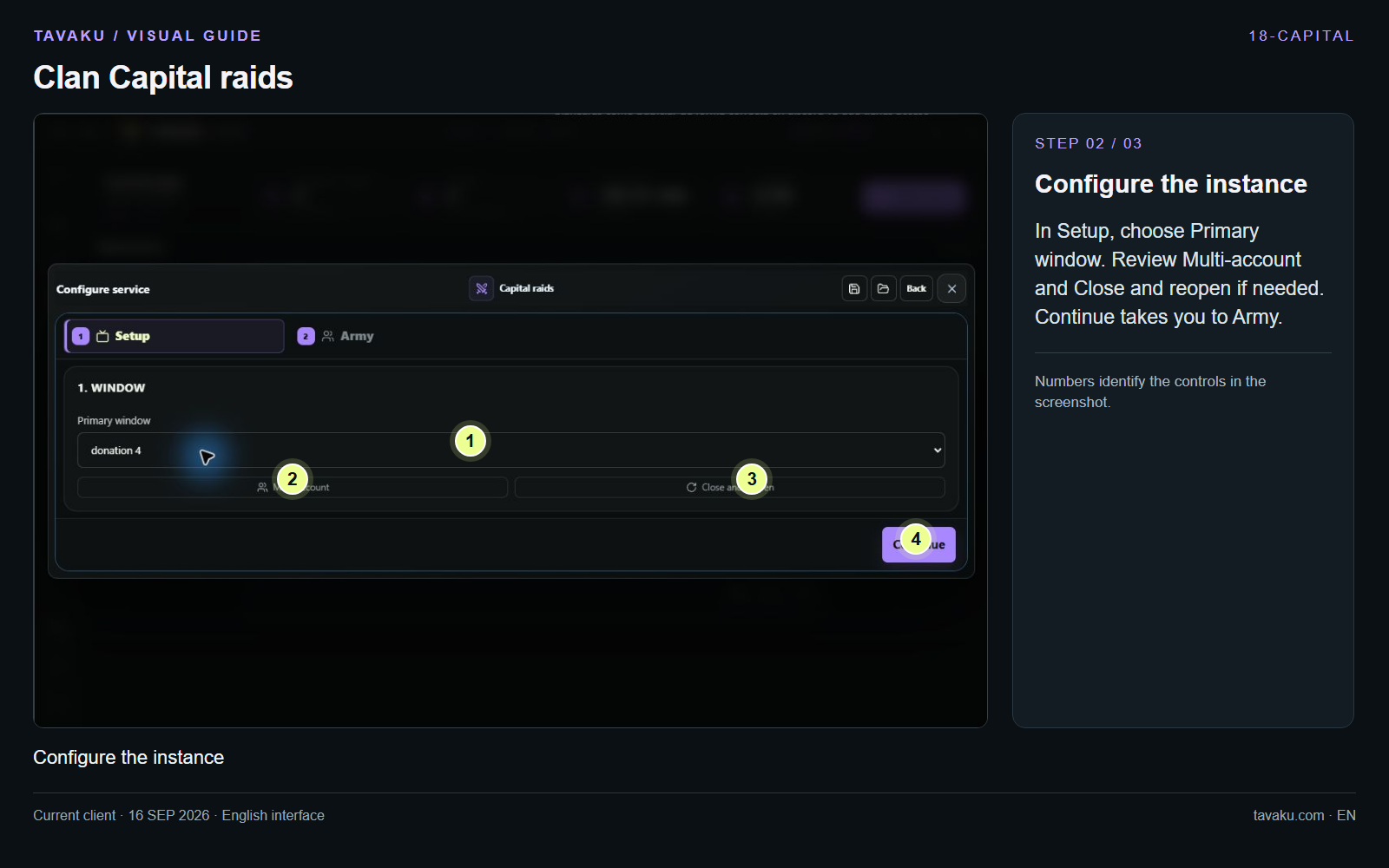
In Setup, choose Primary window. Review Multi-account and Close and reopen if needed. Continue takes you to Army.
 Enlarge image ↗
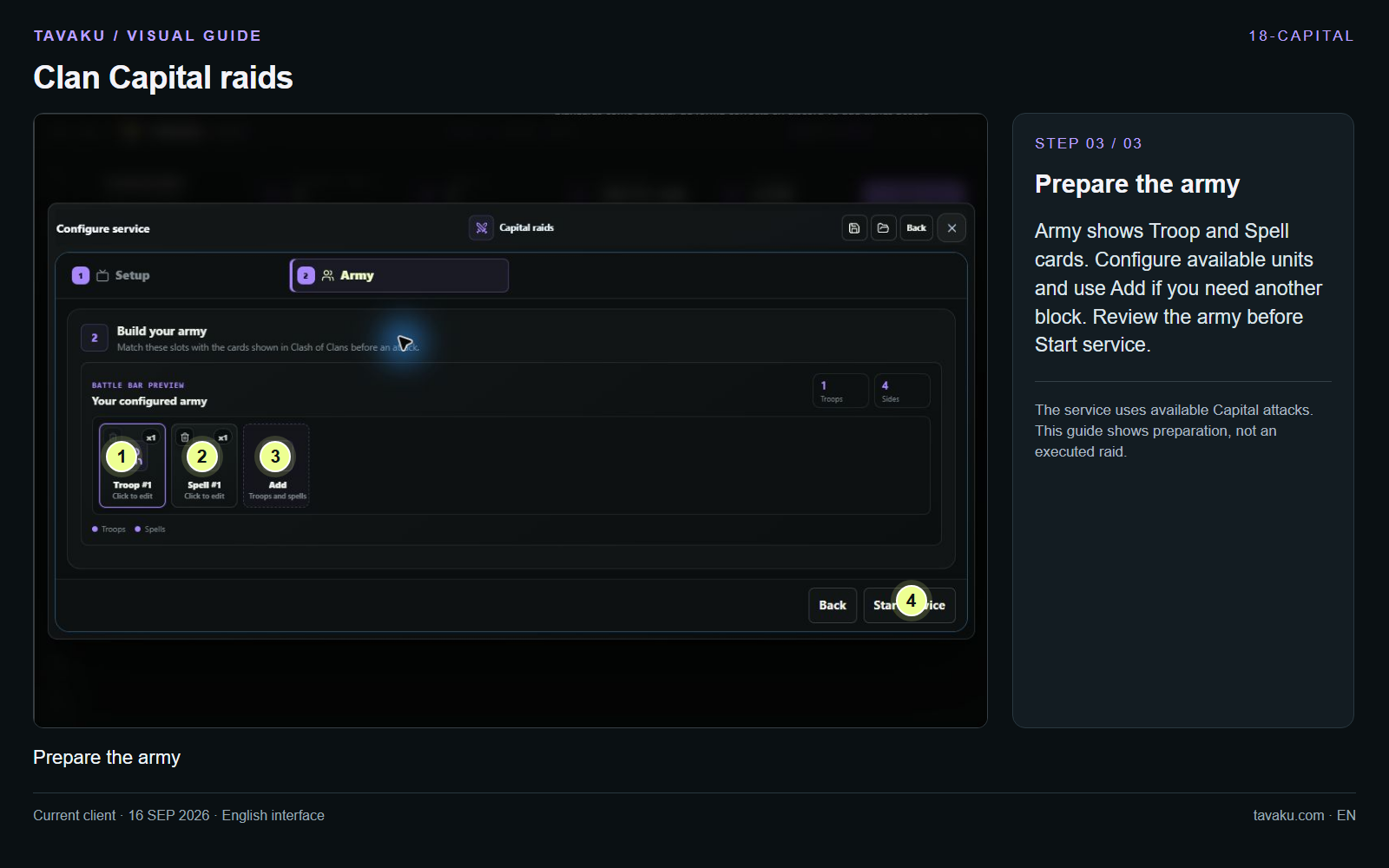
Army shows Troop and Spell cards. Configure available units and use Add if you need another block. Review the army before Start service.
The service uses available Capital attacks. This guide shows preparation, not an executed raid.
 Enlarge image ↗
About this guide
Configuration walkthrough of the current client, including local changes. No service was started during capture.