Builder Base · 17
Builder army and deployment
Configure troops, reinforcements and hero in a BUILDER service’s advanced settings.
Annotated screenshot walkthrough. Every step is also written below. Download captions
Reference: client 3.2.3 with local changes · Sep 16, 2026. Some options may not be in the public download yet. Captured interface is in English.
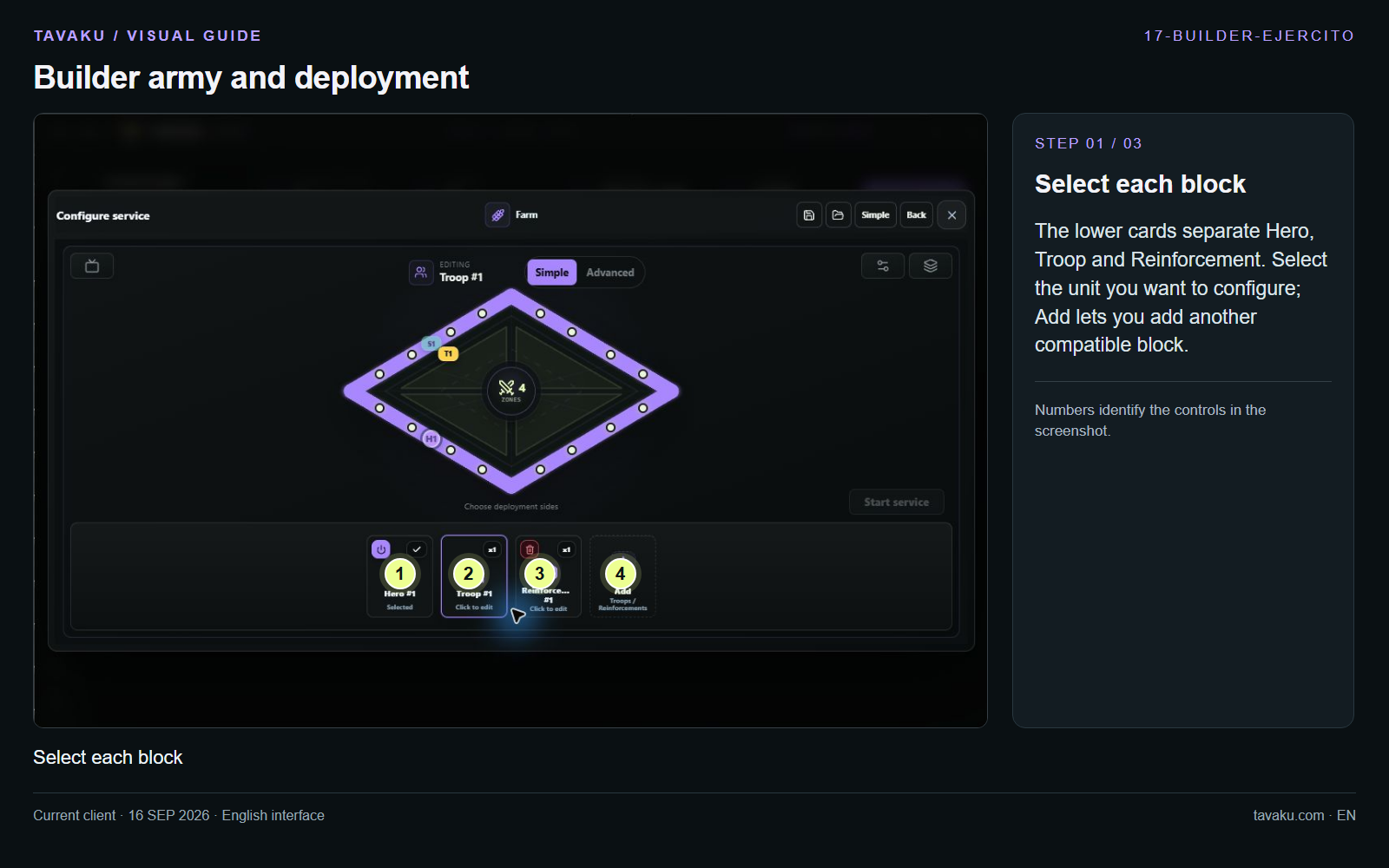
The lower cards separate Hero, Troop and Reinforcement. Select the unit you want to configure; Add lets you add another compatible block.
 Enlarge image ↗
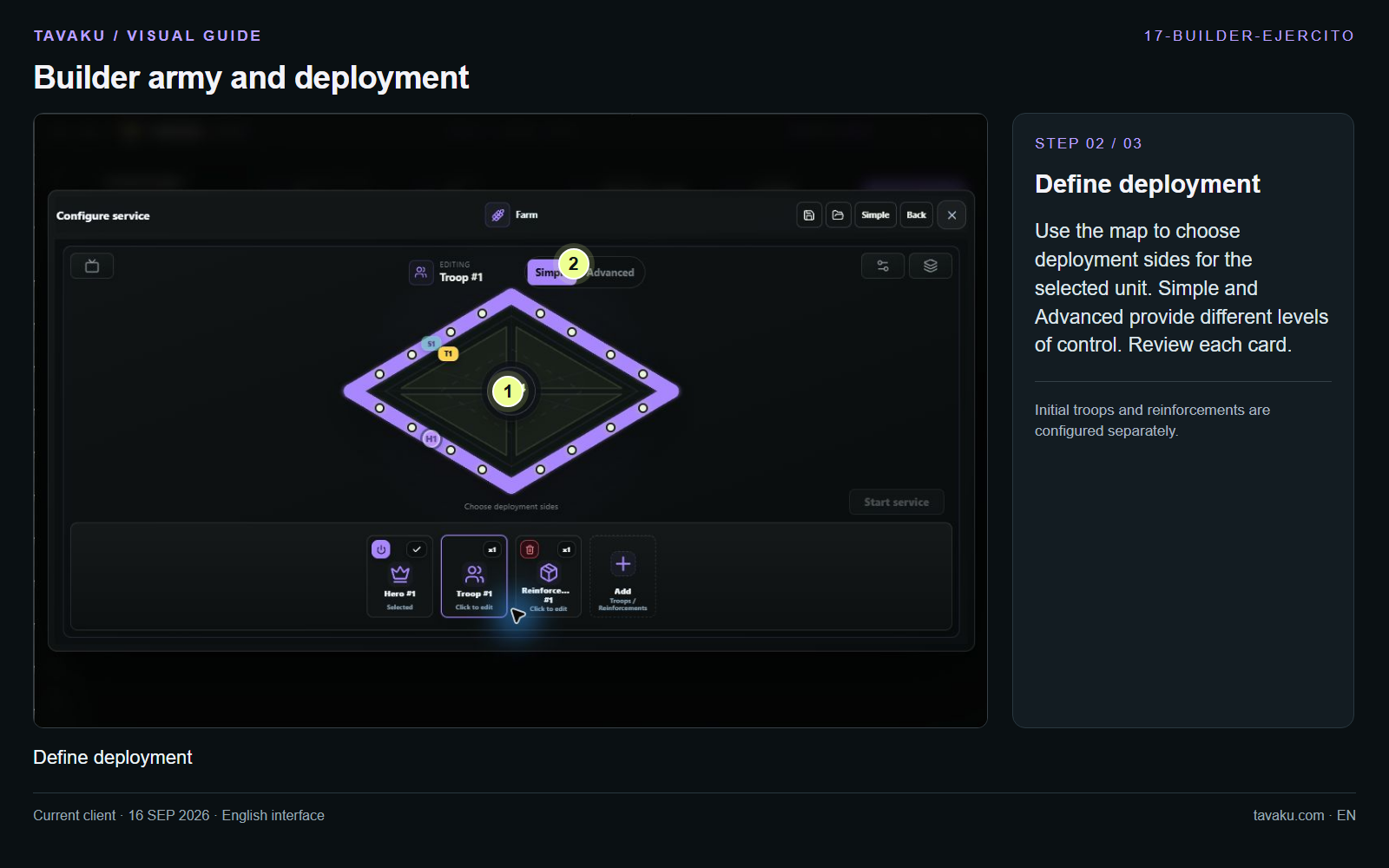
Use the map to choose deployment sides for the selected unit. Simple and Advanced provide different levels of control. Review each card.
Initial troops and reinforcements are configured separately.
 Enlarge image ↗
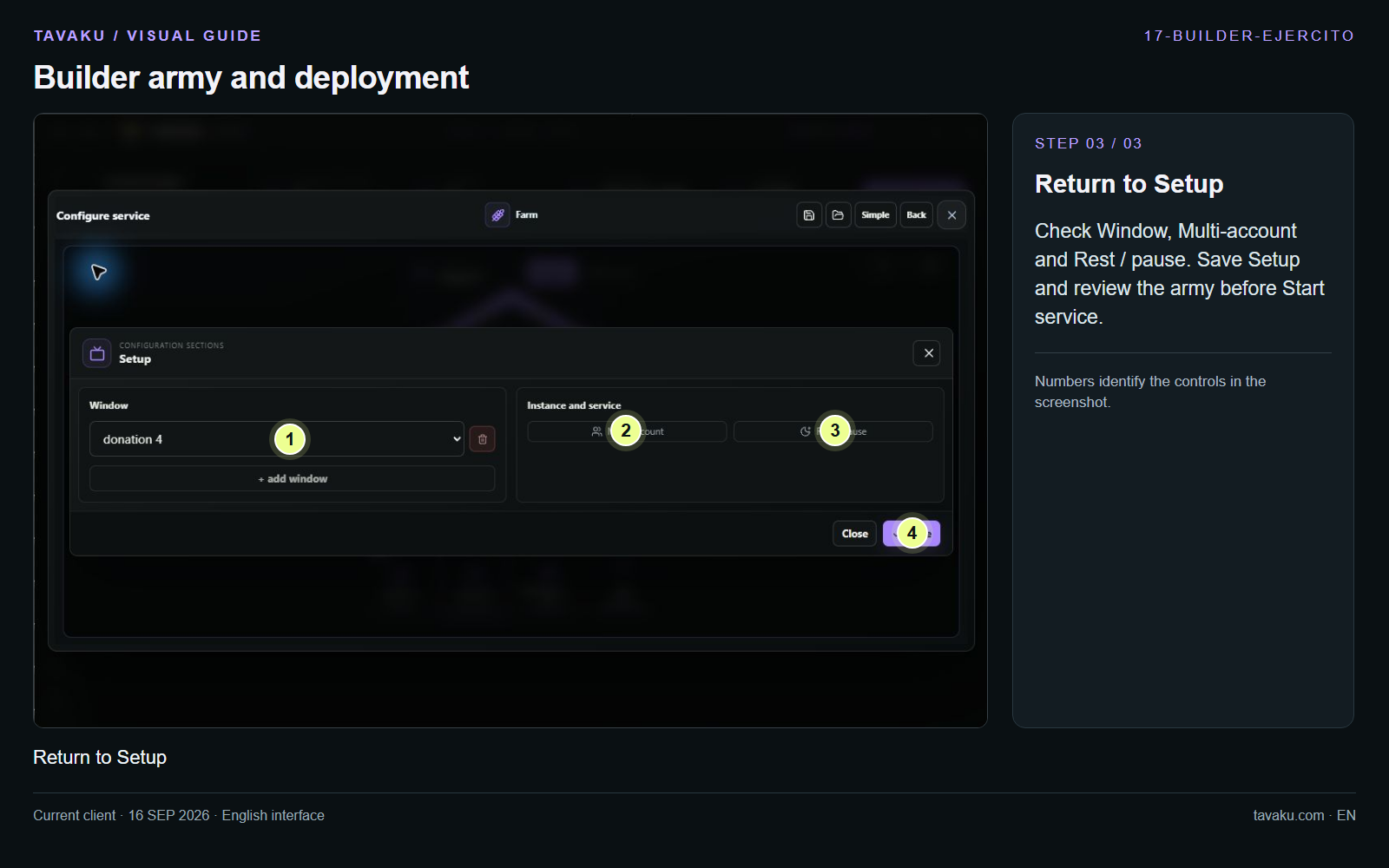
Check Window, Multi-account and Rest / pause. Save Setup and review the army before Start service.
 Enlarge image ↗
About this guide
Configuration walkthrough of the current client, including local changes. No service was started during capture.