Home Village · 10
Infinite attacks
Configure a continuous sequence of attacks and monitor the service from the control center.
Annotated screenshot walkthrough. Every step is also written below. Download captions
Reference: client 3.2.3 with local changes · Sep 16, 2026. Some options may not be in the public download yet. Captured interface is in English.
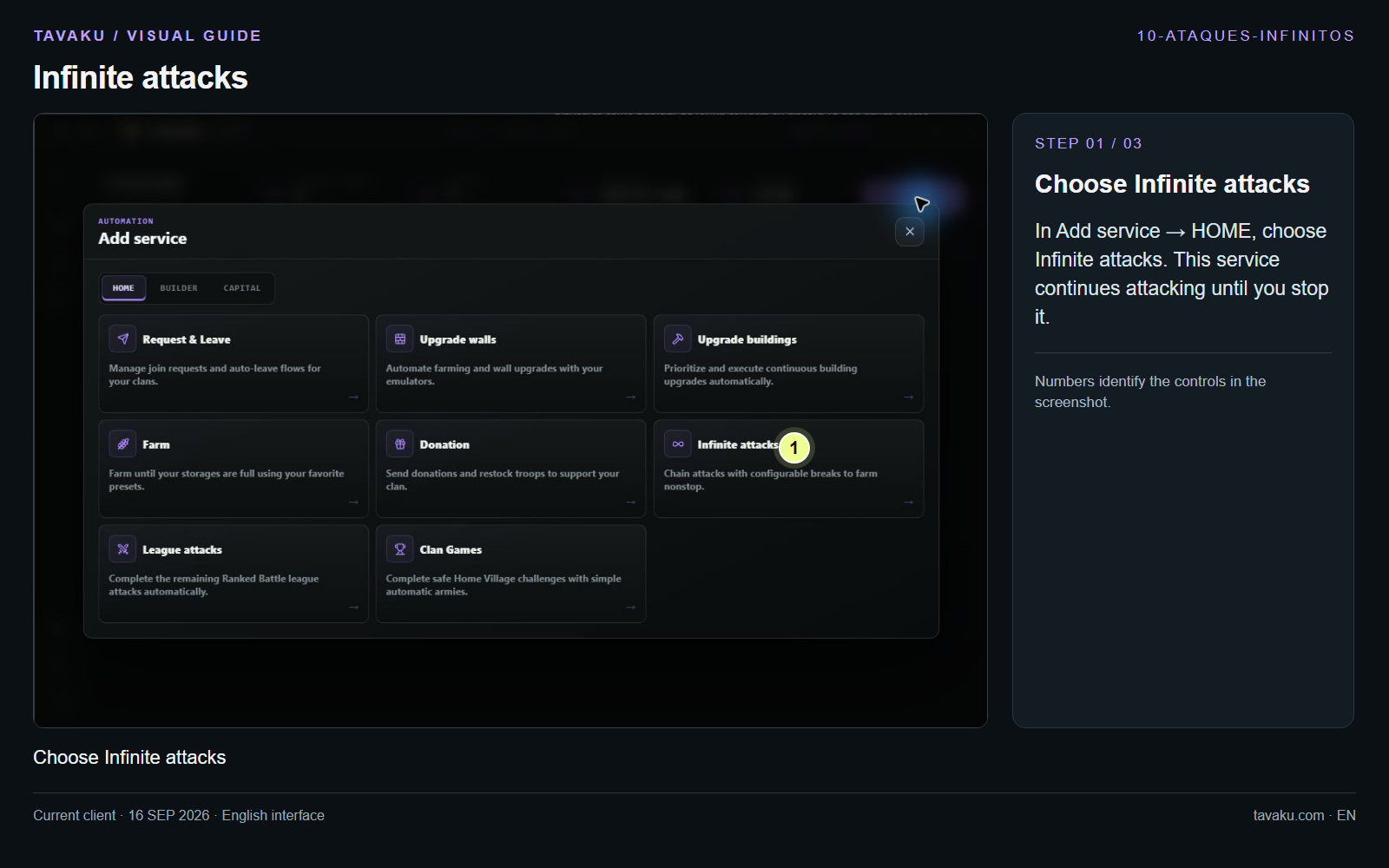
In Add service → HOME, choose Infinite attacks. This service continues attacking until you stop it.
 Enlarge image ↗
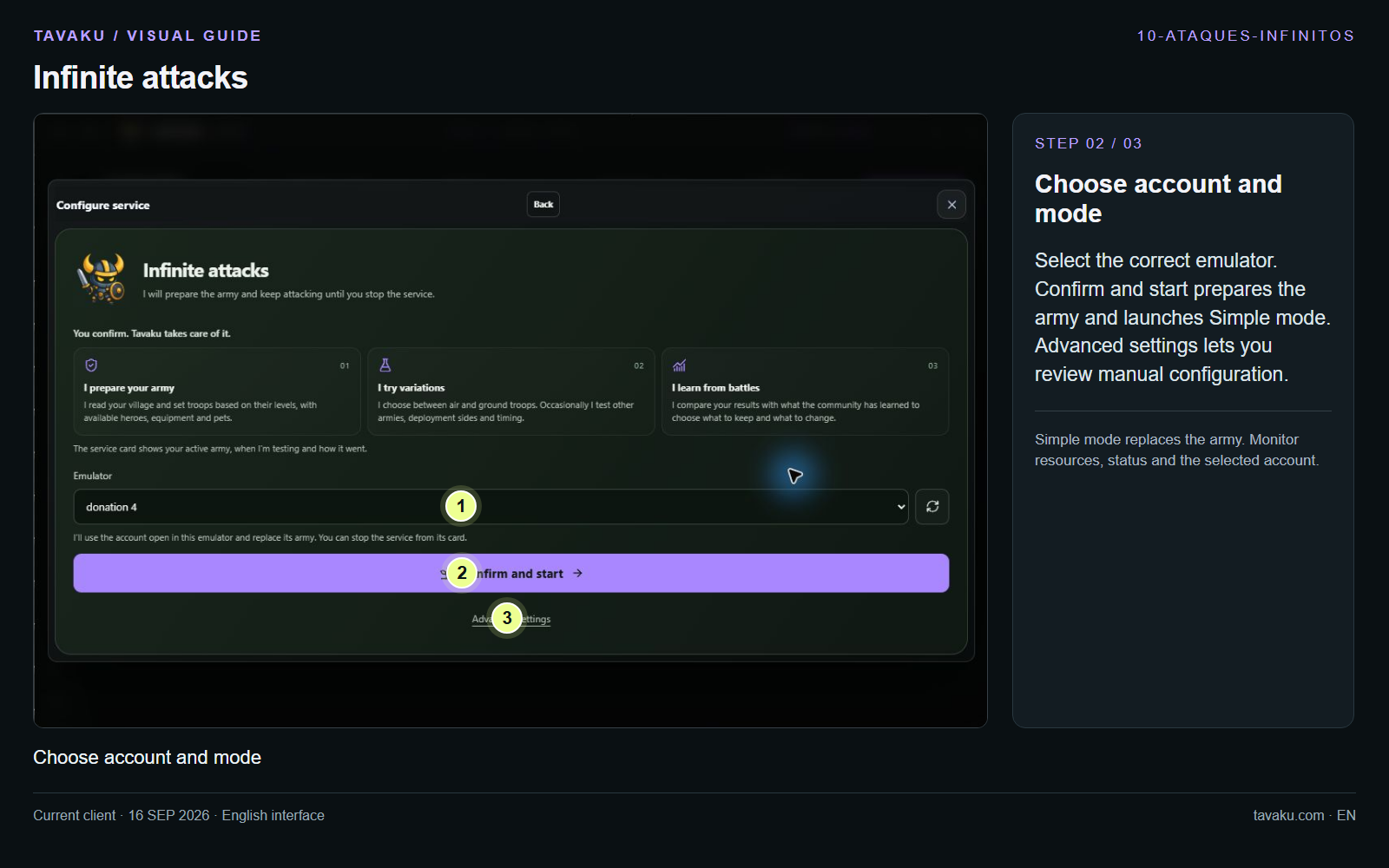
Select the correct emulator. Confirm and start prepares the army and launches Simple mode. Advanced settings lets you review manual configuration.
Simple mode replaces the army. Monitor resources, status and the selected account.
 Enlarge image ↗
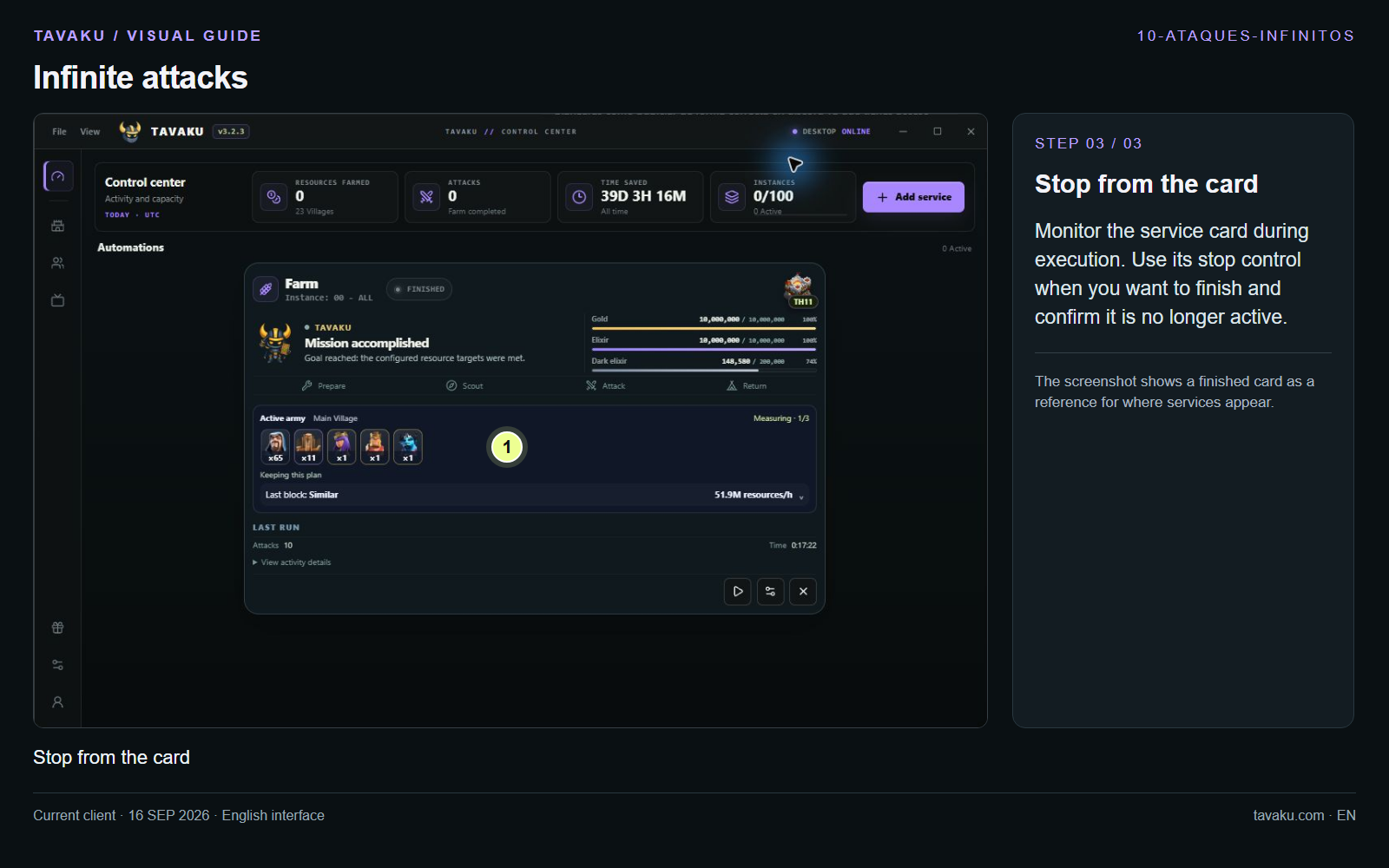
Monitor the service card during execution. Use its stop control when you want to finish and confirm it is no longer active.
The screenshot shows a finished card as a reference for where services appear.
 Enlarge image ↗
About this guide
Configuration walkthrough of the current client, including local changes. No service was started during capture.