Home Village · 11
League attacks
League attacks completes the selected account’s available league attacks.
Annotated screenshot walkthrough. Every step is also written below. Download captions
Reference: client 3.2.3 with local changes · Sep 16, 2026. Some options may not be in the public download yet. Captured interface is in English.
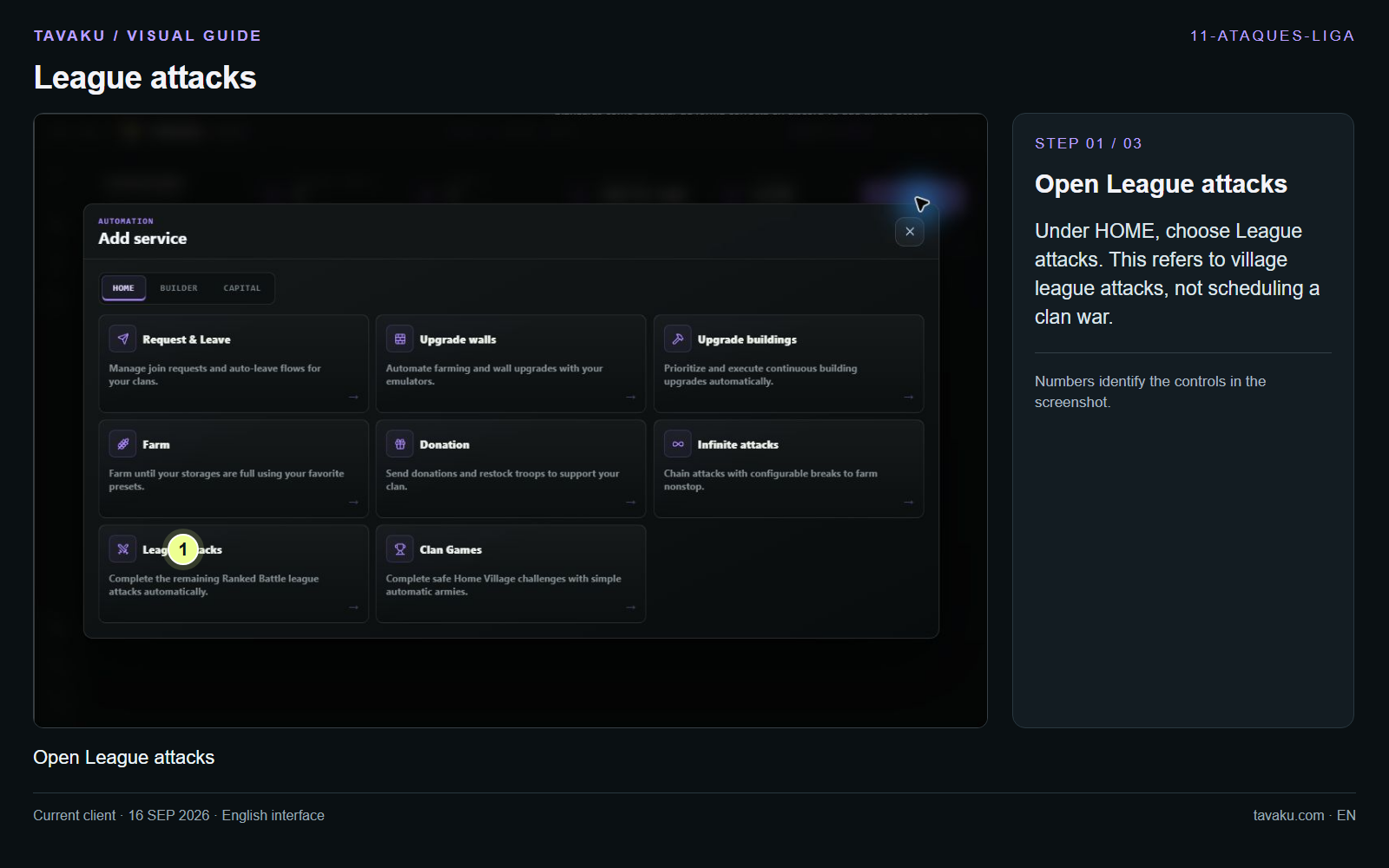
Under HOME, choose League attacks. This refers to village league attacks, not scheduling a clan war.
 Enlarge image ↗
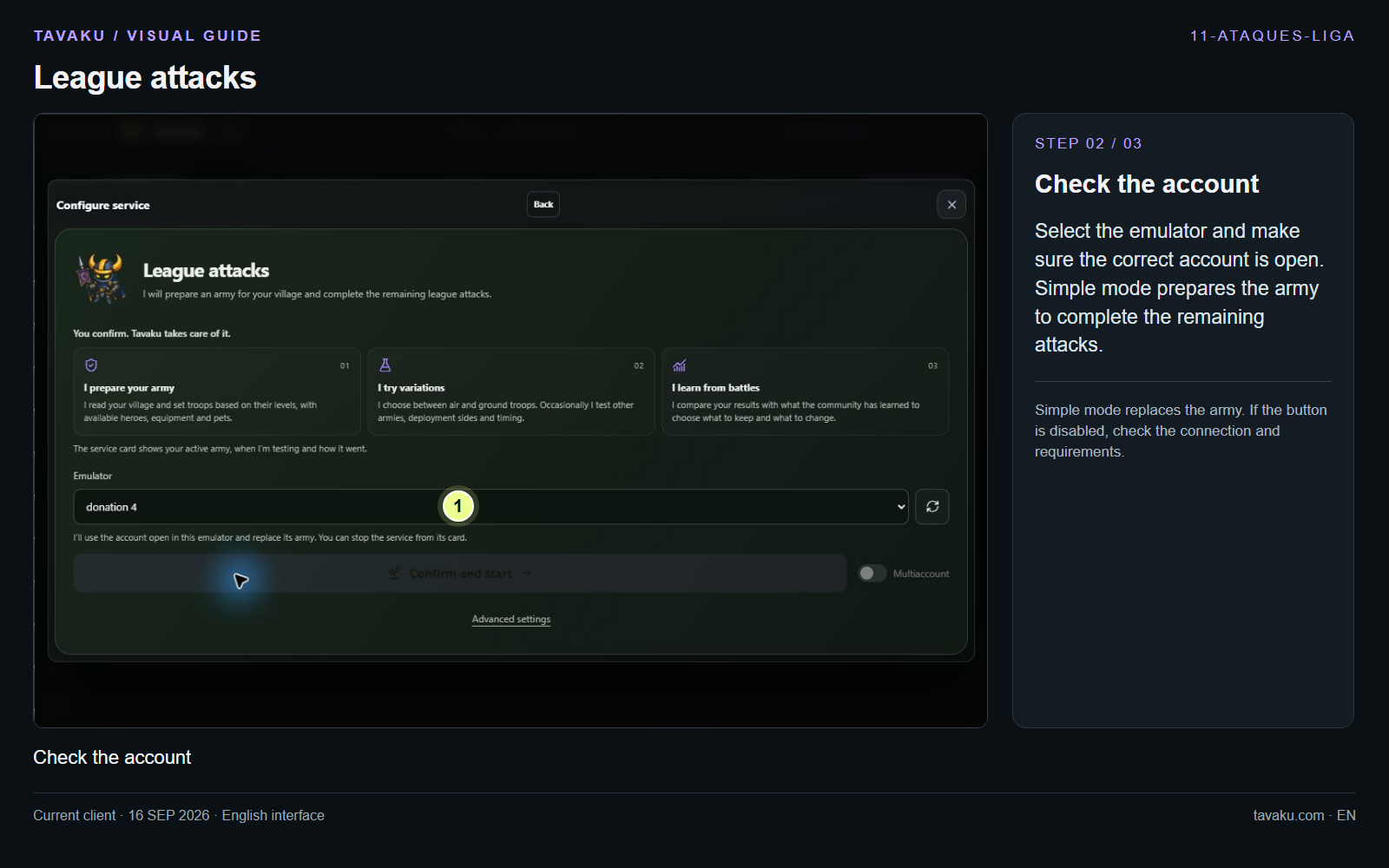
Select the emulator and make sure the correct account is open. Simple mode prepares the army to complete the remaining attacks.
Simple mode replaces the army. If the button is disabled, check the connection and requirements.
 Enlarge image ↗
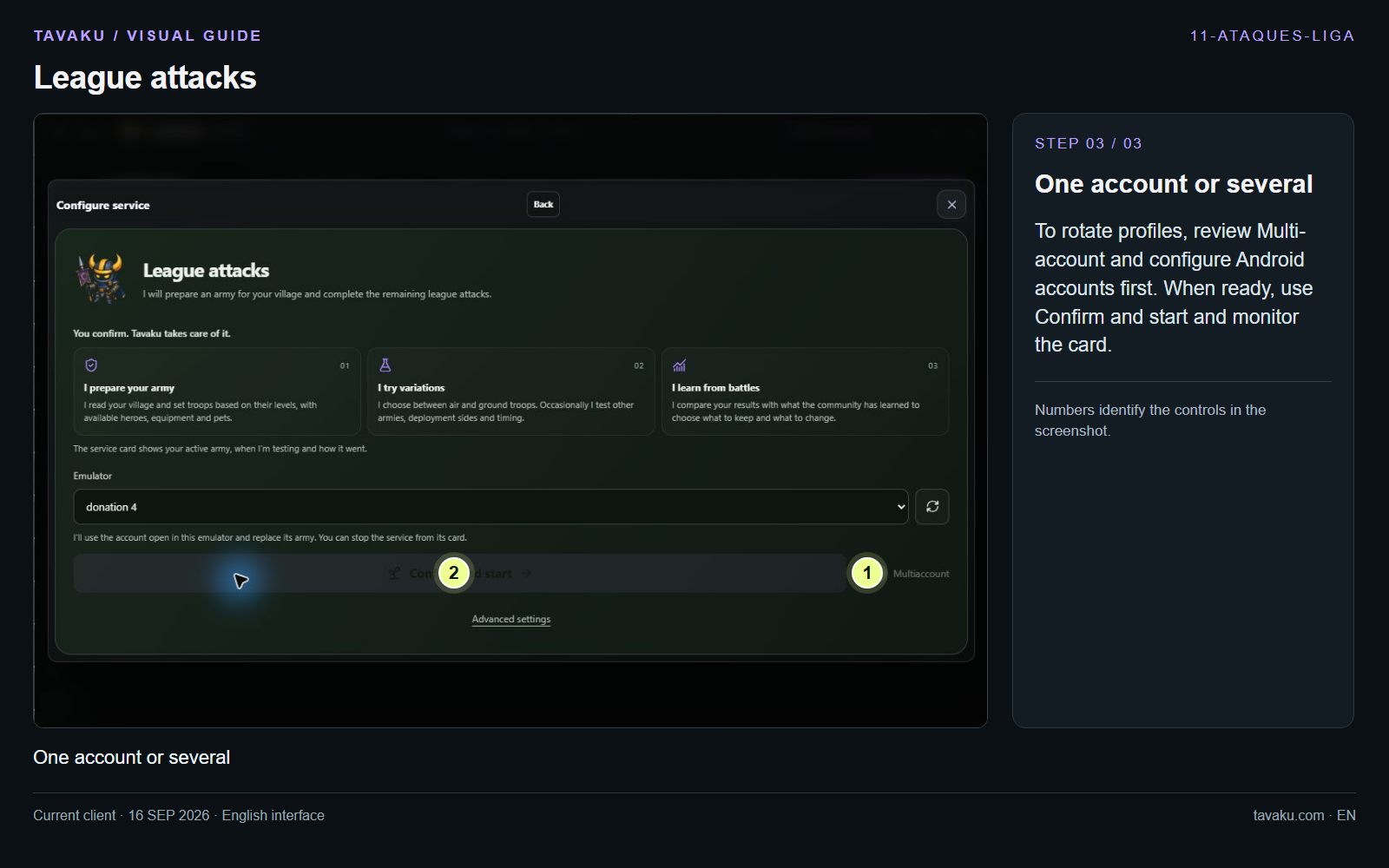
To rotate profiles, review Multi-account and configure Android accounts first. When ready, use Confirm and start and monitor the card.
 Enlarge image ↗
About this guide
Configuration walkthrough of the current client, including local changes. No service was started during capture.