Home Village · 09
Donation and troop replenishment
Donation keeps an account ready to handle clan requests.
Annotated screenshot walkthrough. Every step is also written below. Download captions
Reference: client 3.2.3 with local changes · Sep 16, 2026. Some options may not be in the public download yet. Captured interface is in English.
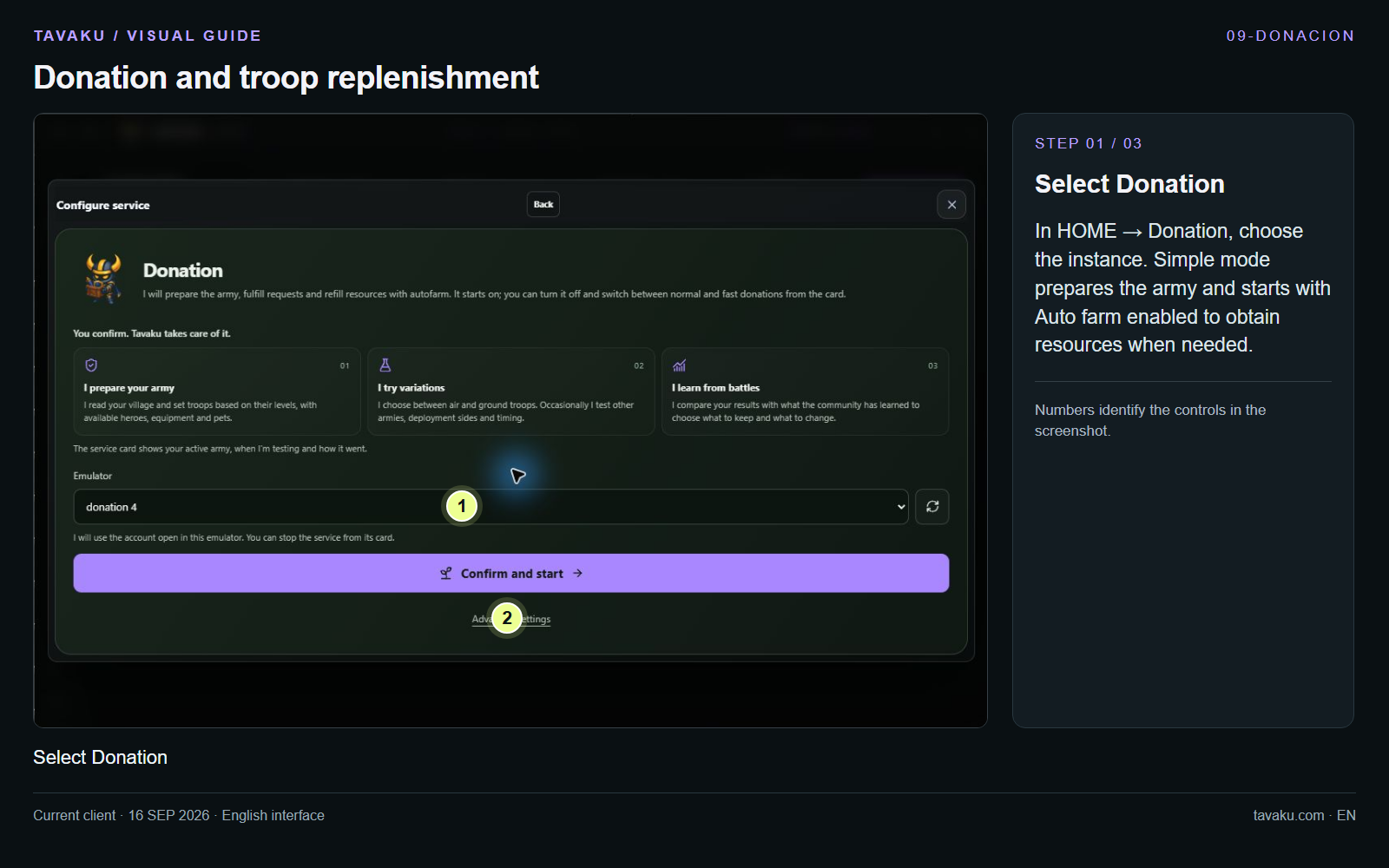
In HOME → Donation, choose the instance. Simple mode prepares the army and starts with Auto farm enabled to obtain resources when needed.
 Enlarge image ↗
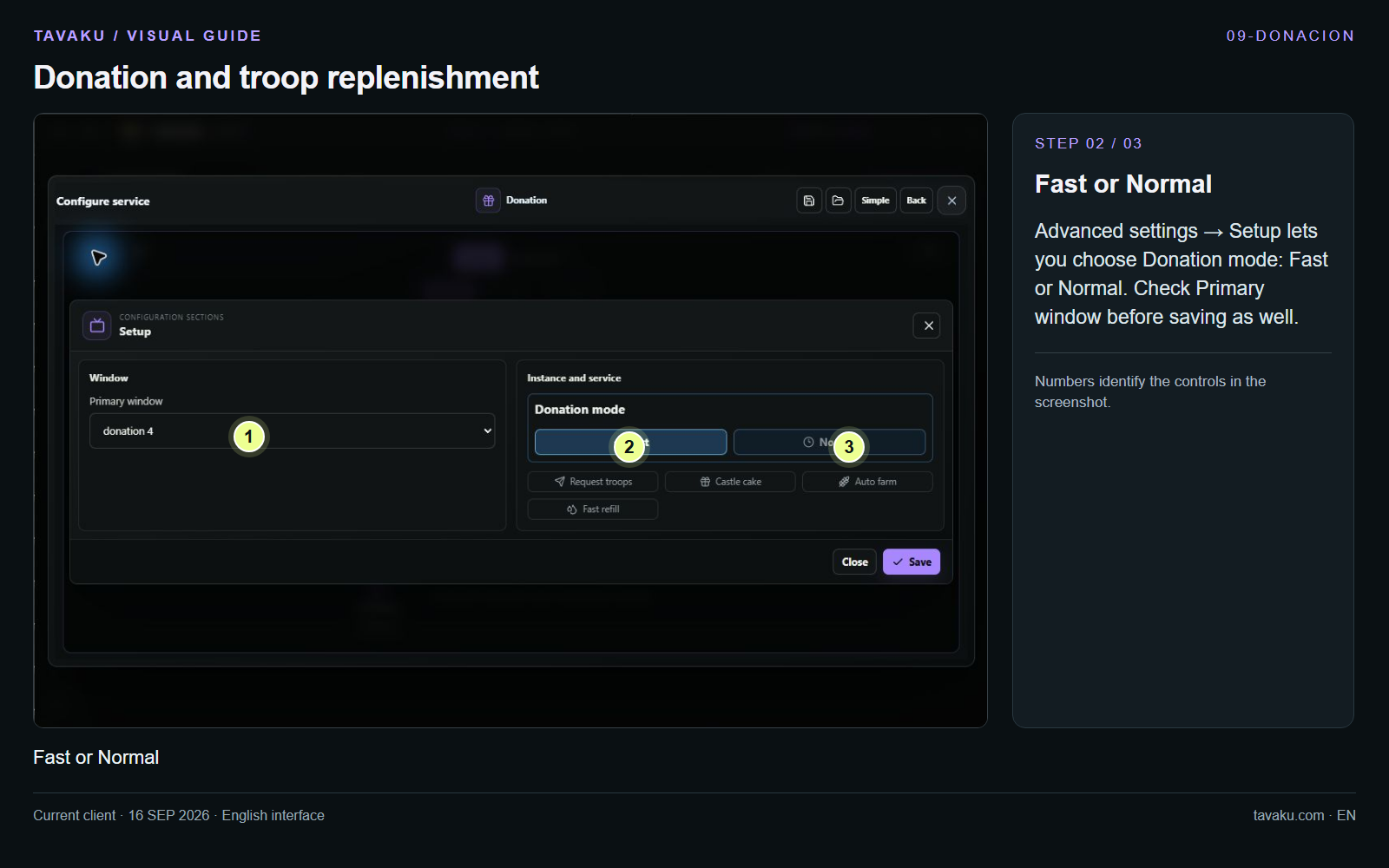
Advanced settings → Setup lets you choose Donation mode: Fast or Normal. Check Primary window before saving as well.
 Enlarge image ↗
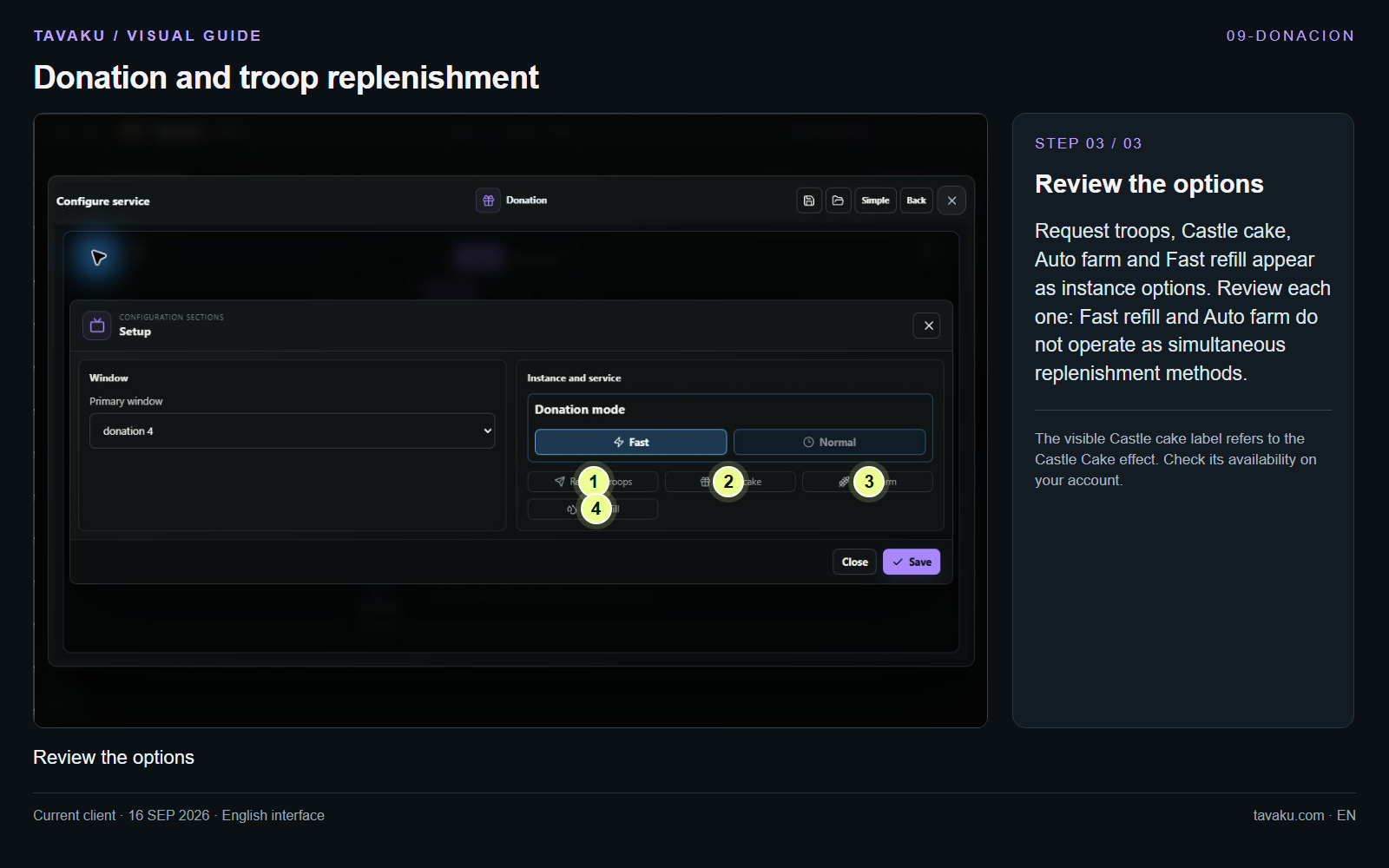
Request troops, Castle cake, Auto farm and Fast refill appear as instance options. Review each one: Fast refill and Auto farm do not operate as simultaneous replenishment methods.
The visible Castle cake label refers to the Castle Cake effect. Check its availability on your account.
 Enlarge image ↗
About this guide
Configuration walkthrough of the current client, including local changes. No service was started during capture.