Home Village · 04
Farm: start with Simple mode
Prepare a Farm service in the current client. You need a connected emulator with Clash of Clans and your account open.
Annotated screenshot walkthrough. Every step is also written below. Download captions
Reference: client 3.2.3 with local changes · Sep 16, 2026. Some options may not be in the public download yet. Captured interface is in English.
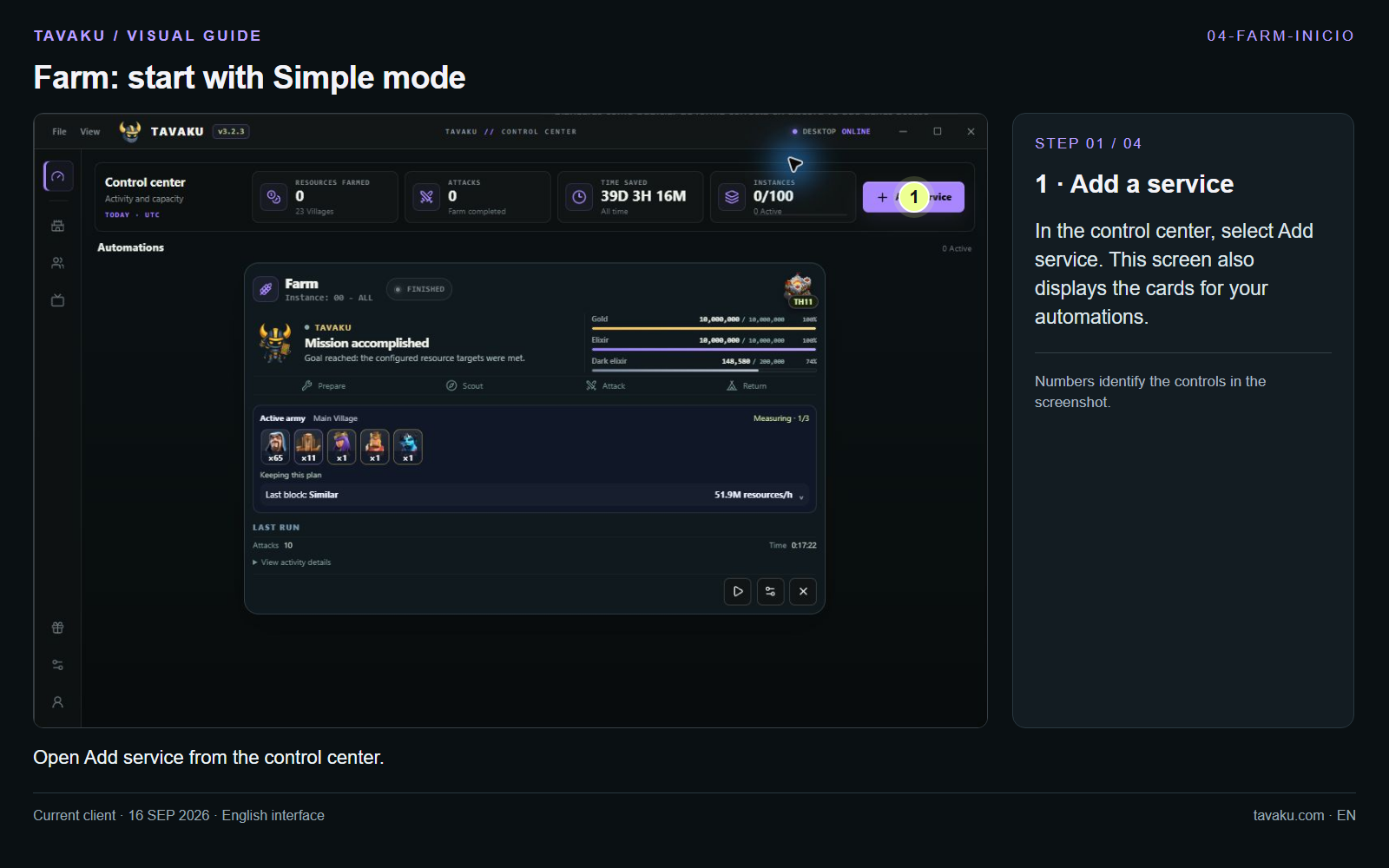
In the control center, select Add service. This screen also displays the cards for your automations.
 Enlarge image ↗
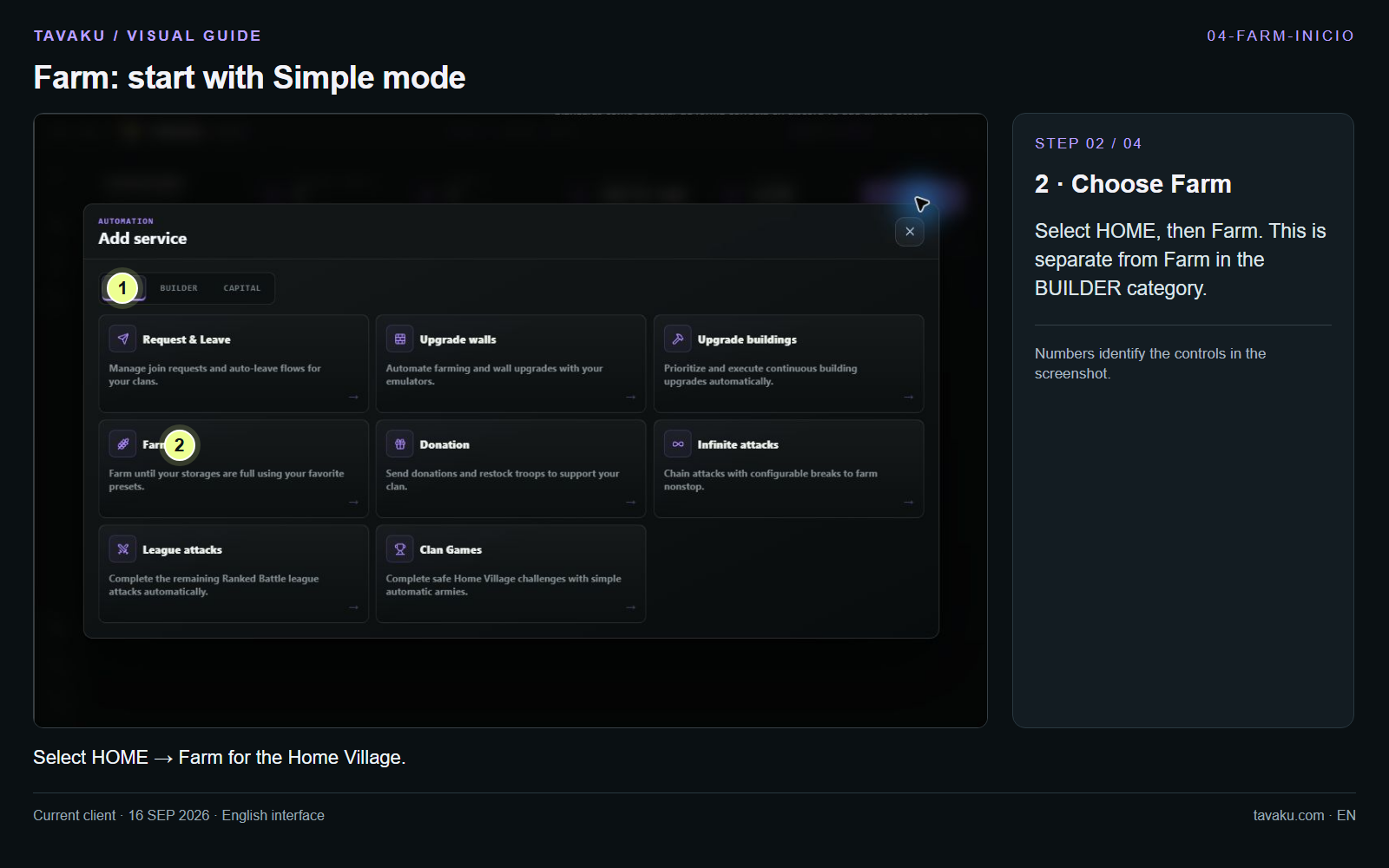
Select HOME, then Farm. This is separate from Farm in the BUILDER category.
 Enlarge image ↗
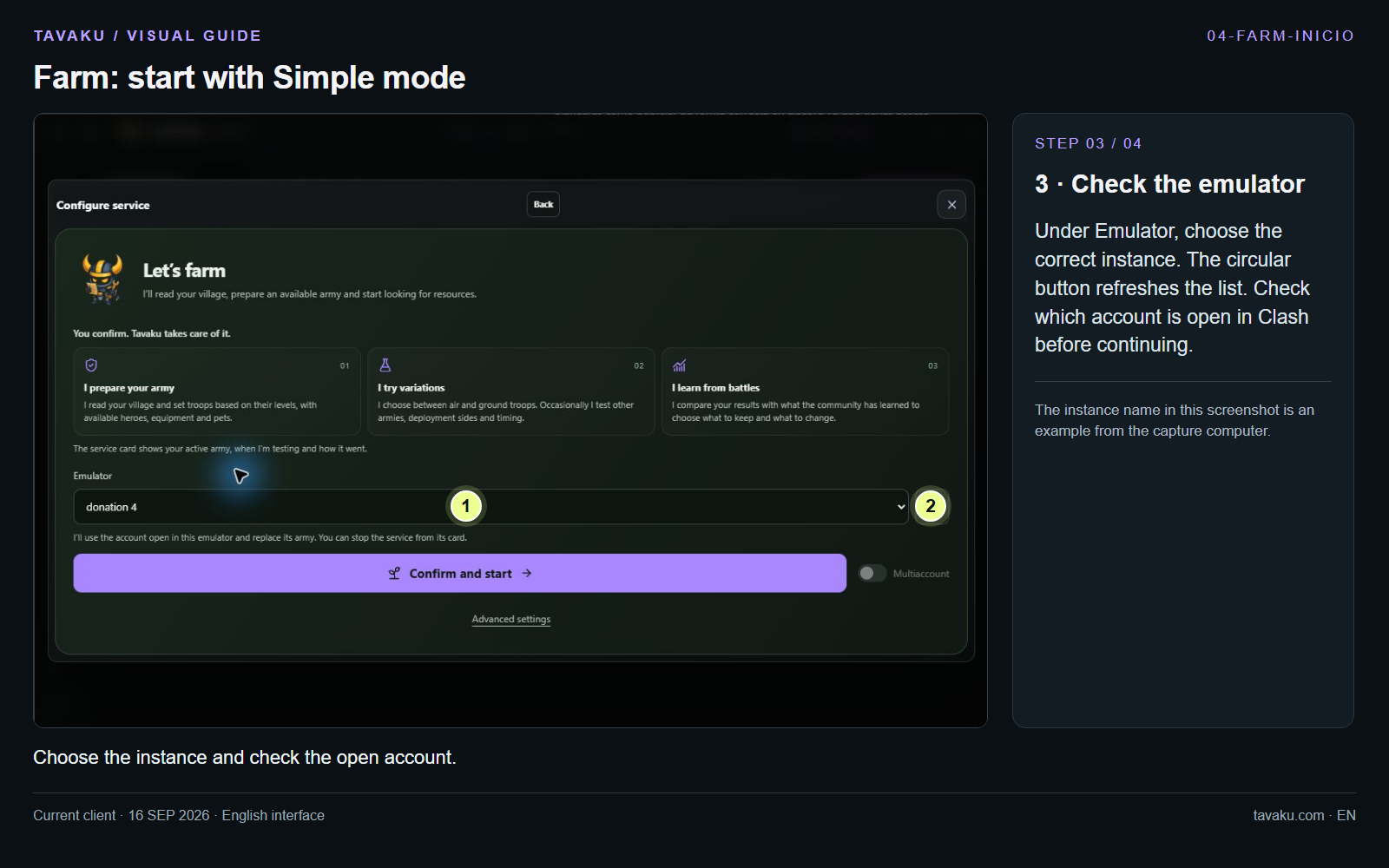
Under Emulator, choose the correct instance. The circular button refreshes the list. Check which account is open in Clash before continuing.
The instance name in this screenshot is an example from the capture computer.
 Enlarge image ↗
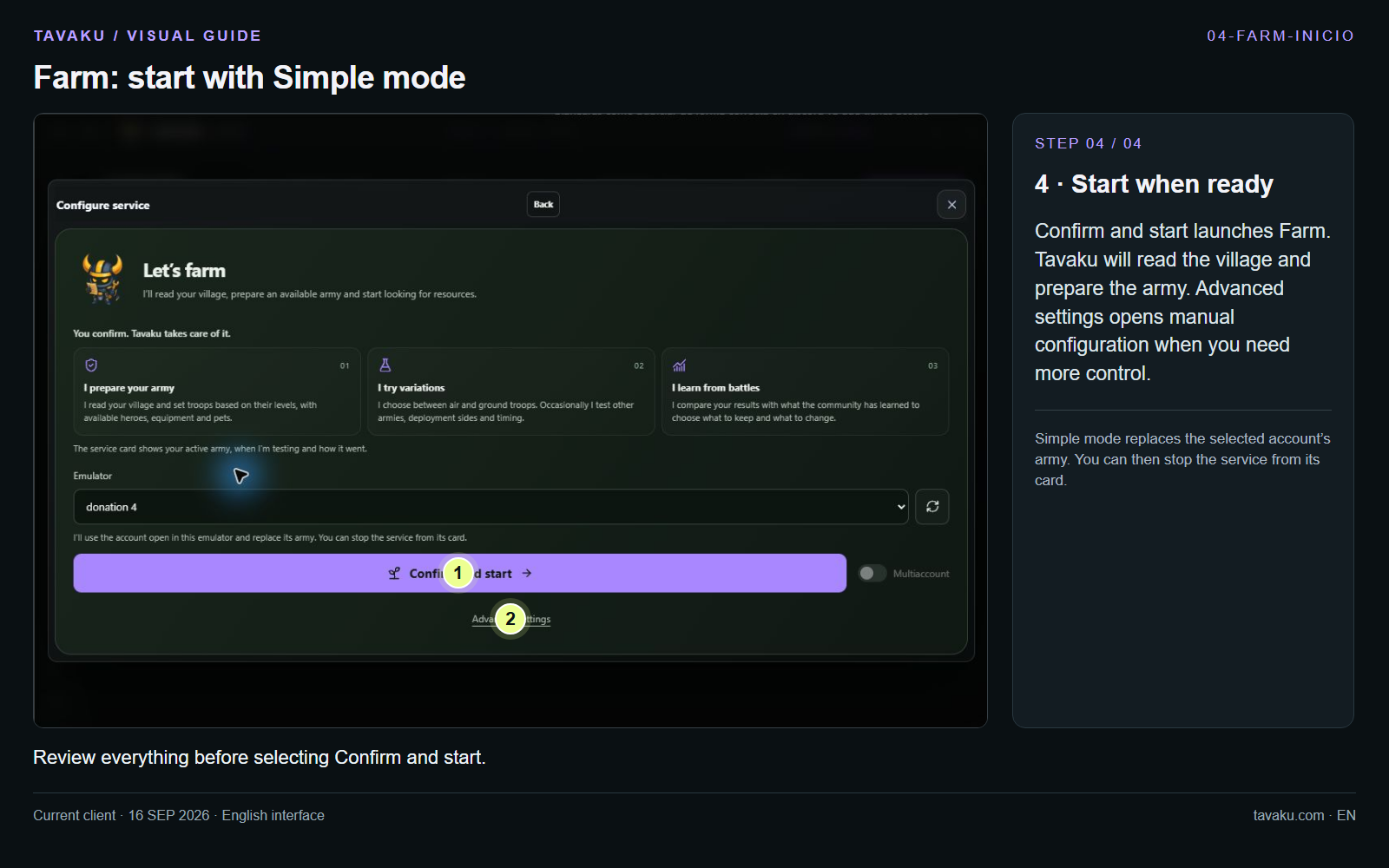
Confirm and start launches Farm. Tavaku will read the village and prepare the army. Advanced settings opens manual configuration when you need more control.
Simple mode replaces the selected account’s army. You can then stop the service from its card.
 Enlarge image ↗
About this guide
After starting, the service card shows its status and army. This walkthrough demonstrates configuration; it does not depict a newly executed Farm run.