Getting started · 03
Control center and service states
This is where you view configured services, results and each service card’s controls.
Annotated screenshot walkthrough. Every step is also written below. Download captions
Reference: client 3.2.3 with local changes · Sep 16, 2026. Some options may not be in the public download yet. Captured interface is in English.
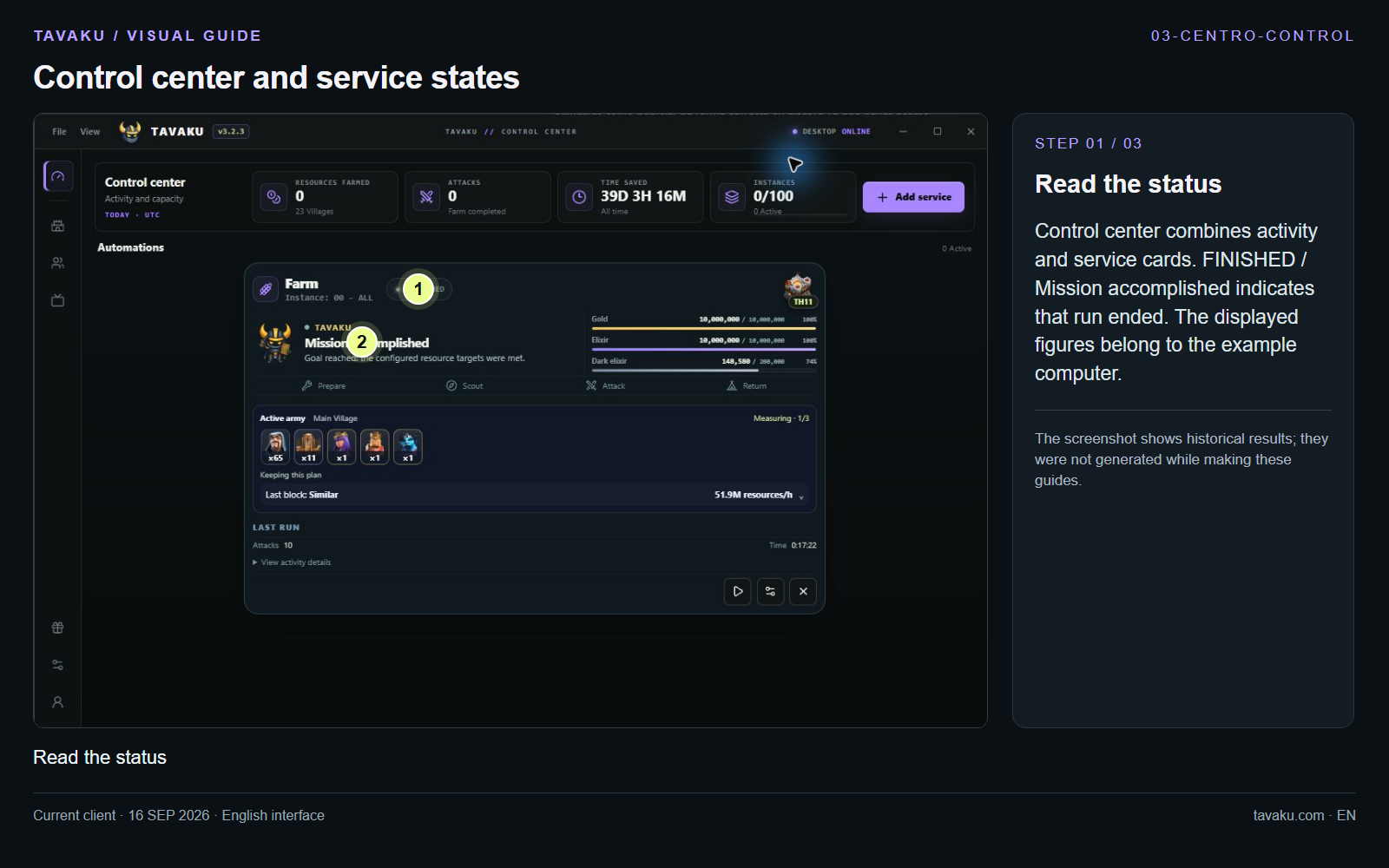
Control center combines activity and service cards. FINISHED / Mission accomplished indicates that run ended. The displayed figures belong to the example computer.
The screenshot shows historical results; they were not generated while making these guides.
 Enlarge image ↗
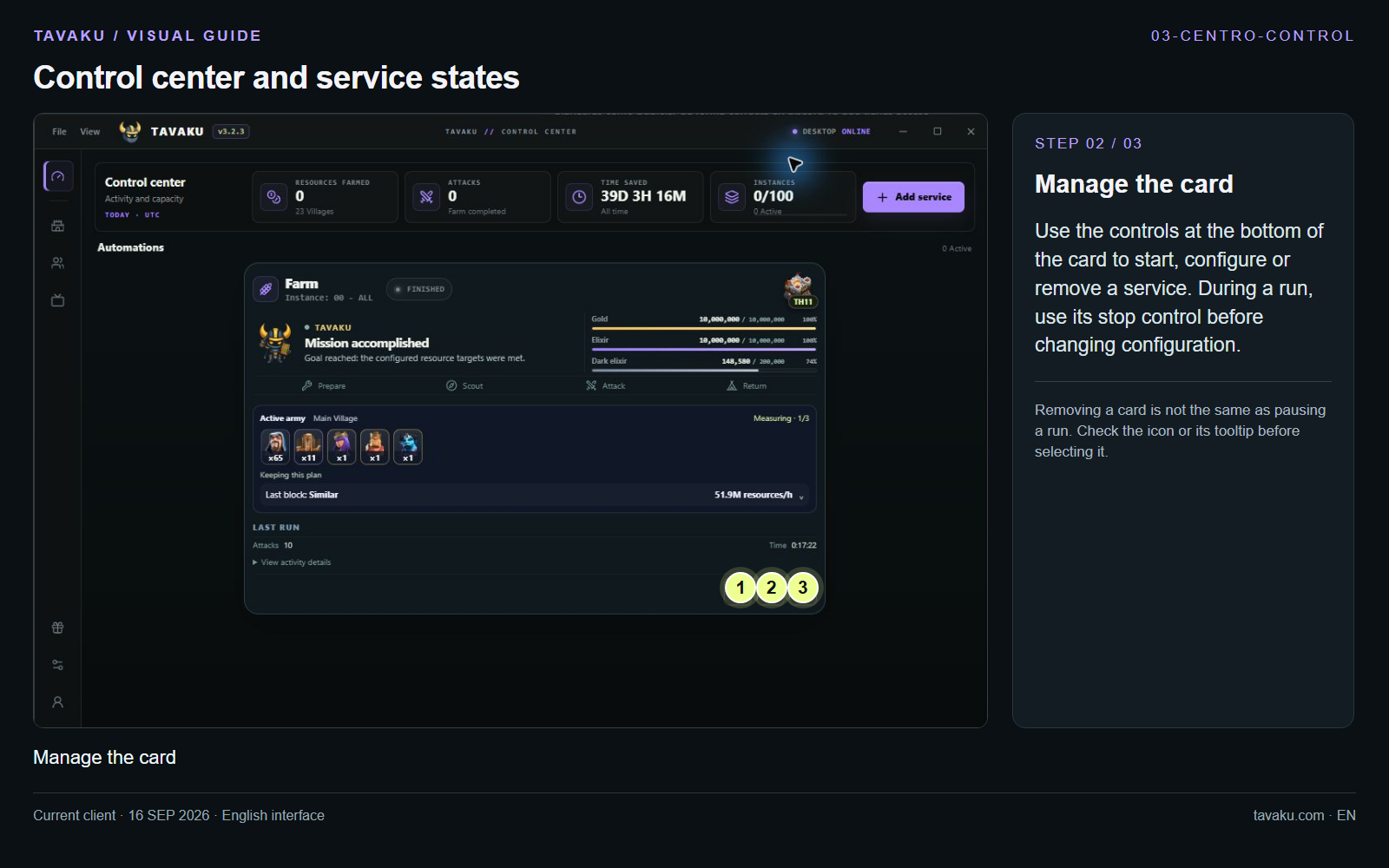
Use the controls at the bottom of the card to start, configure or remove a service. During a run, use its stop control before changing configuration.
Removing a card is not the same as pausing a run. Check the icon or its tooltip before selecting it.
 Enlarge image ↗
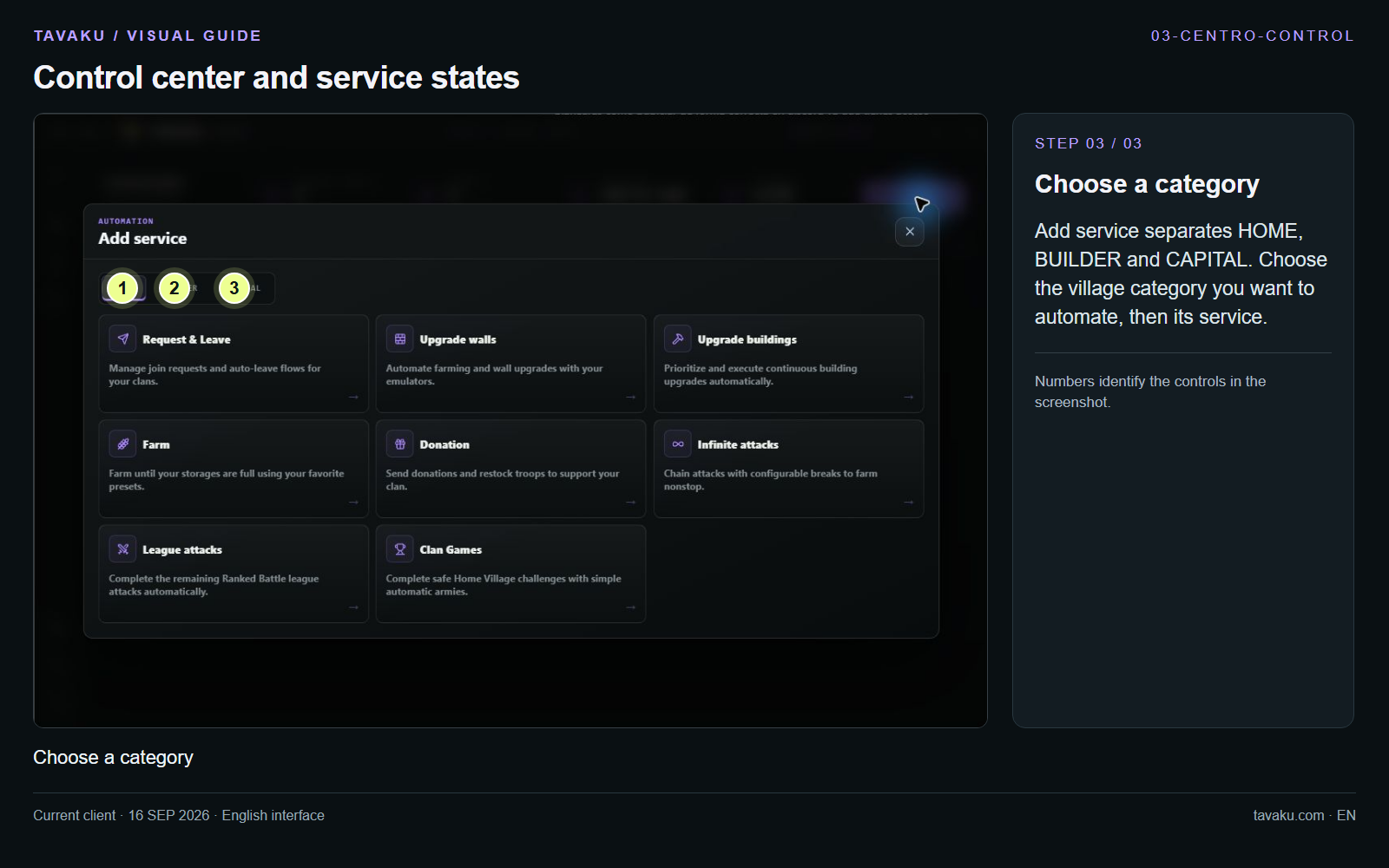
Add service separates HOME, BUILDER and CAPITAL. Choose the village category you want to automate, then its service.
 Enlarge image ↗
About this guide
Configuration walkthrough of the current client, including local changes. No service was started during capture.