Getting started · 02
Connect and manage emulators
Use Available emulators to detect instances and check their status before configuring a service.
Annotated screenshot walkthrough. Every step is also written below. Download captions
Reference: client 3.2.3 with local changes · Sep 16, 2026. Some options may not be in the public download yet. Captured interface is in English.
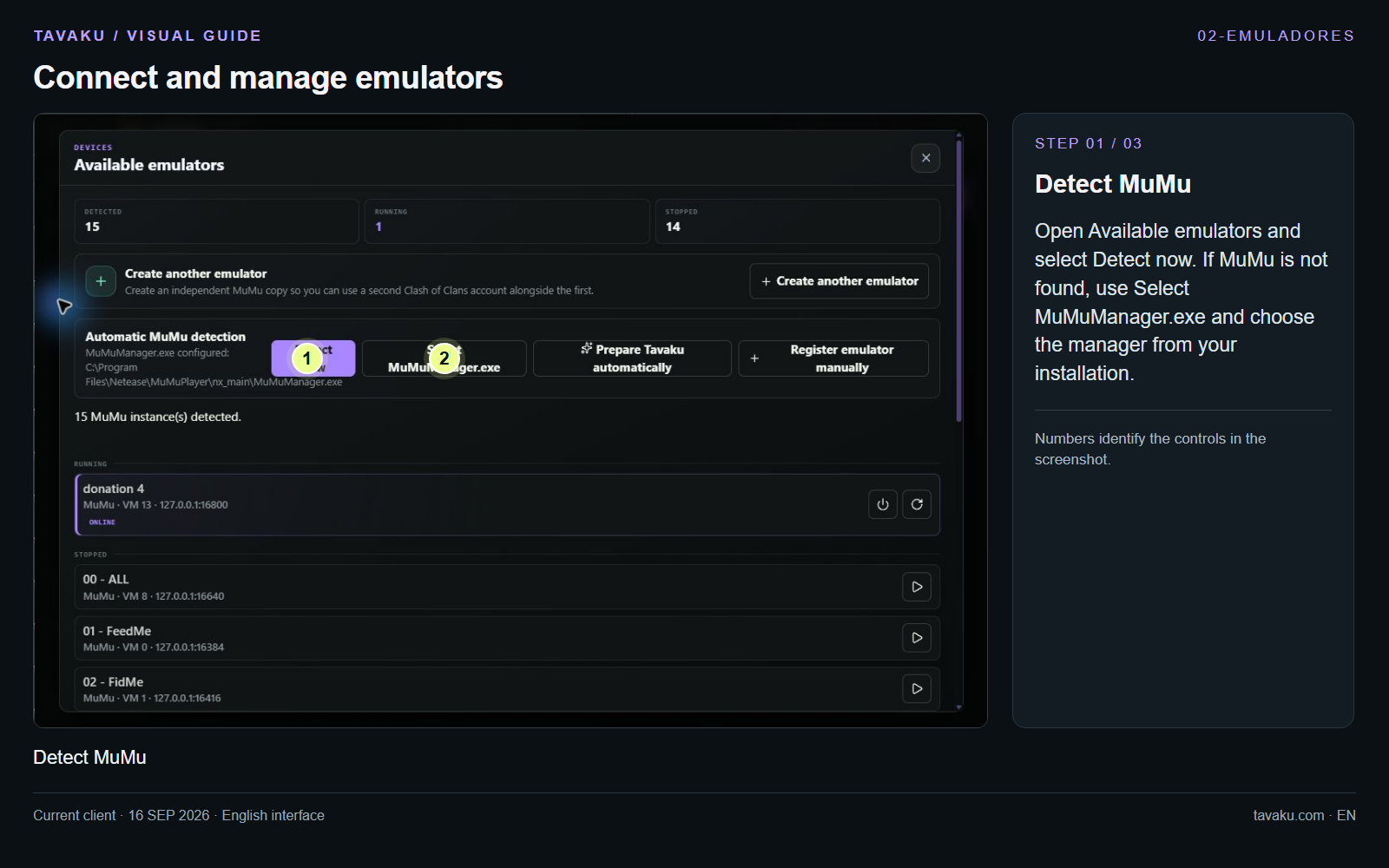
Open Available emulators and select Detect now. If MuMu is not found, use Select MuMuManager.exe and choose the manager from your installation.
 Enlarge image ↗
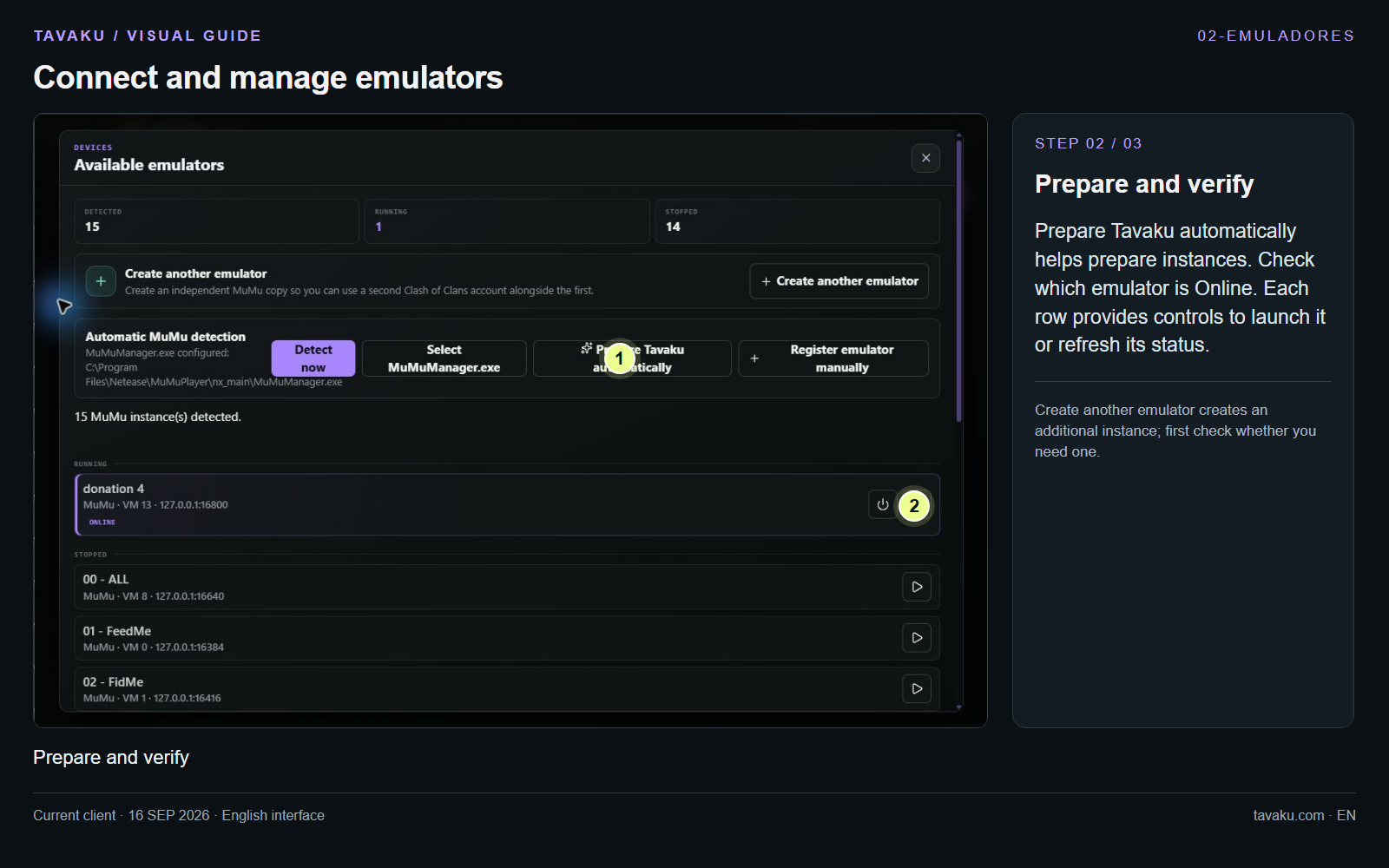
Prepare Tavaku automatically helps prepare instances. Check which emulator is Online. Each row provides controls to launch it or refresh its status.
Create another emulator creates an additional instance; first check whether you need one.
 Enlarge image ↗
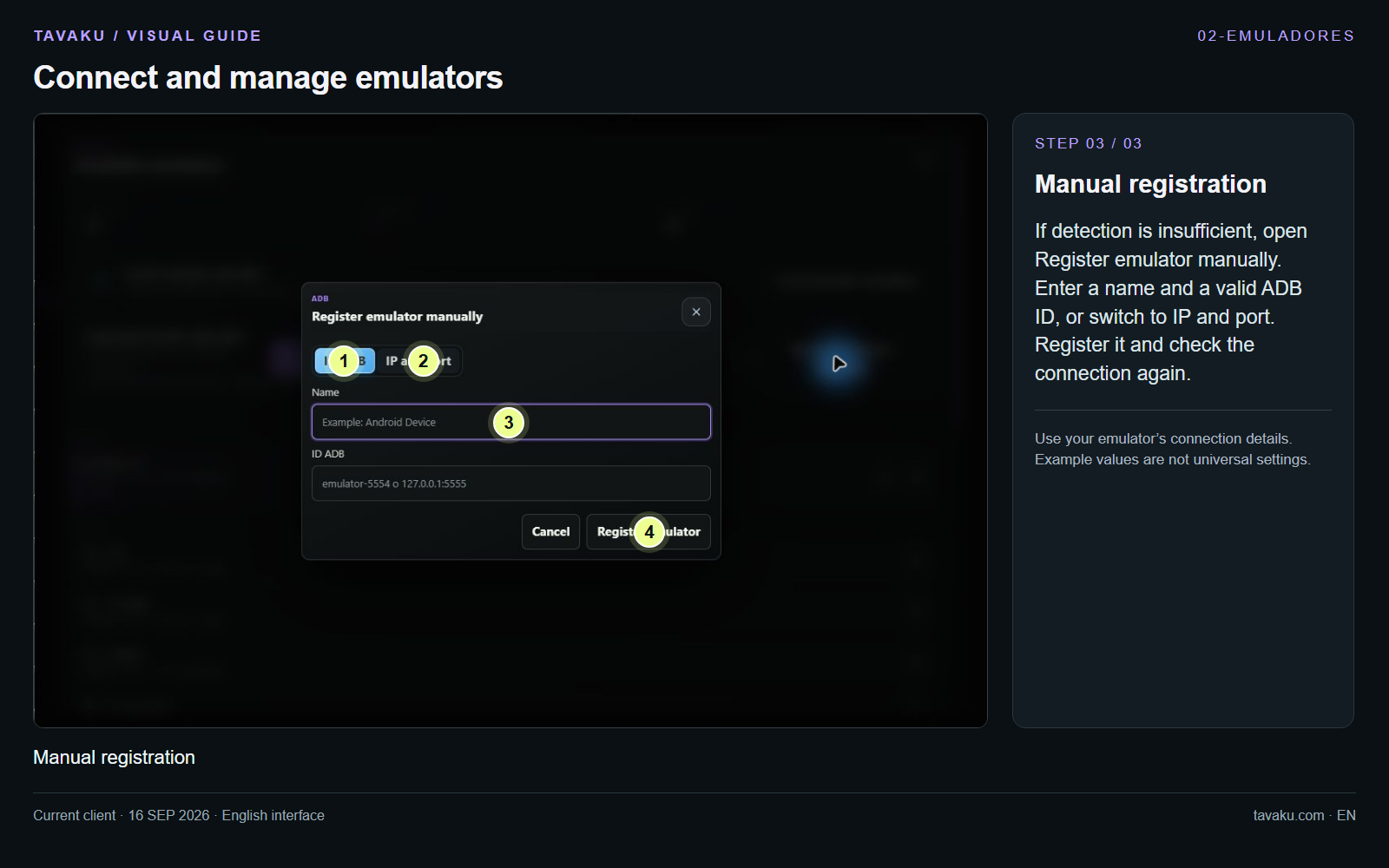
If detection is insufficient, open Register emulator manually. Enter a name and a valid ADB ID, or switch to IP and port. Register it and check the connection again.
Use your emulator’s connection details. Example values are not universal settings.
 Enlarge image ↗
About this guide
Configuration walkthrough of the current client, including local changes. No service was started during capture.