Getting started · 01
Installation and first sign-in
Start at tavaku.com. These guides document the local client as of 16 September 2026; some changes are not yet in the public download.
Annotated screenshot walkthrough. Every step is also written below. Download captions
Reference: client 3.2.3 with local changes · Sep 16, 2026. Some options may not be in the public download yet. Captured interface is in English.
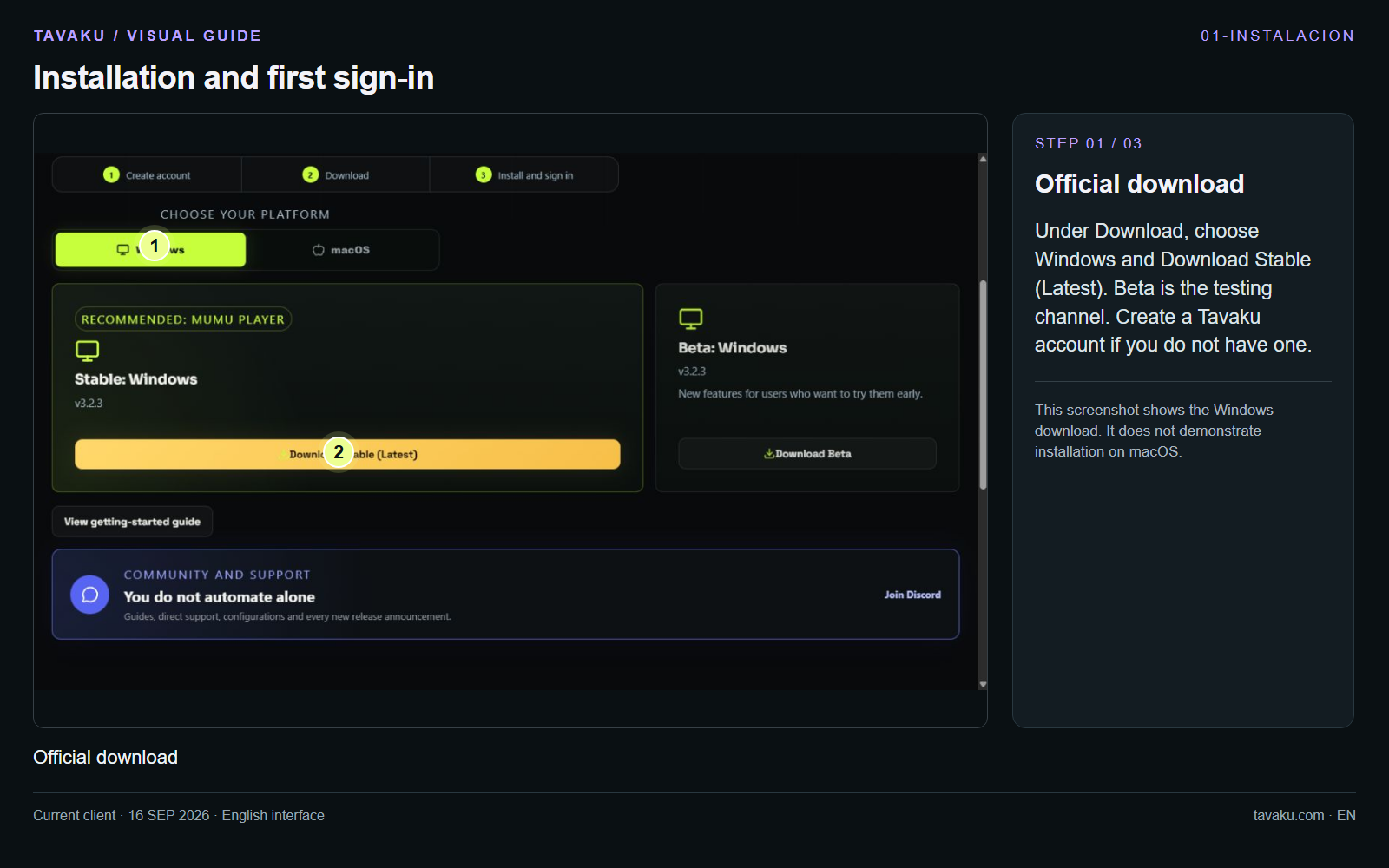
Under Download, choose Windows and Download Stable (Latest). Beta is the testing channel. Create a Tavaku account if you do not have one.
This screenshot shows the Windows download. It does not demonstrate installation on macOS.
 Enlarge image ↗
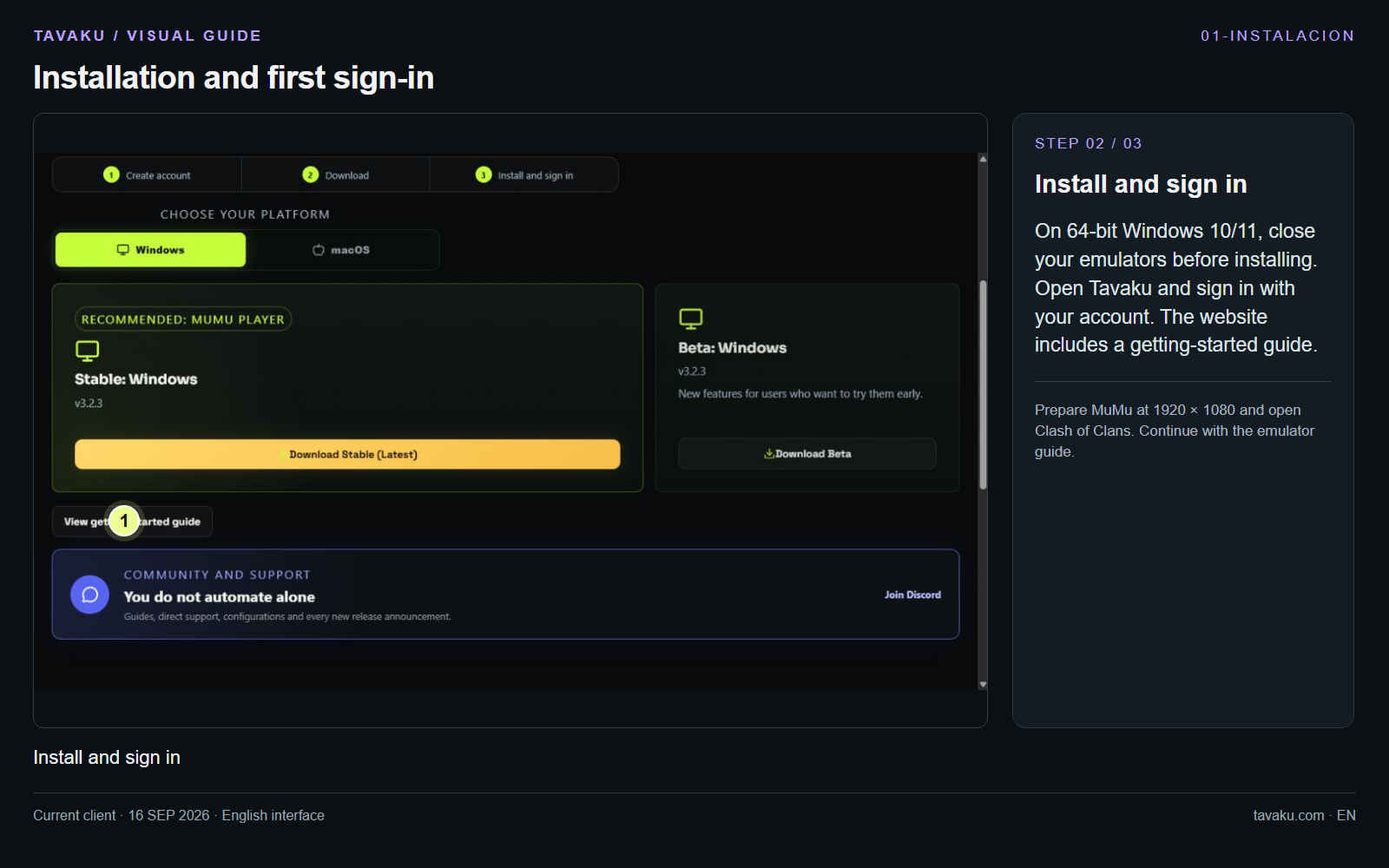
On 64-bit Windows 10/11, close your emulators before installing. Open Tavaku and sign in with your account. The website includes a getting-started guide.
Prepare MuMu at 1920 × 1080 and open Clash of Clans. Continue with the emulator guide.
 Enlarge image ↗
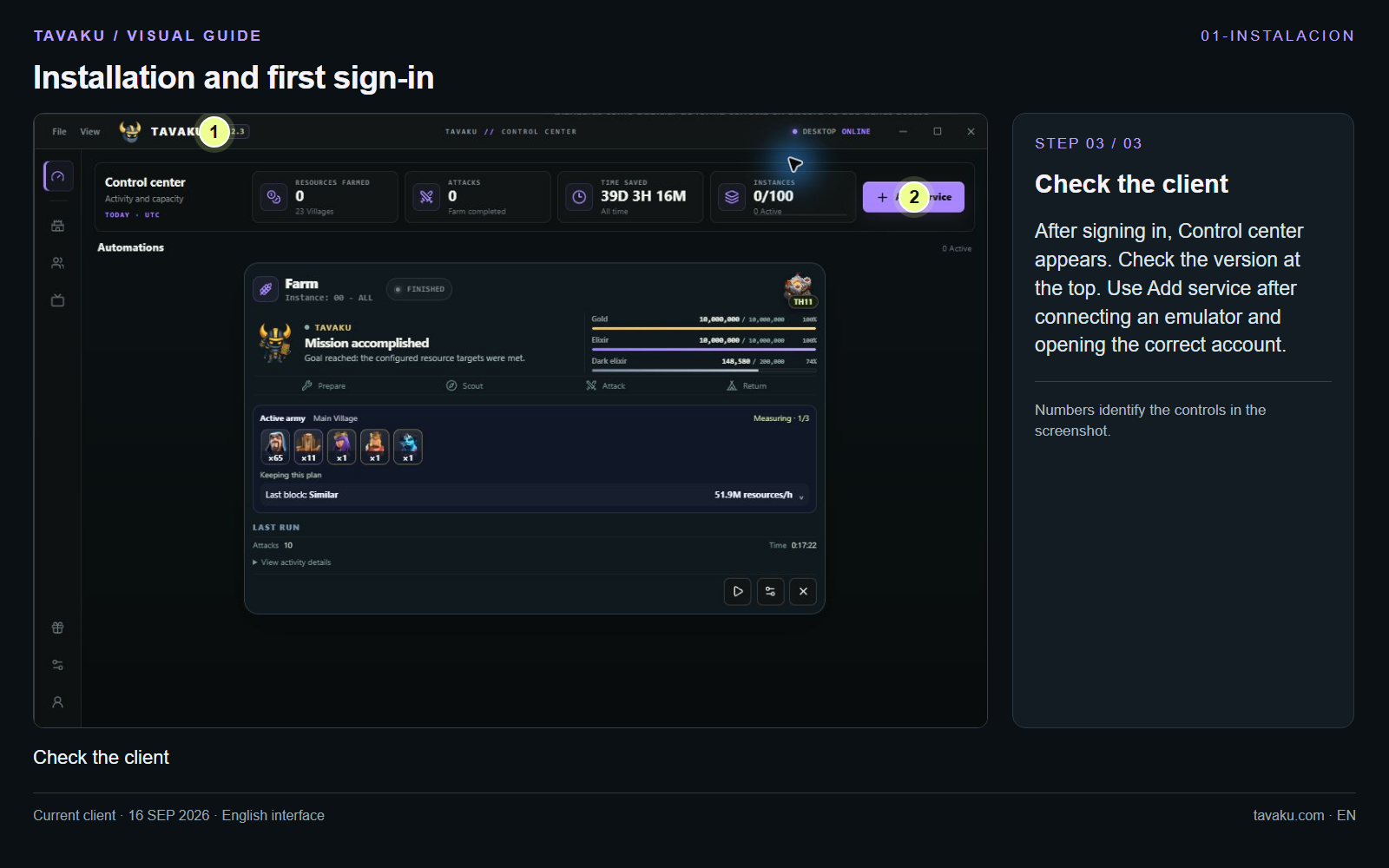
After signing in, Control center appears. Check the version at the top. Use Add service after connecting an emulator and opening the correct account.
 Enlarge image ↗
About this guide
Configuration walkthrough of the current client, including local changes. No service was started during capture.