Accounts & setup · 37
Multiaccount: timing and per-profile settings
Advanced Upgrade buildings options with Multi account enabled. Other services may show different options.
Annotated screenshot walkthrough. Every step is also written below. Download captions
Reference: client 3.2.3 with local changes · Sep 16, 2026. Some options may not be in the public download yet. Captured interface is in English.
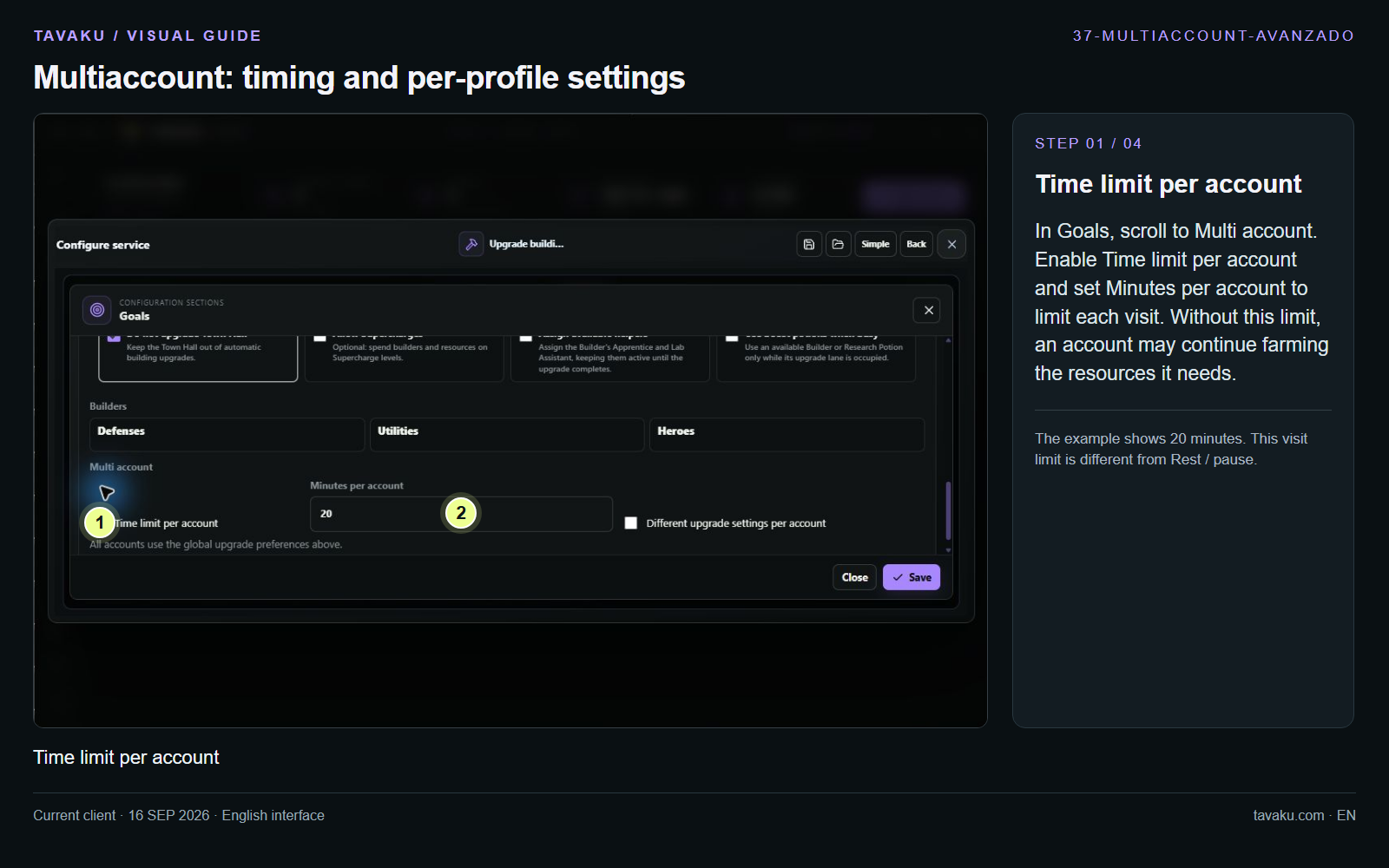
In Goals, scroll to Multi account. Enable Time limit per account and set Minutes per account to limit each visit. Without this limit, an account may continue farming the resources it needs.
The example shows 20 minutes. This visit limit is different from Rest / pause.
 Enlarge image ↗
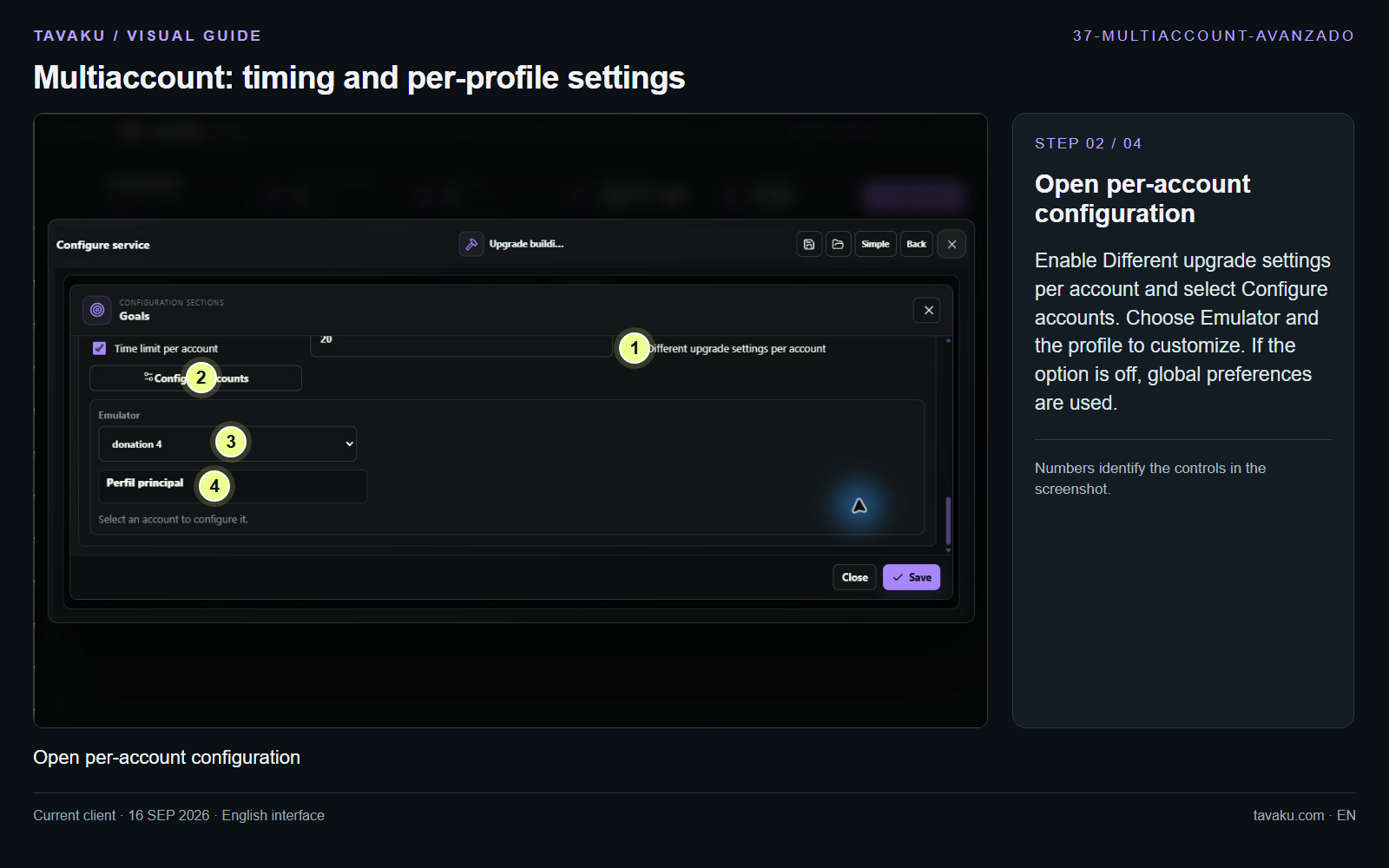
Enable Different upgrade settings per account and select Configure accounts. Choose Emulator and the profile to customize. If the option is off, global preferences are used.
 Enlarge image ↗
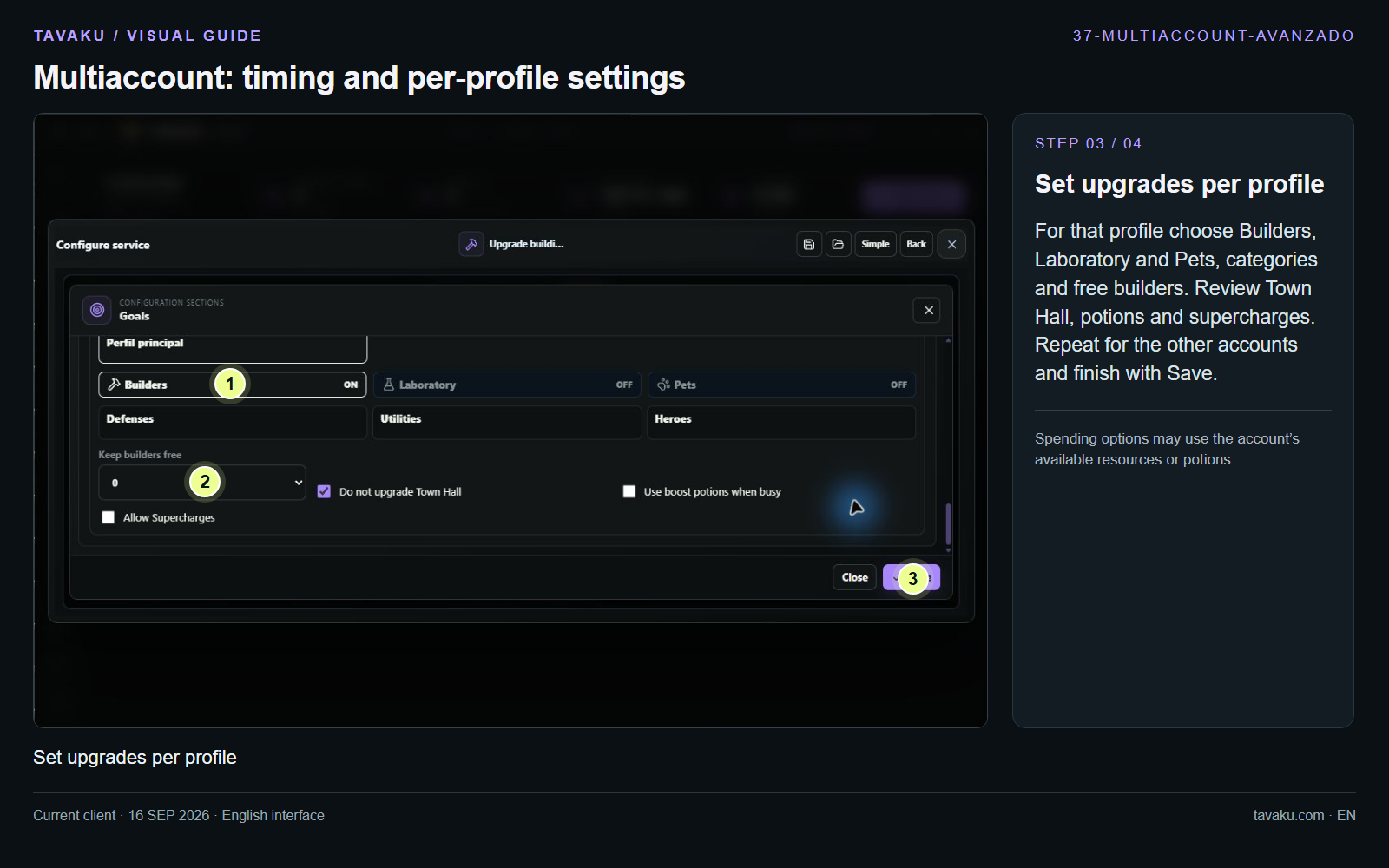
For that profile choose Builders, Laboratory and Pets, categories and free builders. Review Town Hall, potions and supercharges. Repeat for the other accounts and finish with Save.
Spending options may use the account’s available resources or potions.
 Enlarge image ↗
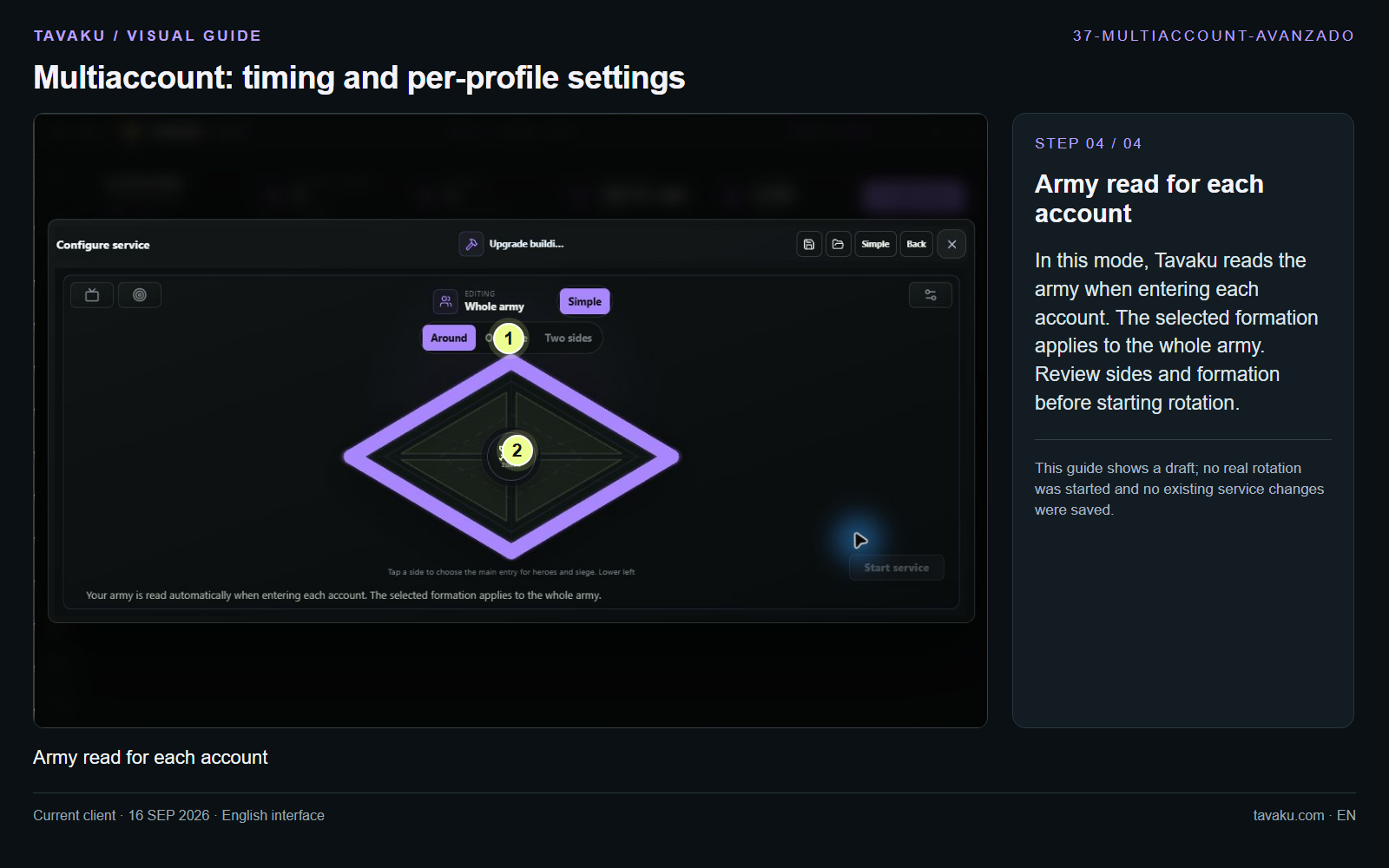
In this mode, Tavaku reads the army when entering each account. The selected formation applies to the whole army. Review sides and formation before starting rotation.
This guide shows a draft; no real rotation was started and no existing service changes were saved.
 Enlarge image ↗
About this guide
Configuration walkthrough of the current client, including local changes. No service was started during capture.