Home Village · 07
Upgrade buildings and reserve builders
Configure Home Village upgrades and choose how much control you want over priorities and resources.
Annotated screenshot walkthrough. Every step is also written below. Download captions
Reference: client 3.2.3 with local changes · Sep 16, 2026. Some options may not be in the public download yet. Captured interface is in English.
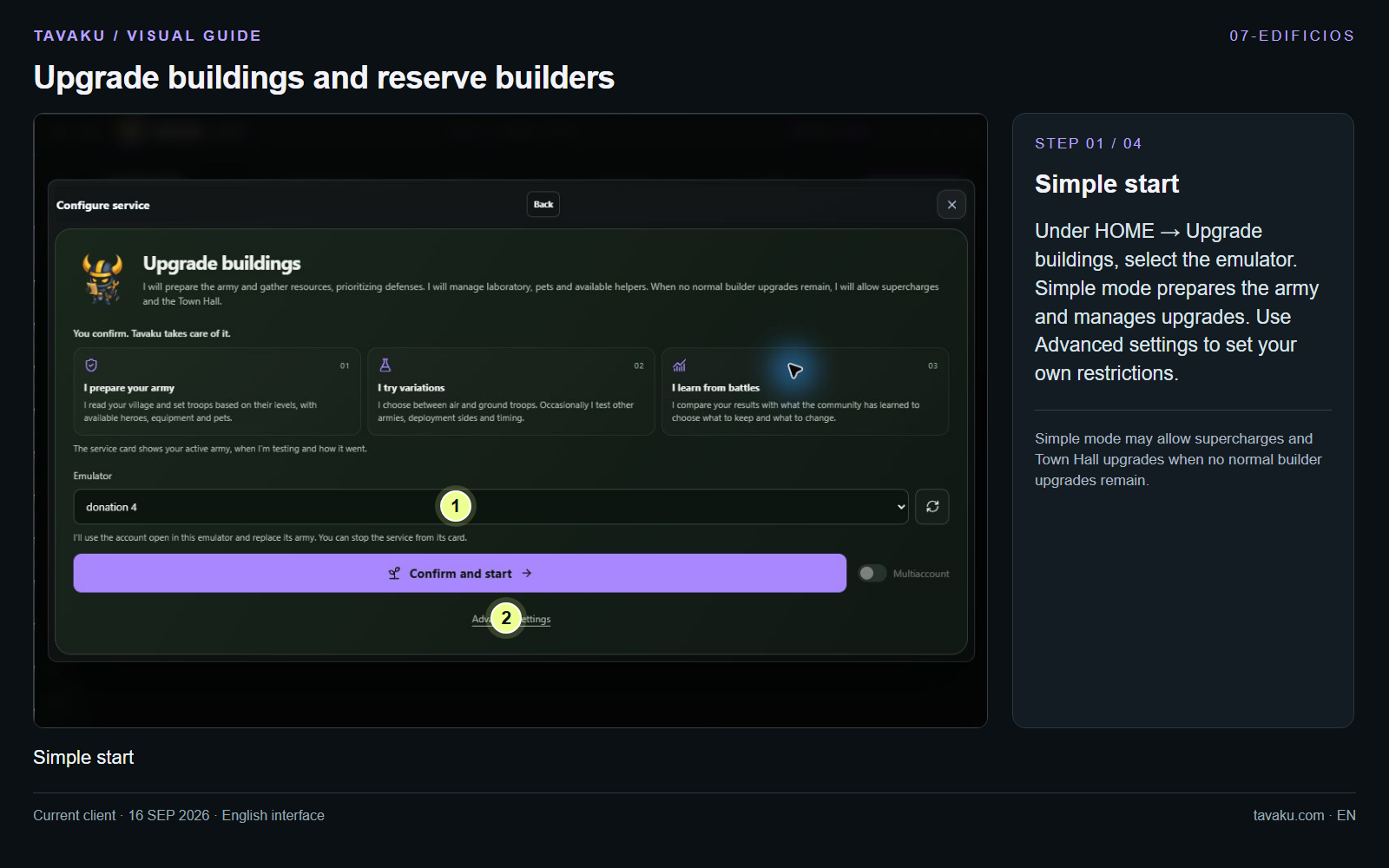
Under HOME → Upgrade buildings, select the emulator. Simple mode prepares the army and manages upgrades. Use Advanced settings to set your own restrictions.
Simple mode may allow supercharges and Town Hall upgrades when no normal builder upgrades remain.
 Enlarge image ↗
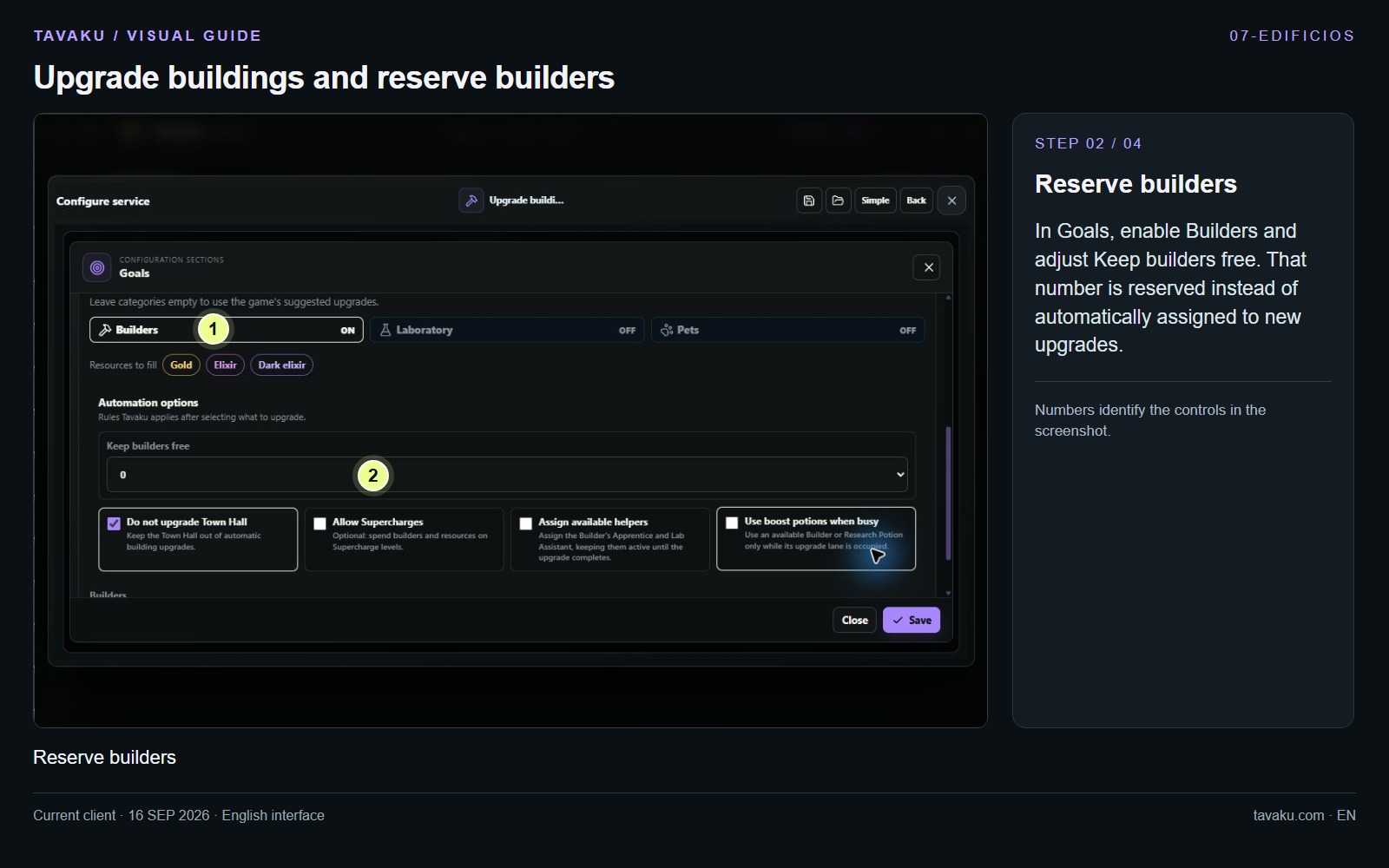
In Goals, enable Builders and adjust Keep builders free. That number is reserved instead of automatically assigned to new upgrades.
 Enlarge image ↗
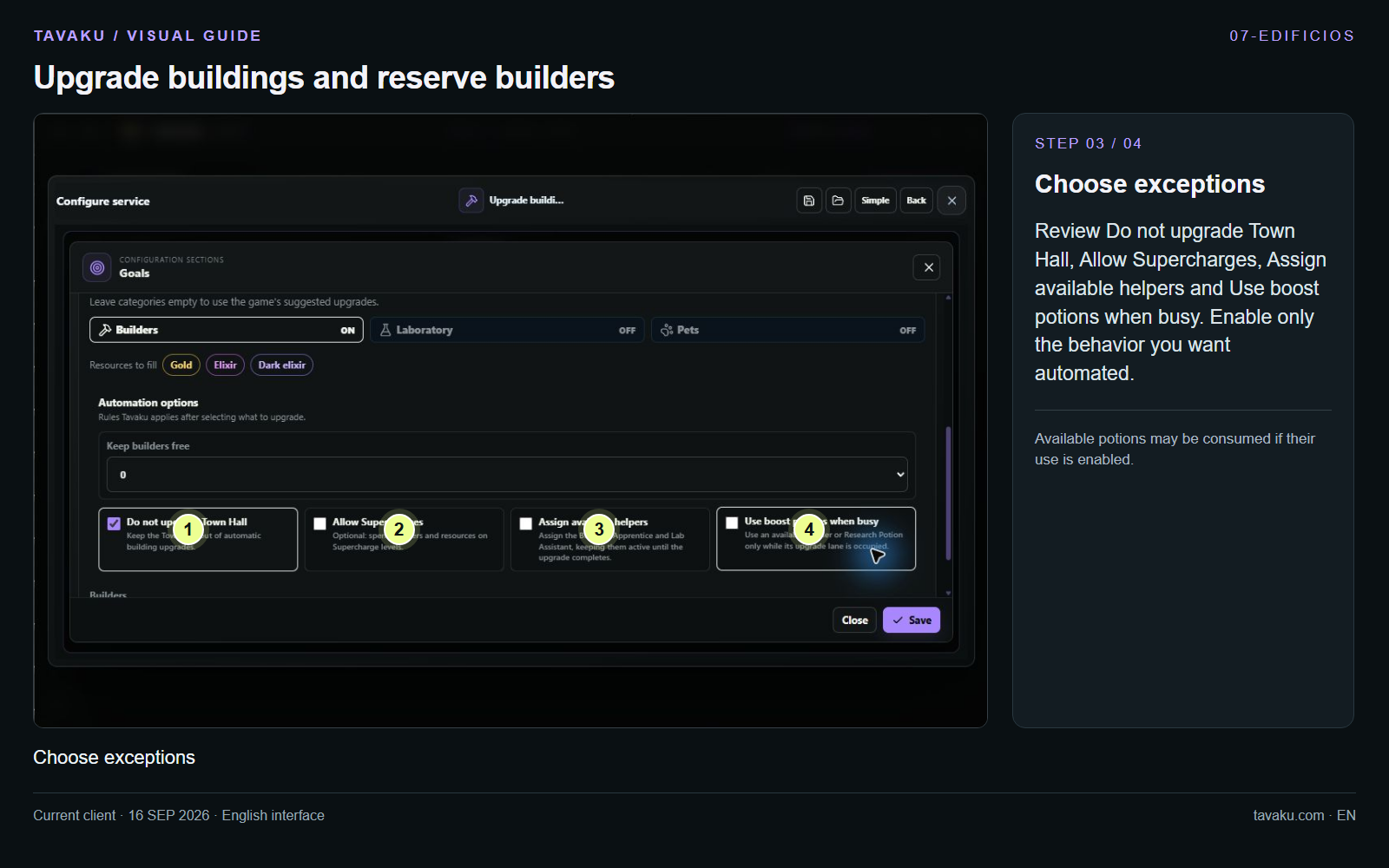
Review Do not upgrade Town Hall, Allow Supercharges, Assign available helpers and Use boost potions when busy. Enable only the behavior you want automated.
Available potions may be consumed if their use is enabled.
 Enlarge image ↗
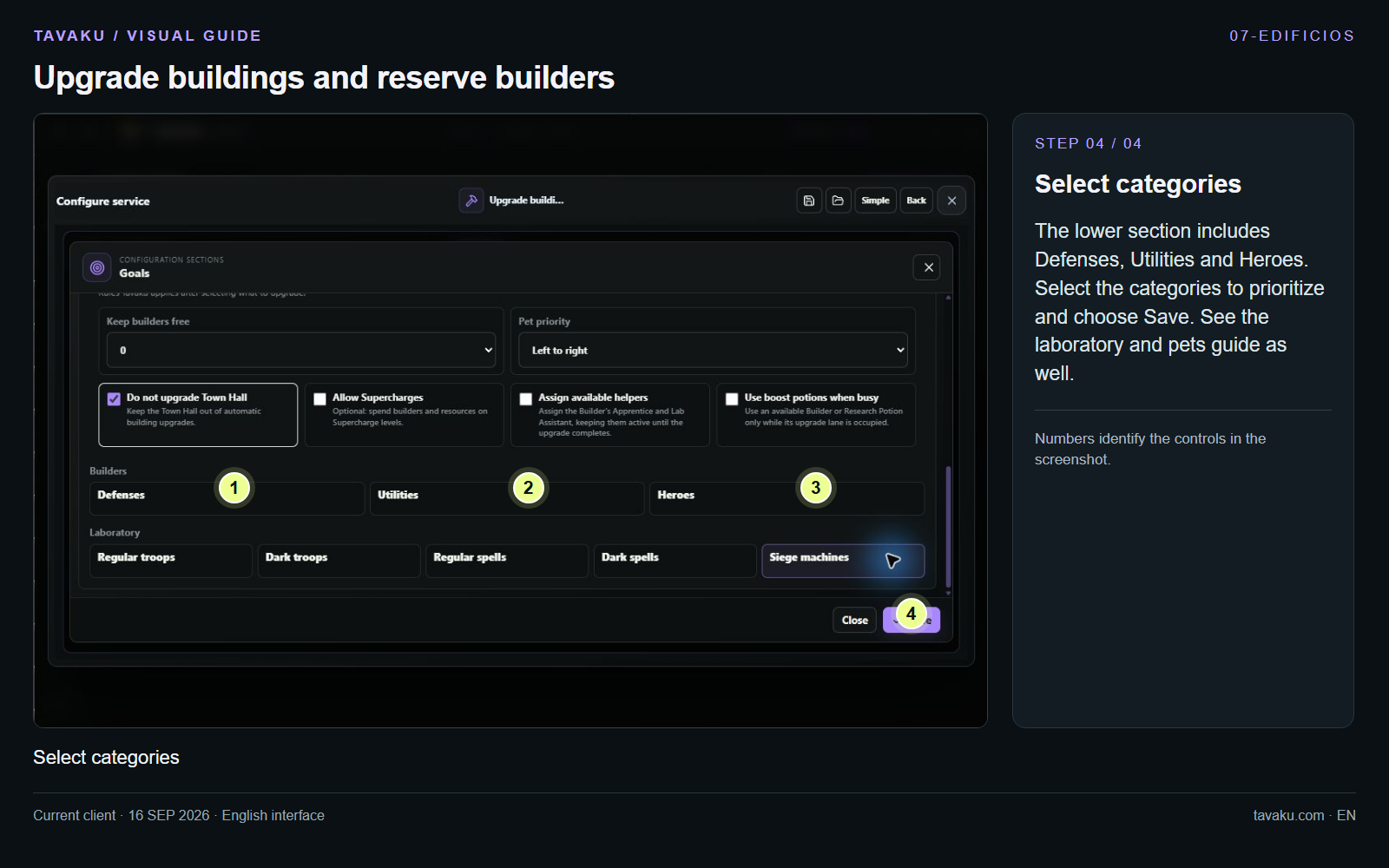
The lower section includes Defenses, Utilities and Heroes. Select the categories to prioritize and choose Save. See the laboratory and pets guide as well.
 Enlarge image ↗
About this guide
Configuration walkthrough of the current client, including local changes. No service was started during capture.